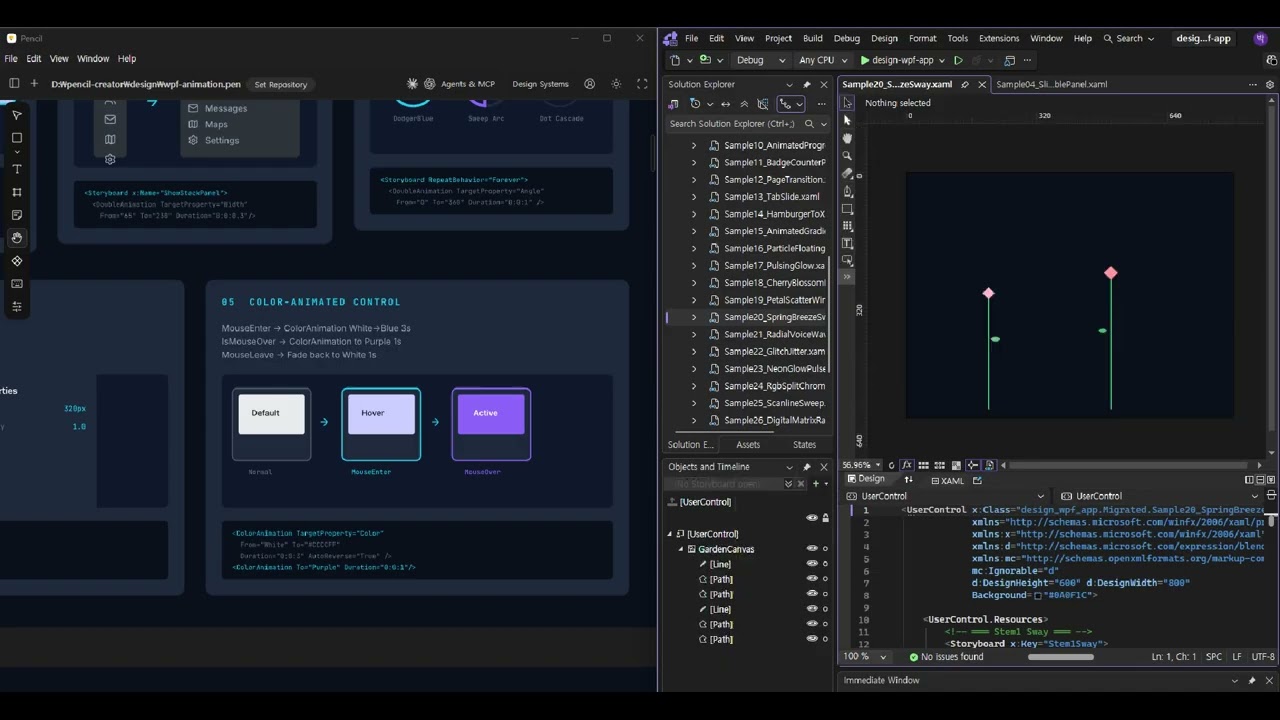
▶ Click the image to watch the PencilCreator demo video.

Look & Feel + Animation First Design — A Claude Code project for designing and validating look & feel and animations before building web applications. It provides 11+ (and growing) animatable controls out of the box, and with this design harness you can discover and add controls like the above using only prompts.

Pencil can implement animated web content using definition files alone.
Optionally, by using the Blend tool in addition, you can control the detailed movements of animations more directly. It serves as a complement to Pencil's timeline & storyboard features.
The design artifacts of this project are managed as .pen files for the Pencil editor.
Download the files below and open them in the Pencil editor to explore the animation templates and project designs.
| File | Description | Download |
|---|---|---|
| WPF Animation Template | 12 CATs, 40+ technique card library | design/wpf-animation.pen |
| Publisher App Design | Web ZIP publisher app (4 screens + 12 animation guide cards) | projects/design/publisher-app.pen |
The core philosophy of this project is "Design before code, animation design before static design."
+----------------------------------------------------------------+
|                    ANIMATION-FIRST DESIGN                       |
|                                                                 |
|  1. WPF Animation Research   DoubleAnimation, ScaleTransform,   |
|     (Case A)                 Easing, Storyboard pattern mining  |
|           |                                                     |
|           v                                                     |
|  2. Animation Template       wpf-animation.pen                  |
|     Library Build            10 CATs, 37 technique cards        |
|           |                                                     |
|           v                                                     |
|  3. Project Design           Static look & feel screens         |
|     (Case B)                 + Animation guides (separated!)    |
|           |                                                     |
|           v                                                     |
|  4. HTML Implementation      Convert to CSS/JS animations       |
|     (Case W)                 Apply WPF -> CSS mapping rules     |
|           |                                                     |
|           v                                                     |
|  5. Harness Evaluation       3-axis scoring + RPG experience    |
|     & Improvement                                               |
|           |                                                     |
|           v                                                     |
|        Iterate                                                  |
+----------------------------------------------------------------+
Why design animations first?
- Animations feel awkward when added later. You need to design state transitions (Before -> After) from the start for a natural UX.
- WPF Storyboard patterns are the best reference for explicitly defining animation properties (target, duration, easing).
- Separating static design from dynamic definitions allows animations to remain independent when the look & feel changes.
An application for uploading ZIP files to publish and manage websites.
Static Design (4 screens):
| Screen | Key Components |
|---|---|
| Dashboard | 4 stat cards + published sites table |
| Upload | Drag & drop zone + progress bar + completed file list |
| Publish | Form (name/publisher/description/favicon) + validation + publish button |
| View Sites | 6 site card grid (3x2) + open in new window / delete |
Animation Guide (4 categories, 12 cards):
| Category | Card | WPF Technique | Target Element |
|---|---|---|---|
| CAT-A Dashboard | Counter Roll-Up | DoubleAnimation + CubicEaseOut | Stat value text |
| Staggered Row Entrance | TranslateY + Opacity Stagger | Table rows | |
| Skeleton Shimmer | GradientStop + Forever | Loading state | |
| CAT-B Upload | Dropzone Pulse Glow | Opacity + Shadow AutoReverse | Dropzone border |
| Progress Bar Gradient | Width DoubleAnimation | Progress fill | |
| File Card Slide-In | TranslateX + ElasticEase | Completed file cards | |
| CAT-C Publish | Floating Label Input | Y + Scale + ColorAnimation | Input fields |
| Validation Stagger Check | Scale + BounceEase | Validation items | |
| Publish Button Ripple | Ellipse Scale + Opacity | Publish button | |
| CAT-D View Sites | Card Hover Scale + Lift | ScaleTransform + Shadow | Site cards |
| Gradient Background Shift | PointAnimation + Forever | Card thumbnails | |
| Delete Bounce Shrink | BackEaseIn + Opacity | Delete action |
File: projects/design/publisher-app.pen
WPF Storyboard/DoubleAnimation/Transform patterns are researched and statically visualized as Pencil design cards.
WebSearch XAML examples
    |
    v
Extract key properties
  - TargetProperty (Opacity, ScaleX, TranslateX...)
  - Duration, BeginTime
  - EasingFunction (CubicEaseOut, ElasticEase, BounceEase...)
  - RepeatBehavior, AutoReverse
    |
    v
Create Pencil card
  +------------------------------+
  | 1-1  FLOATING LABEL TEXTBOX  |  <- Number + Title
  |                               |
  | Focus -> Label Y^18px        |  <- Behavior description
  | Scale 75%, Color transition   |
  |                               |
  | +----------+  ->  +----------+|  <- Before -> After
  | | Username |      | Username ||
  | |          |      | #        ||
  | +----------+      +----------+|
  |                               |
  | <DoubleAnimation              |  <- XAML code
  |   TargetProperty="Y"         |
  |   To="-18" Duration="0.2"/>  |
  +------------------------------+
| Resource | Path | Scale |
|---|---|---|
| Animation Template | design/wpf-animation.pen |
12 CATs, 40+ cards |
| XAML Samples | design/xaml/sample/*.xaml |
27 standalone files |
| Research History | design/xaml/research-history.md |
20 sources/techniques recorded |
| WPF App (for Blend) | design-wpf-app/ |
27 UserControls (Blend timeline editable) |
Category List:
| CAT | Topic | Key Techniques |
|---|---|---|
| 1 | Data Input Controls | Floating Label, ComboBox, Toggle |
| 2 | Feedback & Notification | Snackbar, Progress Bar, Badge |
| 3 | Navigation & Transitions | Page Transition, Tab Slide, Hamburger Morph |
| 4 | Decorative & Background | Gradient BG, Particle Dots, Pulsing Glow |
| 5 | 3D Transform & Shape Morph | Flip Card, Morphing, Elastic Spring |
| 6 | Path & Trajectory | Path Follower, Parallax, Drag & Drop |
| 7 | Text & Sequential | Typewriter, Marquee, Staggered List |
| 8 | Interactive UI Controls | Ripple Button, Accordion, Tooltip |
| 9 | Data Visualization & Loading | Skeleton Shimmer, Circular Progress, Bar Chart |
| 10 | Ambient & Decorative FX | Wave Ripple, Breathing Pulse, Marching Ants |
| 11 | Celebration & Advanced | Confetti Burst, Zoom/Pinch, Animated Tooltip |
| 12 | Spring & Nature Particle | Cherry Blossom Fall, Petal Scatter, Breeze Sway |
> "Research WPF templates and enrich them"
> "Research WPF Elastic/Spring effects and add them to wpf-animation.pen"
Directly researches WPF XAML via WebSearch and adds cards to design/wpf-animation.pen.
| Evaluation Axis | Max Score | Key Criteria |
|---|---|---|
| A1 Research Novelty | 35 | Were new techniques added without duplicating existing ones? |
| A2 Visualization Expressiveness | 35 | Is the Before->After transition intuitive? |
| A3 Metadata Completeness | 30 | Are the XAML code and sources accurate? |
> "Design a publisher app in Pencil referencing wpf-animation effects"
> "Design a shopping mall admin page referencing wpf-animation"
Uses wpf-animation.pen as a reference library to create separated static look & feel + animation guide designs.
| Evaluation Axis | Max Score | Key Criteria |
|---|---|---|
| B1 Requirements Fidelity | 35 | Were all required pages/features designed? |
| B2 Animation Guide Richness | 35 | Diverse WPF technique mapping + target specification |
| B3 Design Quality & Separation | 30 | Look & feel consistency + static/dynamic separation |
> "Create HTML referencing the Pencil design"
> "Implement the publisher-app.pen design as a web page"
Converts the .pen file's static design + animation guide into HTML/CSS/JS.
| Evaluation Axis | Max Score | Key Criteria |
|---|---|---|
| W1 Design Coverage | 35 | How much of the .pen elements were reflected? |
| W2 Animation Fidelity | 35 | Were the animation guides actually implemented? |
| W3 Creative Extension | 30 | Were interactions beyond the design added? |
| Path | Condition | XP Bonus |
|---|---|---|
| A -> B | Both 60+ pts | x1.2 |
| A -> W | Both 60+ pts | x1.2 |
| B -> W | Both 60+ pts | x1.3 |
| A -> B -> W | All 60+ pts | x1.5 |
Earn XP upon task completion and level up.
Earned XP = Base XP (score x 10) x Grade multiplier (A:x5 B:x3 C:x1 D:x0.5) x Type multiplier (x1.2)

Grades: A (80-100) B (60-79) C (40-59) D (0-39)

Current Status: Lv.20 "Keyboard Warrior" | Total XP: 12,708
| Skill | Role | Trigger |
|---|---|---|
harness-usage |
Execute Case A/B/W + evaluation | "Enrich WPF template", "Design it", "Create HTML" |
pencil-design |
Pencil MCP diagrams/blueprints + WPF App migration | "Draw architecture in Pencil", "Migrate XAML" |
harness-creator |
Harness structure improvement | "Upgrade the harness" |
pencil-creator/
├── .claude/skills/
│   ├── pencil-design/         <- Pencil MCP design skill
│   ├── harness-usage/         <- Case A/B/W workflow + evaluation
│   └── harness-creator/       <- Harness structure improvement
├── design/
│   ├── wpf-animation.pen      <- WPF animation template (10 CATs, 37 cards)
│   └── xaml/
│       ├── research-history.md <- WPF research history
│       ├── sample/*.xaml       <- 17 XAML samples
│       └── output/sample{N}/   <- HTML output
├── design-wpf-app/
│   ├── design-wpf-app.slnx    <- Open in Blend for Visual Studio
│   ├── migrated/               <- 27 converted UserControls (Blend timeline editable)
│   ├── db/migration-db.json    <- Migration status DB (v2 schema)
│   └── docs/                   <- Core conversion guide
├── projects/
│   ├── design/*.pen            <- Per-project designs (static + animation guide)
│   └── prompt/                 <- Project prompt history
├── harness/
│   ├── knowledge/              <- Evaluation criteria (design-craft.md)
│   ├── agents/                 <- Evaluation agents
│   ├── engine/                 <- RPG rules + state model
│   ├── logs/                   <- Work logs + RPG state
│   └── docs/                   <- Version change history
├── CLAUDE.md                   <- Claude Code project instructions
└── README.md
A project that converts 27 collected XAML animations into a WPF App editable via Blend for Visual Studio timeline. When implementing animations on other platforms (web, mobile), use the Blend timeline to visually inspect keyframes and easing.
# Open in Blend
design-wpf-app/design-wpf-app.slnx   # <- Open this file in Blend for Visual Studio

# Runtime execution (Gallery Viewer)
cd design-wpf-app && dotnet run

# Request new XAML migration (Claude Code)
> "Migrate XAML to WPF app"
> "Convert design/xaml/sample/28-xxx.xaml to Blend-compatible format"- Open
migrated/Sample{NN}_*.xamlfiles in Blend - Select a Storyboard from the timeline dropdown (GlassHoverIn, SpinnerRotate, etc.)
- Select DemoSequence to play the full animation flow at once
- Click keyframes to modify easing, timing, and values
design-wpf-app/
├── design-wpf-app.slnx     <- Open in Blend
├── MainWindow.xaml          <- Left navigation + right content viewer
├── migrated/                <- 27 converted UserControls
├── db/migration-db.json     <- Migration status DB (v2)
└── docs/animation-migration-guide.md  <- Core conversion guide
This project will continuously add sample web pages alongside harness design upgrades.
- Publisher App HTML Implementation (Case W) — Implement publisher-app.pen design + 12 animation guides as an actual web page
- WPF Template Expansion (Case A) — Add CAT 10+ (Scroll-driven Animation, View Transition, etc.)
- New Project Designs (Case B) — Various app layouts: dashboards, e-commerce, SaaS landing pages, and more
- Harness v3.0 — Auto-connect Case B->W pipeline, add accessibility evaluation axis
- Design System — Reusable component library shareable across projects
All samples follow the Animation-First Design principle: look & feel and animation guides are designed first, then implemented.
# 1. Prerequisites
# Install Claude Code + Pencil

# 2. Open the project
cd pencil-creator
claude

# 3. Start your first task
> "Design a portfolio app in Pencil referencing wpf-animation"  # Case B
> "Research and enrich WPF templates"                            # Case A
> "Create HTML referencing the Pencil design"                    # Case W
> "Migrate XAML to WPF app"                                      # Blend editing
> "What is the harness?" # Usage guideEverything you see above is produced on top of the Pencil Design Harness (v2.6.0) — not a plain prompt runner, but a quality framework that closes the loop of prompt → design → evaluation → level-up.
- 5 workflow cases — A (WPF → Template) · B (Template → Project) · C (Web → JSON → Component) · D (DesignMD → Pencil) · W (Pencil → HTML)
- 3-axis × 100-point auto evaluation — every artifact gets a score/grade (A/B/C/D) logged under
harness/logs/ - Pipeline bonuses — chain cases like A → B → W to earn up to 1.5× XP
- RPG level & achievement system — levels and achievements accumulate with each run, making quality bars visible
The video below walks through the full loop — from a single prompt to Pencil design, HTML implementation, and automated scoring — driven entirely by the Harness.
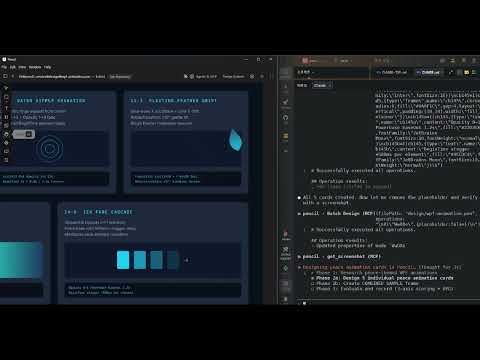
▶ Click the image to watch the Harness making-of video on YouTube.
MIT