Releases: quantumstack-labs/Vynta
Releases · quantumstack-labs/Vynta
Vynta v1.0.0 Stable Release

🚀 Vynta v1.0.0 — First Release




Welcome to the official first release of Vynta! This version is the result of several internal testing rounds and is now stable enough for external beta testers. While we aren't calling it "production-ready" just yet, all core features are functional and ready for your feedback.
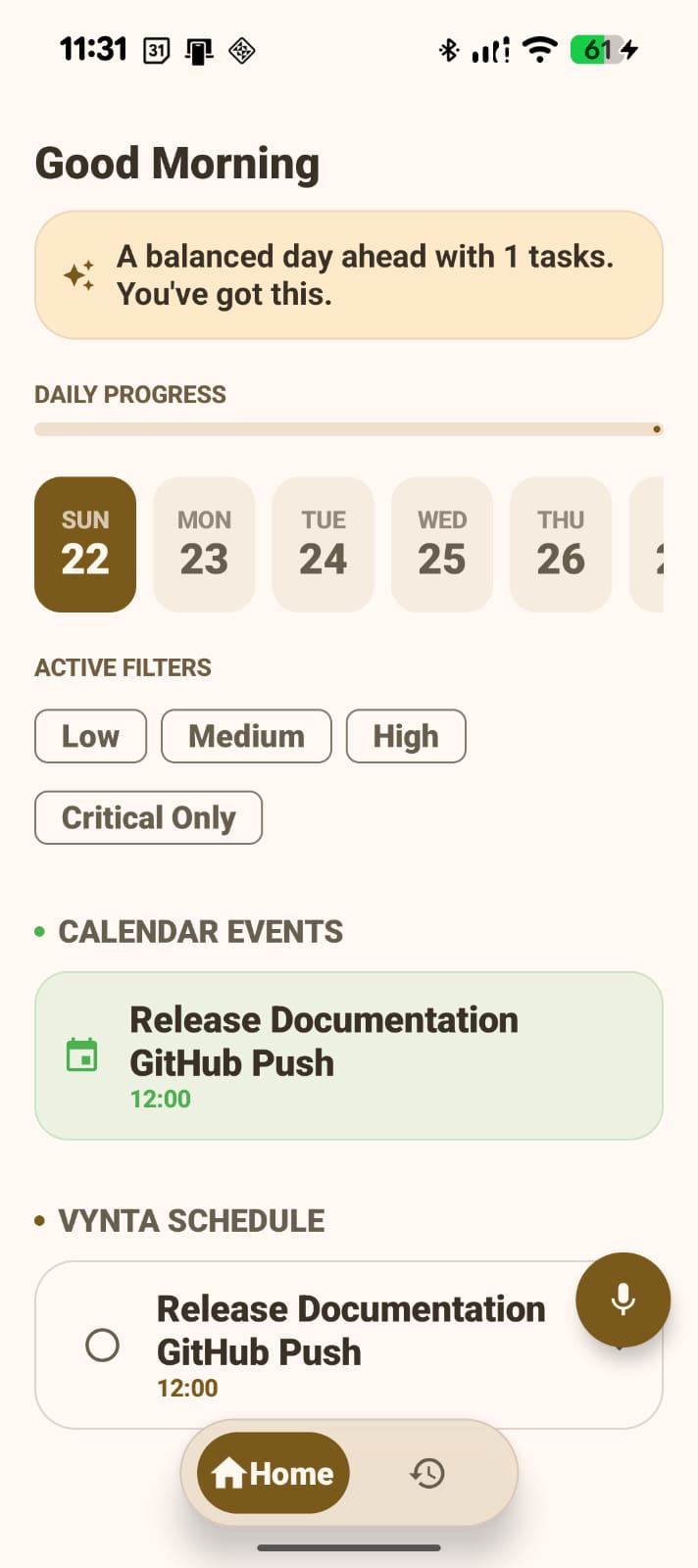
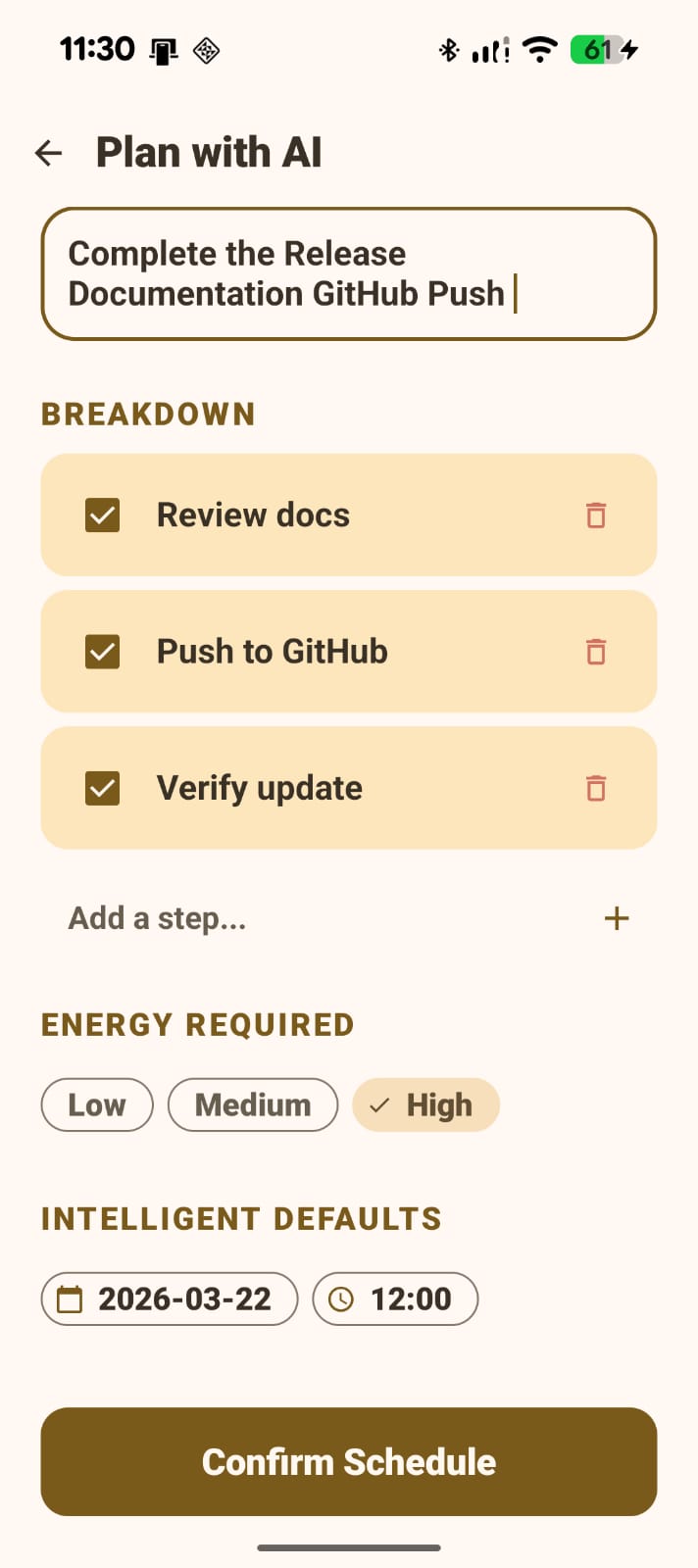
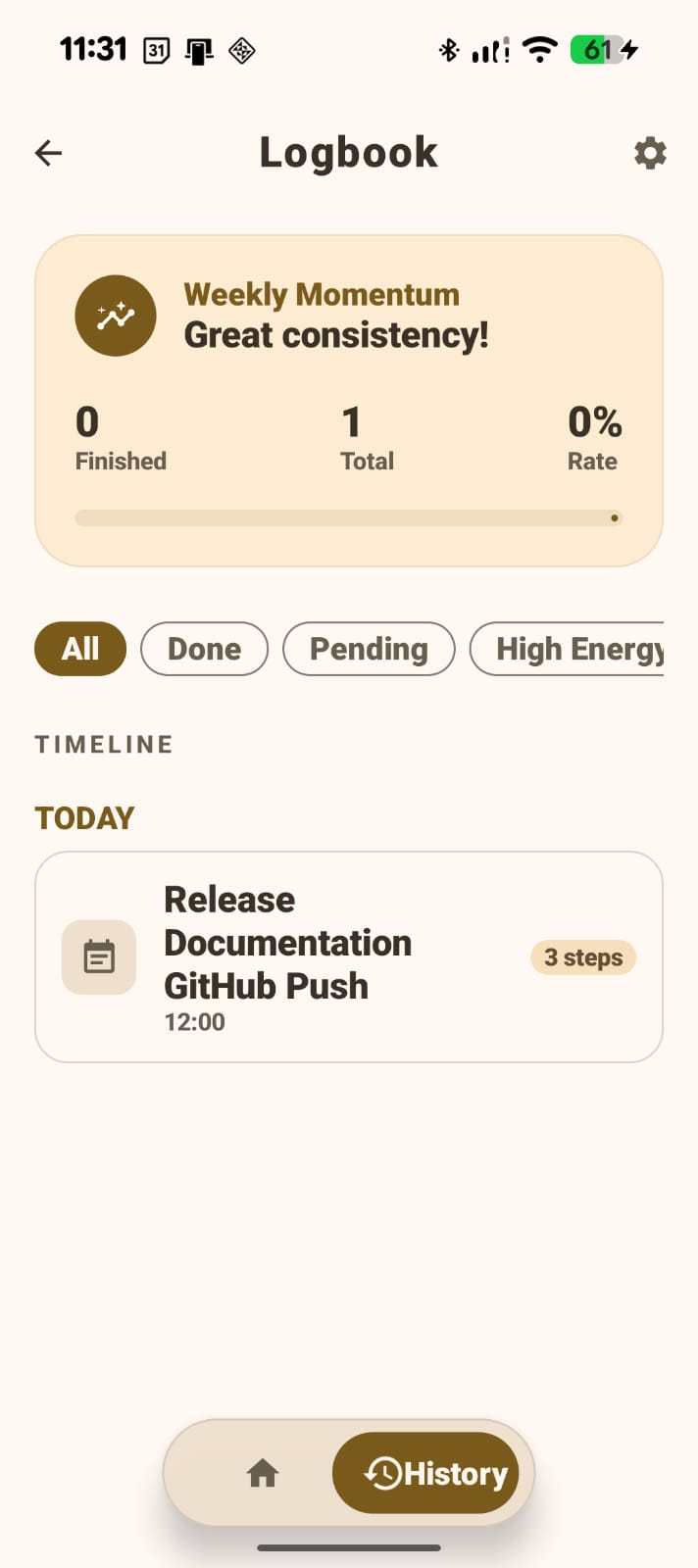
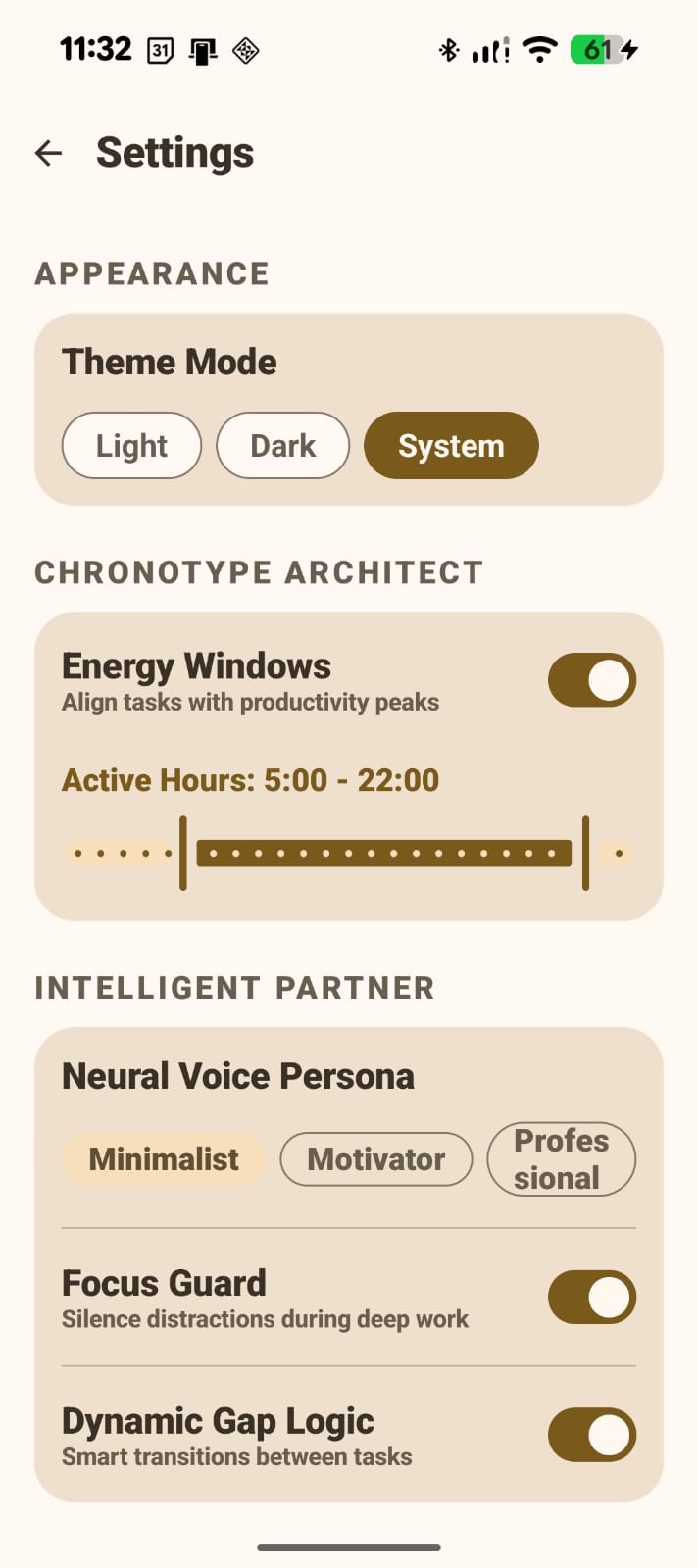
📱 Screenshots
| Home | Create Task | History | Settings |
|---|---|---|---|
 |
 |
 |
 |
✨ Key Features
Core Functionality
- AI Task Scheduling – Simply type or speak your task. Vynta uses Groq (Llama 3) to automatically determine the duration, priority, and energy level.
- Energy-Aware Slots – Tasks are intelligently placed in your day based on your energy levels (Low, Medium, or High).
- Two-Way Google Calendar Sync – Seamlessly sync tasks between Vynta and your Google Calendar.
- Performance Tracking – Access a full history of completed and missed tasks, including a calculated productivity score.
- Customizable Settings – Manage working hours, buffer times, and switch between Light/Dark/System themes.
Technical Stack
- UI: Jetpack Compose + Material 3
- Architecture: MVVM (Model-View-ViewModel)
- Storage: Room Database + DataStore for local persistence
- Networking: Groq API via Retrofit & Google Calendar API
- Concurrency: Kotlin Coroutines & Flow
⚠️ Known Issues
- Calendar Sync Lag: Occasional latency during the first login. Workaround: Sign out and back in.
- Voice Input: May cut off early on slower network connections.
- History Grouping: Currently displays as a flat list; date-based grouping is in progress.
- UI Spacing: Minor layout issues on very small screen sizes.
- Offline Support: No fallback currently exists if the Groq API is unreachable.
🛠️ Installation Guide
Important
Google Sign-In: Currently limited to authorized test accounts. If you encounter a sign-in error, please contact me with your email address to be added to the allowlist.
- Download
Vynta_v1.0.0.apkfrom the assets below. - Enable Unknown Sources: Go to
Settings→Security(orApps→Special access) and allow installation from your file manager/browser. - Install & Launch: Open the APK and follow the prompts.
- Sign In: Log in with your authorized Google account.
Requires Android 8.0 (API 26) or higher.
🗓️ Roadmap (v1.1)
- Home screen widgets for quick task viewing.
- Habit & Streak tracking.
- Enhanced onboarding flow.
- Smarter AI pattern recognition.
💬 Feedback & Support
Found a bug or have a feature request? Let’s talk!
- User Manual: MANUAL.md
- Issues: GitHub Issue Tracker
- Contact: LinkedIn
Built in Chennai by Murshid R · © 2026