A real-time podcast analysis tool that automatically transcribes audio and extracts notable context, claims, and references as you listen. The application processes podcast content to identify significant statements for multi-source verification. Additionally, users can manually select specific transcript segments to trigger in-depth research workflows.
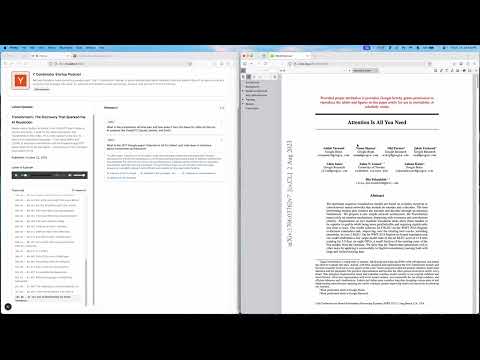
- RSS Feed Processing - Parse podcast feeds and download episodes
- Real-time Transcription - OpenAI Whisper-based speech-to-text with timestamps
- Automated Context Extraction - AI automatically identifies notable statements and starts research
- Multi-Source Research - Verifies claims using arXiv, Brave Search, and Congress.gov
- Manual Research - Select any text to trigger custom research
- Frontend: Next.js, TypeScript, Tailwind CSS
- Backend: FastAPI, Python 3.11+
- AI: LangGraph, xAI API (
grok-4-fast), OpenAI (Whisper) - Search APIs: Brave Search, arXiv, Congress.gov
- Python 3.11+
- Node.js 18+
- uv - Python package manager (install)
- API Keys (see Configuration below)
cd backend
uv synccd frontend
npm installCreate a .env file in the /backend directory:
# Required
OPENAI_API_KEY=...          # Whisper transcription
XAI_API_KEY=...             # Grok-4-fast for AI workflows
BRAVE_API_KEY=...           # Web search
CONGRESS_API_KEY=...        # Congress.gov API

# Optional
LANGSMITH_API_KEY=... # LangSmith workflow debuggingStart both servers in separate terminals:
Backend (port 8000):
cd backend
uv run main.py
Frontend (port 3000):
cd frontend
npm run dev- Enter RSS Feed URL - Paste any podcast RSS feed URL
- Episode Loads - Most recent episode loads automatically with audio
- Start Playback - Click play to begin transcription
- View Research - Research results appear in the right panel as the podcast plays
- Manual Research - Select any transcript text to trigger custom research
- Audio is split into 120-second chunks
- First 2 chunks transcribe immediately on play
- Additional chunks load progressively as you listen
- Seeking ahead triggers transcription of that section
- Every 25 seconds of playback, the system analyzes the previous 20-second window
- AI extracts notable statements (claims, statistics, references)
- Each statement is researched using LangGraph workflows
- Results include source verification, confidence scores, and URLs
├── backend/
│   ├── app/
│   │   ├── api/v1/endpoints/     # API routes
│   │   ├── services/             # Business logic
│   │   ├── workflows/            # LangGraph AI workflows
│   │   └── main.py               # FastAPI app
│   └── media/                    # Audio & transcription cache
├── frontend/
│   ├── app/                      # Next.js pages
│   ├── components/               # React components
│   └── lib/                      # API client