RaiSim is a physics engine for robotics and artificial intelligence research that provides efficient and accurate simulations for robotic systems. We specialize in running rigid-body simulations while having an accessible, easy to use C++ library.
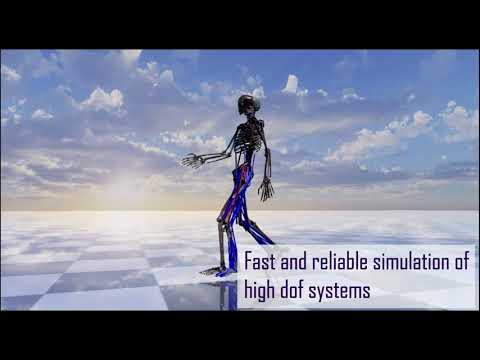
Closed-loop system simulation is now available! Check out the minitaur example
RaiSim/RayRai binaries are downloaded automatically during CMake configure on Linux and Windows from GitHub Releases (raisimTech/raisim2Lib, version = RAISIM_VERSION in CMakeLists.txt).
If raisim/ or rayrai/ already exist, configure removes and replaces them.
- CMake >= 3.18
- C++ compiler:
- Linux: GCC/Clang
- Windows: Visual Studio 2022 with C++ workload
- Linux packages:
sudo apt update
sudo apt install -y build-essential libeigen3-dev libsdl2-dev- Windows dependencies (optional): you can use the bundled
thirdParty/Eigen3and skip vcpkg. - Windows dependencies via vcpkg (recommended):
# install vcpkg first if needed
git clone https://github.com/microsoft/vcpkg C:\vcpkg
C:\vcpkg\bootstrap-vcpkg.bat
$env:VCPKG_ROOT="C:\vcpkg"

# install packages
vcpkg install eigen3:x64-windows sdl2:x64-windowscd /path/to/raisim2Lib
cmake -S . -B build -DCMAKE_INSTALL_PREFIX=$HOME/.local
cmake --build build -j
cmake --install buildWithout vcpkg toolchain:
cd C:\path\to\raisim2Lib
cmake --fresh -S . -B build -G "Visual Studio 17 2022" -A x64
cmake --build build --config Release
cmake --install build --config Release
With vcpkg toolchain:
cd C:\path\to\raisim2Lib
cmake --fresh -S . -B build -G "Visual Studio 17 2022" -A x64 `
  -DCMAKE_TOOLCHAIN_FILE="$env:VCPKG_ROOT\\scripts\\buildsystems\\vcpkg.cmake"
cmake --build build --config Release
cmake --install build --config Release-DRAISIM_EXAMPLE=ON(default ON): build C++ examples-DRAISIM_PY=ON: build Python bindings (install Python dev headers first)-DRAISIM_MATLAB=ON: build Matlab wrapper-DRAISIM_DOC=ON: build docs (install Sphinx requirements first)
Optional docs setup:
python3 -m venv docs/.venv
. docs/.venv/bin/activate
python -m pip install -r docs/requirements.txtFurther documentation available on the RaiSim Tech website.
Before running examples, load the environment setup script for your shell:
- Linux/macOS:
source /path/to/raisim2Lib/raisim_env.sh - Windows (PowerShell):
.\raisim_env.ps1 - Windows (cmd.exe):
raisim_env.bat
- Supports free camera movement
- Allows the recording of screenshots and recordings
- Contact and collision masks
- Materials system to simulate different textures
- Height maps to create different sytles of terrain
- Ray Test to create collision checkers
- Ensure that all versions of dependencies fit the documentation. etc.(Visual Studio 2019, CMake verson > 3.10)
- If run into problem with executing into the raisimUnity.x86_64 file, ensure that your graphics card driver is compatible with current graphics card. (Cannot use the default open-source graphics card driver nouveau)
- Make sure to use raisimUnity natively and not on a docker.
- If using Linux, install minizip, ffmpeg, and vulkan.
- If drivers don't support vulkan, use raisimUnityOpengl instead of raisimUnisty. Found in raisimUnityOpengl directory.
- Make sure to set environment variable to $LOCAL_INSTALL when installing raisim.
You should get a valid license and an activation key from the RaiSim Tech website to use RaiSim. Post issues to this github repo for questions. Send an email to info.raisim@gmail.com for any special inquiry.
MAC (including m1), Linux, Windows.