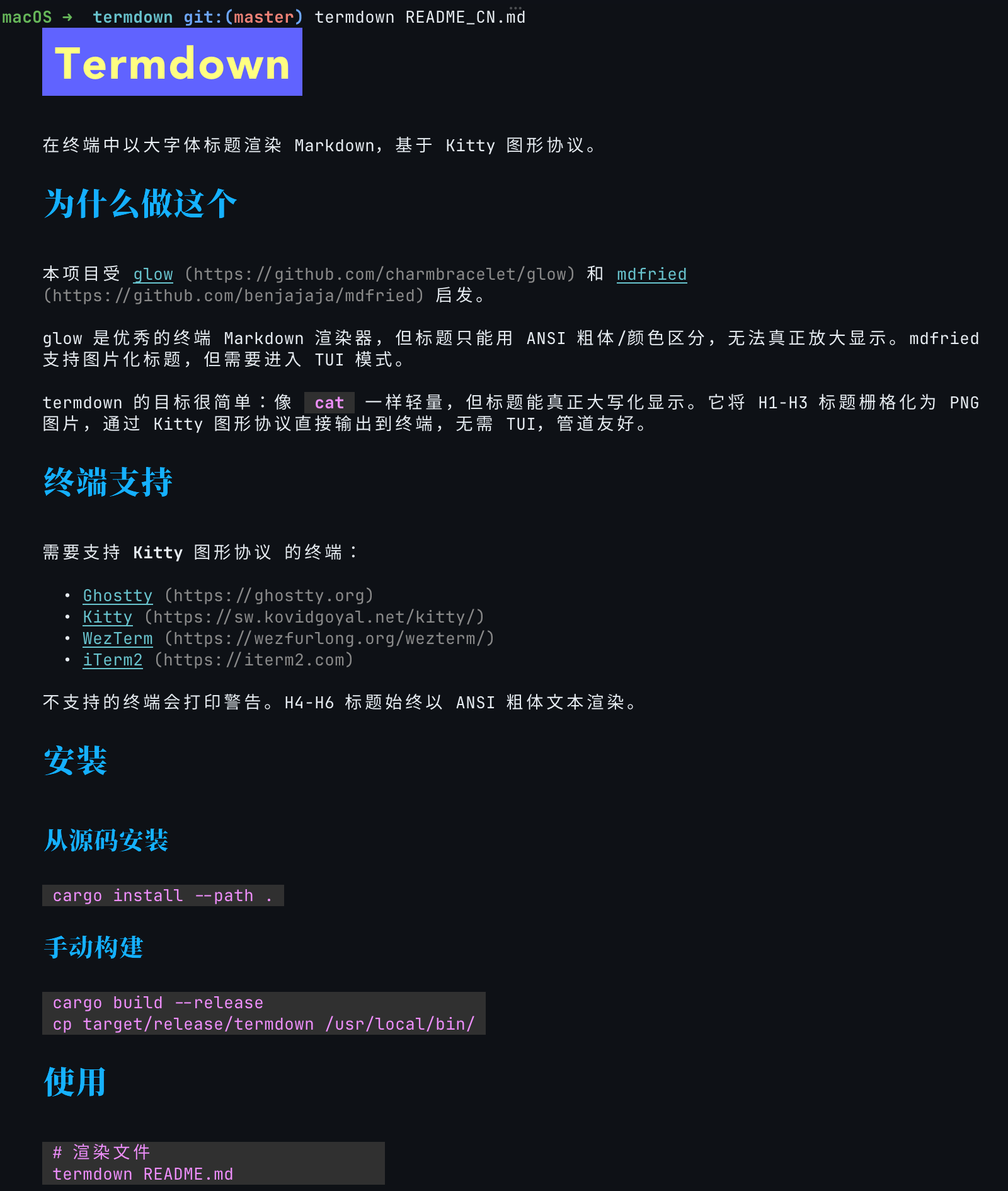
Render Markdown with large-font headings in the terminal using the Kitty graphics protocol.
 |
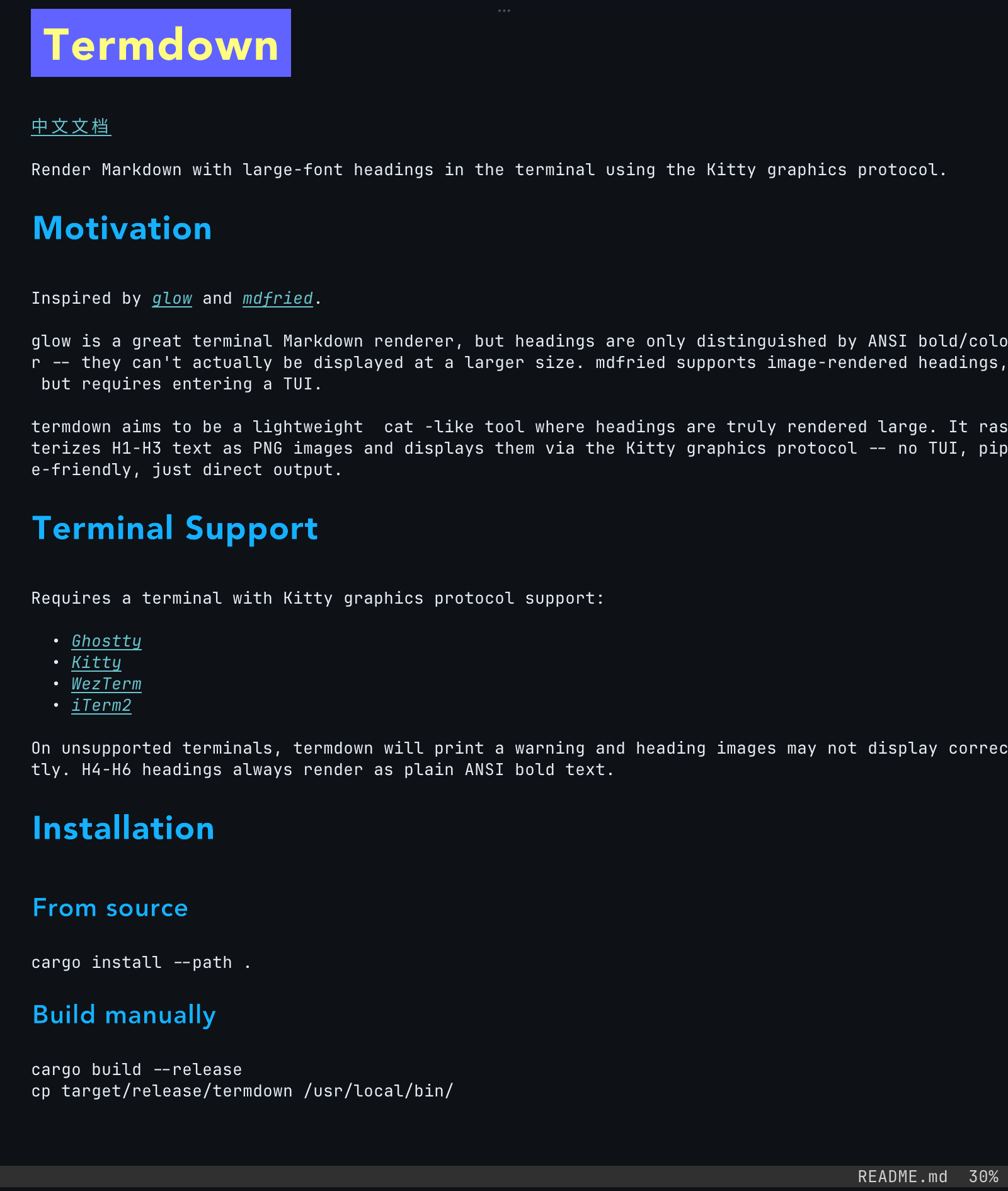 |
glow is a great terminal Markdown renderer, but headings are only distinguished by ANSI bold/color -- they can't actually be displayed at a larger size. mdfried supports image-rendered headings, but requires entering a TUI.
termdown rasterizes H1-H3 headings as PNG and paints them via the Kitty graphics protocol. Two modes share the same renderer:
- Direct output --
cat-like, pipe-friendly; dump rendered Markdown straight into your terminal. - Interactive TUI (
--tui) -- vim-style browser with search, Table of Contents, and link-follow navigation for longer documents.
H4-H6 headings always fall back to ANSI bold text.
cargo install termdownInstalls into ~/.cargo/bin/. Requires Rust 1.95+.
curl -fsSL https://raw.githubusercontent.com/rrbe/termdown/master/install.sh | bashDefaults to /usr/local/bin. Override the target directory with TERMDOWN_INSTALL_DIR.
Manual download (no script)
TARGET=aarch64-apple-darwin
BASE="https://github.com/rrbe/termdown/releases/latest/download"

curl -LO "${BASE}/termdown-${TARGET}.tar.gz"
curl -LO "${BASE}/SHA256SUMS"
grep "termdown-${TARGET}.tar.gz" SHA256SUMS | shasum -a 256 -c -

tar xzf "termdown-${TARGET}.tar.gz"
sudo mv termdown /usr/local/bin/cargo install --git https://github.com/rrbe/termdowncurl -fsSL https://raw.githubusercontent.com/rrbe/termdown/master/uninstall.sh | bashManual uninstall
rm $(which termdown)
rm -rf ~/.termdown# Render a file
termdown README.md
# Pipe from stdin
cat notes.md | termdown
# Use a specific theme instead of auto-detect
termdown --theme light README.md
# View help
termdown --help
termdown --versionFor long files, use --tui for a vim-style interactive browser:
termdown --tui README.mdKey bindings:
| Key | Action |
|---|---|
j / ↓ |
Scroll down one line |
k / ↑ |
Scroll up one line |
d / u |
Half page down / up |
f / Space / PgDn |
Full page down |
b / PgUp |
Full page up |
gg / G |
Jump to start / end |
] / [ |
Next / previous heading |
t |
Toggle Table of Contents panel |
/ |
Search forward |
n / N |
Next / previous match |
? |
Toggle keyboard-shortcut help overlay |
Enter |
Follow link (overlay picker if multiple visible) |
o / i |
Back / forward across followed .md links |
q / Ctrl-C |
Quit |
TUI mode requires a file path; stdin input is not supported.
termdown reads configuration from ~/.termdown/config.toml.
# Theme: "auto" (default), "dark", or "light"
# Auto-detection queries the terminal background color via OSC 11.
theme = "auto"

[font.heading]
# English heading font (sans-serif recommended)
latin = "Inter"

# CJK heading font
cjk = "LXGW WenKai"

# Emoji / symbol fallback font for image-rendered headings (optional)
emoji = "Apple Color Emoji"
Headings with mixed scripts (e.g. "Hello 世界") will render each character with the appropriate font automatically. Standalone emoji in H1-H3 headings are also rendered via font fallback where possible.
Note: Body text is rendered as plain ANSI text -- its font is determined by your terminal emulator settings, not by termdown. To change the body font, configure your terminal directly.
If no config file exists, termdown uses platform-specific defaults and falls back to an embedded SourceSerif4 font.
Latin (sans-serif):
| macOS | Linux | Windows |
|---|---|---|
| Avenir | Inter | Segoe UI |
| Avenir Next | Noto Sans | Arial |
| Futura | DejaVu Sans | Verdana |
| Helvetica Neue | Liberation Sans |
CJK:
| macOS | Linux | Windows |
|---|---|---|
| Noto Serif CJK SC | Noto Serif CJK SC | SimSun |
| Source Han Serif SC | Source Han Serif SC | KaiTi |
| Songti SC | Noto Serif | Microsoft YaHei |
| STSong | DejaVu Serif |
Requires a terminal with Kitty graphics protocol support:
On unsupported terminals, termdown will print a warning and heading images may not display correctly. H4-H6 headings always render as plain ANSI bold text.
- Line wrapping -- long lines may not wrap correctly when mixed with ANSI escape sequences
- Terminal compatibility -- only tested on Ghostty and iTerm2; other Kitty-protocol terminals may behave differently
- Font selection & fallback -- weight matching relies on platform font APIs (Core Text / fontconfig) which may not always resolve to the expected variant
- Theme detection -- auto-detection relies on OSC 11 terminal responses; if your terminal does not support this, use
--themeor the config file to set the theme manually - Complex emoji sequences -- ZWJ-heavy emoji sequences (family/grouping variants, some skin-tone combinations) may still render as separate glyphs because heading layout does not perform full text shaping
- TUI help popup vs heading images -- in TUI mode, the
?help overlay is drawn on the text layer, while heading images live on Kitty's graphics layer (always on top of text). Any heading image overlapping the popup area is temporarily removed while the popup is open and restored when it closes -- this is a Kitty graphics protocol limitation, not a bug