Fixed T-Junctions using a simple custom algorithm I came up with.#36
Fixed T-Junctions using a simple custom algorithm I came up with.#36Henry00IS wants to merge 40 commits intosabresaurus:masterfrom
Conversation


…e: Not thoroughly tested yet and quite slow, no optimizations have been done yet. This may need some more love and attention.
|
Okay there is a T-Junction I can not fix. The algorithm appears to take care of everything just fine but if you use multiple materials SabreCSG creates multiple meshes that are disconnected. You get the same effect as having two disconnected planes next to each-other:
Now the solution would be very simple, create a single mesh with multiple materials. Unity appears to support this just fine, why hasn't it been done? Should this be a separate PR? Also: should we introduce a preview build (currently rebuild all) and final build button that can take its time fixing T-Junctions as it's a slow process? |


|
It seems sensible to have a final build flag for more expensive cleanup. I'm not sure moving them to a single mesh with mesh parts would fix this issue, but its something we could try. As far as I'm aware to the graphics card the two are identical, but I may be wrong. I personally like having one material per MeshRenderer, but we could have an option for whether it uses one MeshRenderer with multiple mesh parts of multiple MeshRenderers |

 sabresaurus
left a comment
sabresaurus
left a comment
sabresaurus
left a comment
There was a problem hiding this comment.
As discussed this should not be default behaviour due to execution cost, fixing the T junctions should be optional right now - perhaps as part of a Final pass setting.
…e: Not thoroughly tested yet and quite slow, no optimizations have been done yet. This may need some more love and attention.
…into TJunctionFix
…fferentiate between preview builds and final builds.
|
Reviewed this again on real world levels, it's far too slow in its current state to be merged. I tried it on a 775 brush level (which is fairly low for a real level) and gave up after 10 minutes. We can't expect users to wait an hour or more for a final rebuild on a complex level. |
|
The documents and forum topics about T-Junction removal as a post processing step, similar to what I have done, all warn about the time it takes (especially because it's a recursive algorithm). But at least we have this proof of concept that it can be done. You once mentioned: "The only two places you can really do T-junction fixing is in the core build algorithm (this may be tricky), or as a final post process." ... just how tricky is it? If the build algorithm can be adjusted to prevent creating them in the first place we wouldn't have to introduce a final build button either. Do you recall the most obvious place in the source code where they are caused? |

|
Resolved merge conflicts and updated to SabreCSG 1.6.1. Without affecting the PR's "Files changed"! |
|
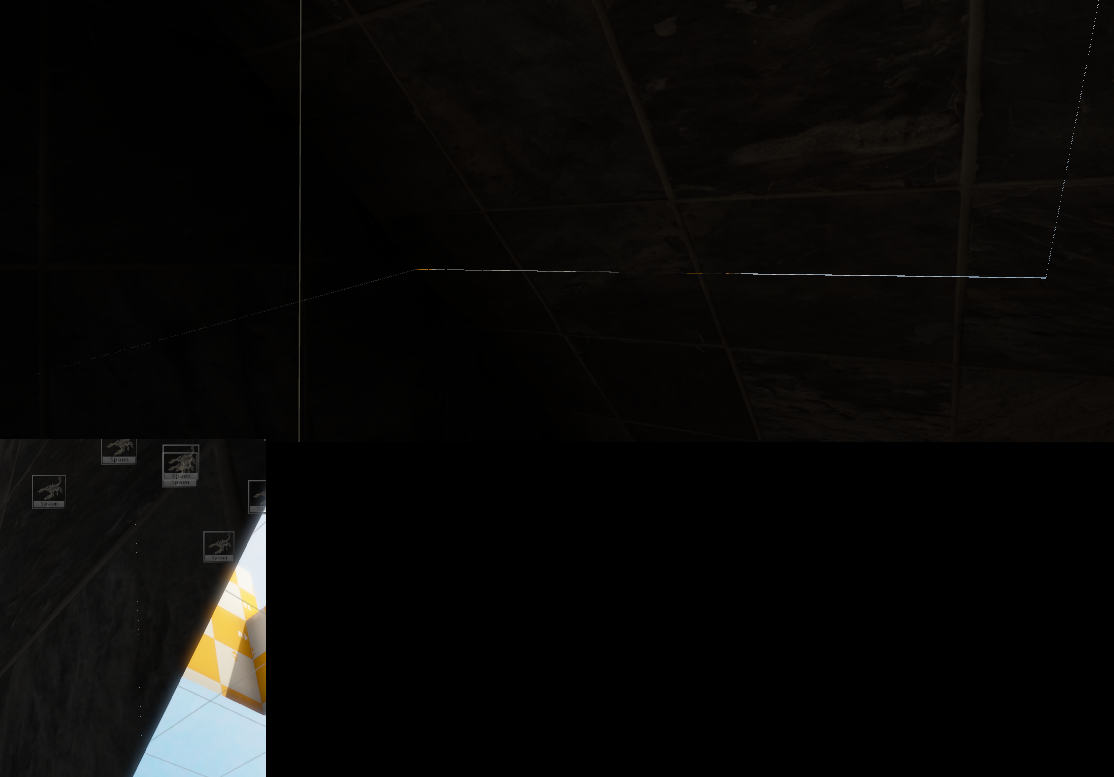
After my algorithm completes there are still a handful of artifacts left and it was confusing to me because Blender and 3ds Max show no issues and a beautiful watertight mesh.
I am starting to believe that we are literally looking at 0.00000xx precision errors in floats, stuff so small it's not exceeding a floating point approximation threshold in the importers; so they end up merging the vertices properly. Yet Unity can't help but render those vertices as-is causing the last remaining artifacts. |
|
I just had a major breakthrough, my entire scene is 100% black, there isn't a single flashing pixel!
This is the best screenshot so far:
Now I have to make sure this works properly with multiple materials (only tested one material so far but did so earlier without the vertex welding and got artifacts so I assume it all works) and possibly rewrite a lot of SabreCSG logic dealing with mesh creation. Edit: Confirmed to work with multiple materials. |
|
For anyone actively following along on this issue (hello?...ello..llo...lo.....o......)... After spending several hours merging all meshes into one, even though it seemed like I solved everything, it's apparently identical to having multiple mesh renderers, meaning that Sabresaurus was right:
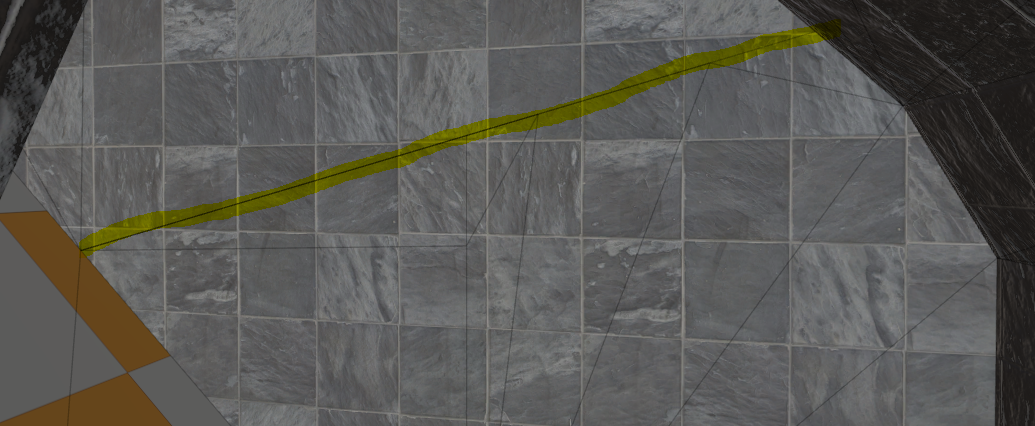
Now while I am back to square one, I did find another lead. Once my algorithm finishes executing one of the shiny artifact edges gets very bold and glitched, it appears to be duplicate edges:
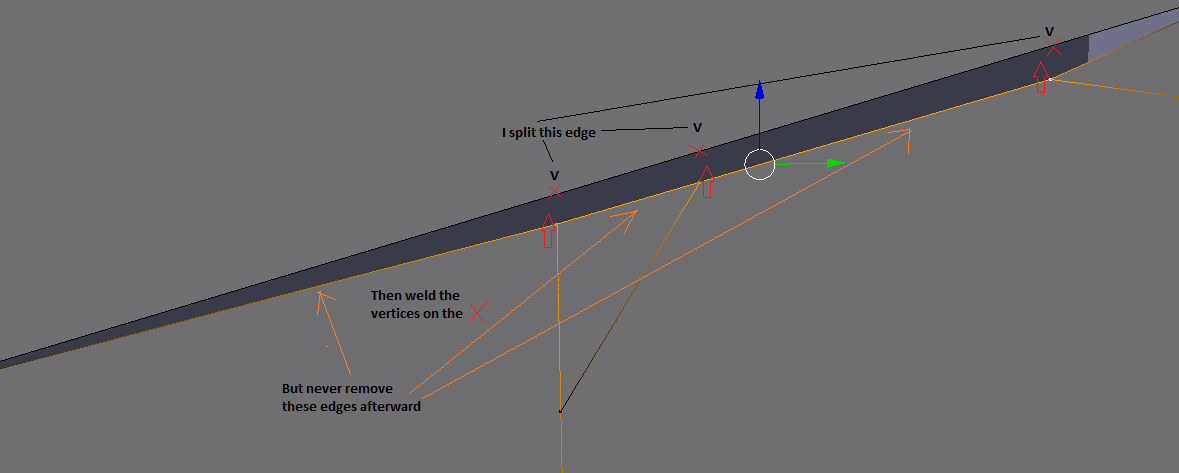
Turns out in my current algorithm I weld the vertices onto another edge but never remove the existing edges in these specific cases:
I am going to try and solve this edge-case now, pun intended lol. I am sure we can figure this out. We are SO close to having a working solution. Solving this issue would truly put SabreCSG back on the map. Edit: It may just be the TriangulatePolygons method in MeshGroupManager.cs causing this. Not something the algorithm causes. |

|
So T-junctions occur during the triangulation? Could this point to a data structure limitation? IIRC, one of the main benefits of using a half-edge structure to represent the geometry is that T-junctions are minimized; if one edge (half-edge) is split, the other is as well. |
|
I did some research on the half-edge data structure and it would be amazing to have; not to mention speed up several algorithms (and this one), but the amount of work involved to make it happen is probably too much for me alone. It also has some limitations, for example we could no longer discard faces. And yes my suspicions are currently at the triangulation code. My algorithm will make sure that no vertex lies on an edge it's not a part of, in this example E: Edit: It's confirmed. The triangulation is a disaster. Moving my algorithm to act on the final mesh triangles instead of brush polygons is the next step I will try (or anyone, please, feel free to help). |
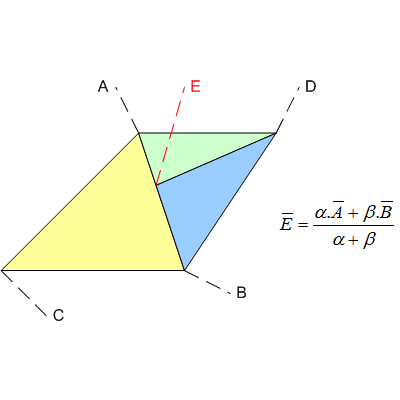
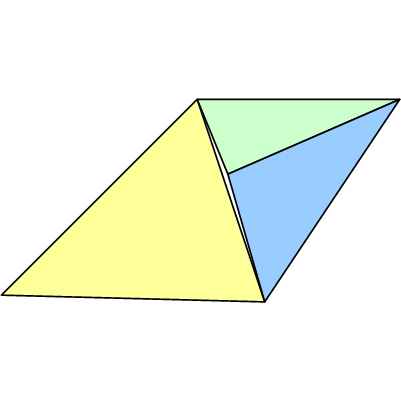
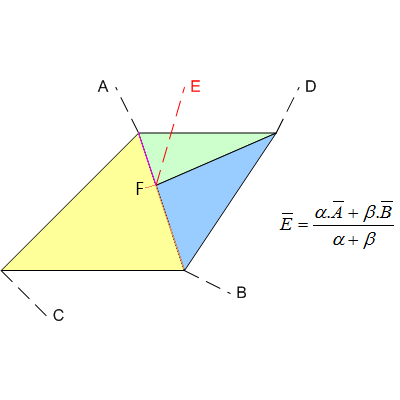
 Henry00IS
added
the
status: difficult
Henry00IS
added
the
status: difficult
|
Here's a quick update on my recent findings. The polygon triangulation algorithm in SabreCSG (MeshGroupManager.TriangulatePolygons) isn't aware of its neighbor polygons (like the sides and top or bottom of a brush). It just triangulates each one individually, slaps it on the mesh and it's done. This causes discontinuities in the mesh yielding T-Junctions. Barely anything is connected except by pure dumb luck:
These edges show up in Blender as they make no sense:
And they are the underlying cause for the flickering pixels:
My algorithm mitigated the problem but clearly when the triangulation doesn't care about any neighbor polygon vertices it doesn't help much. Solution?I found a blog article here that uses Poly2Tri to triangulate polygons. It apparently has a feature that can help us solve this issue by letting it know in advance what vertices already exist on neighbor polygons so it can triangulate the polygon in a way that makes sense for a 3D mesh. Here's a quote from the article:
I found a C# port of Poly2Tri. If anyone can please help me figure this out it may just be the solution and we wouldn't even need my very slow algorithm anymore. Triangulating the mesh properly is the solution, but if there is anyone out there that knows about this stuff please consider helping... |
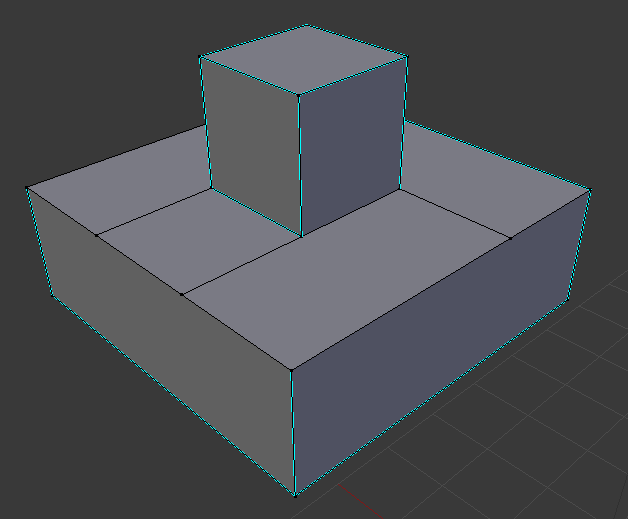
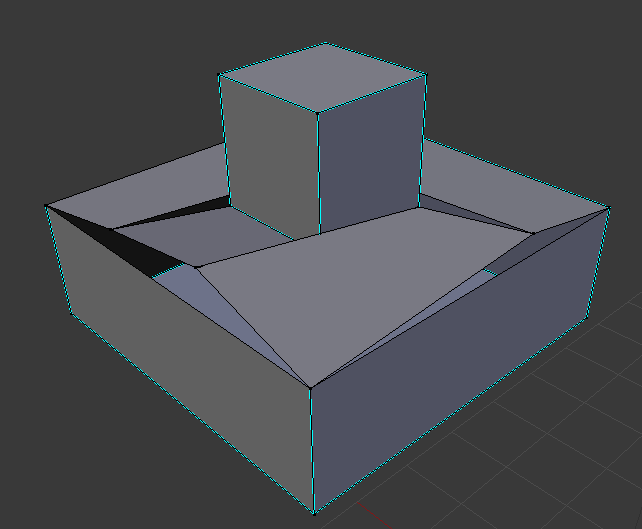
…itrary SabreCSG polygons to 2D polygon algorithms and then transform those back into 3D.
|
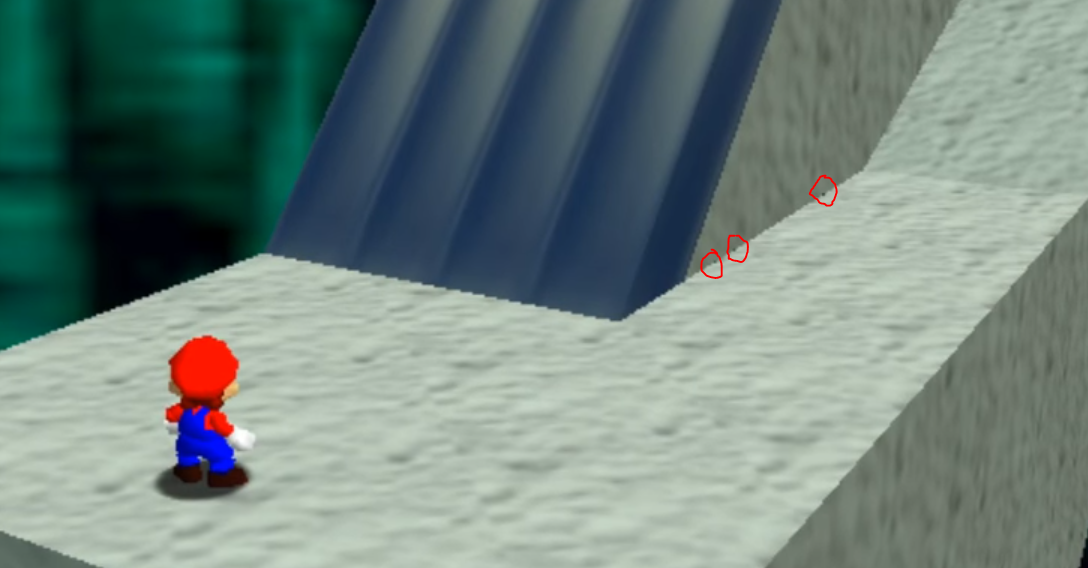
Fun fact: Even Super Mario 64 has a lot of T-Junctions everywhere. Probably to reduce the polygon count.
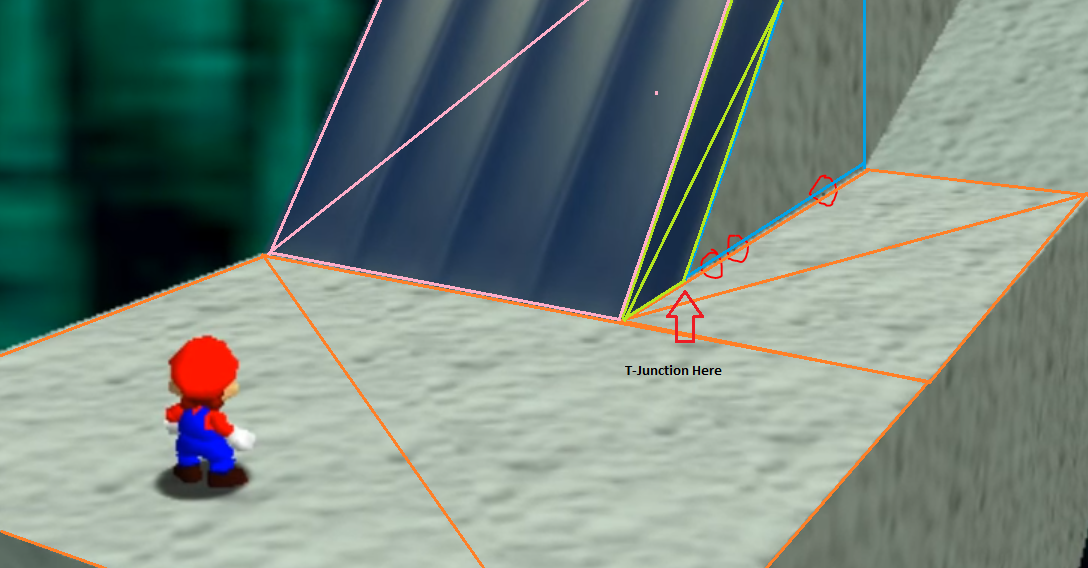
It's the same problem we are currently facing:
For clarification this is how they did it for that edge to be a T-Junction. Not splitting that quad at the vertex the arrow points to saves 2 triangles but you get the glitchy edge (as if you were to lift up that vertex you see a hole with the skybox like in my disassembled image above this post, which the GPU is doing slightly due to floating point precision errors). |
|
I spent a marathon session working on improving the triangulation. Poly2Tri failed miserably as it couldn't handle Steiner points on edges so I had to make my own solution. I simply split triangles now thanks to Humus post in this forum inspiring me.
All faces are aware of their neighbors and triangulate accordingly:
Initial testing results appear to have no more flickering artifacts now that everything is connected properly. |
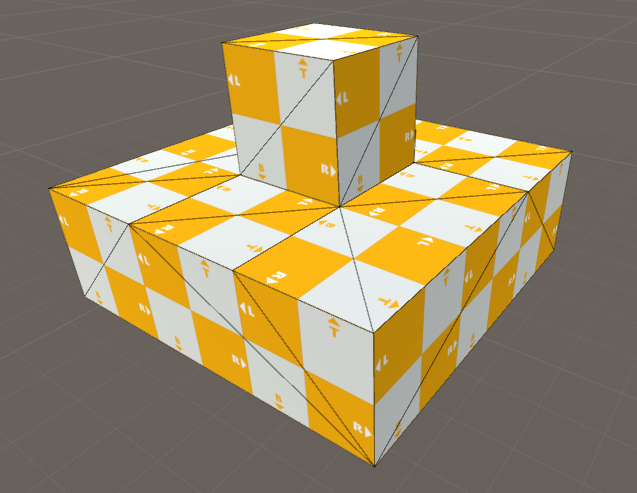
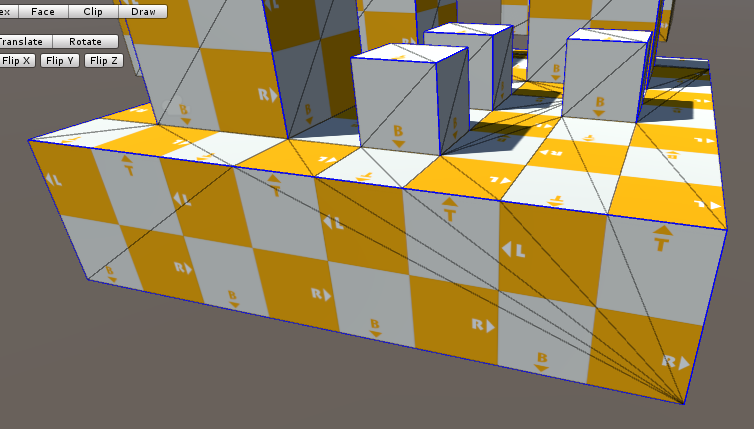
… Initial testing results indicate that all T-Junction artifacts are gone.

Cleaned up CSGFactory and MeshGroupManager formatting.
…n algorithm didn't care and made duplicate edges and such. Instead of fighting against it by splitting polygons- causing a butterfly effect of splitting polygons; I removed the triangulation code and replaced it with a proper triangulation algorithm that takes them into account. Now when SabreCSG triangulates it immediately generates the desired result. It's so fast I can use it for realtime editing. I haven't tested this with an entire level yet though so I may be wrong- it may even be as slow as it was before, I have to test it first. But it looks promising.
… Normals are missing.

|
Could the problem be fixed by rounding all the positions floats to something like 4 decimals and then welding ? 4 decimals seems reasonable, but it could be configurable. |
|
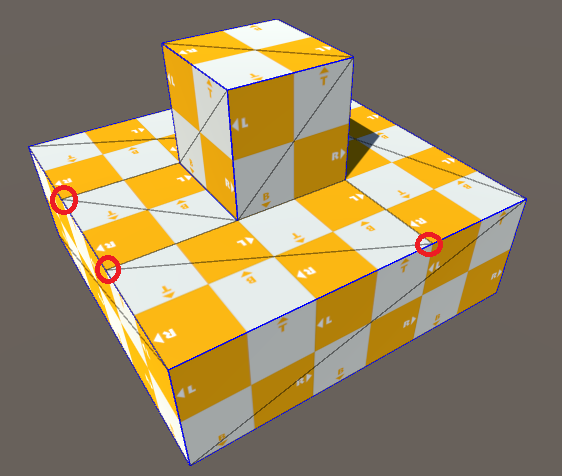
It's not that simple. You can try out this PR, the algorithm works now. There's a whole bunch of foreach loops and LINQ queries that may be too slow and there's probably more room for optimization beyond that. The "is vertex on an edge" check uses several square roots which are slow. It's all just slow. Like you can see in this image the highlighted vertex isn't connected to anything, it's just kinda close to the edge, you can't weld it to anything, you have to split that edge and then weld the vertex onto it - which is easier said than done because all polygons are triangulated individually in 2D space... yeah. But I found a way and it works so all that's left is optimization. Sadly SabreCSG, especially subtractive brushes, will often create invalid geometry INSIDE of the brushes where you don't see it. 5px thin faces, little ears sticking out of the floor into the walls in random places. It's ugly and those invalid faces will show up as flickering pixel artefacts too. Not because they aren't connected properly, because they are- after my algorithm is done, but because Unity's MSAA causes white outlines on all objects because Unity. Those odd random faces sticking out will cause outlines throughout the mesh. So if you see them, disable MSAA and they will disappear. Sadly this was very misleading and led me to painstakingly fiddling with my algorithm without realizing it wasn't even my fault. |
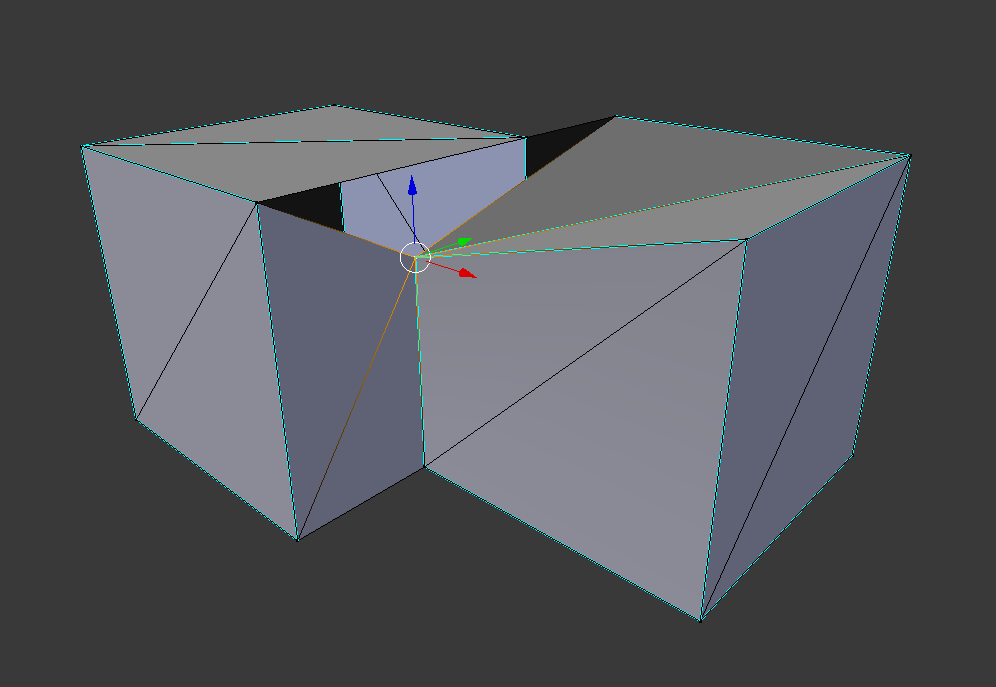

|
But honestly until this algorithm is fast enough to handle real levels with several hundred brushes the screen effect to remove flickering pixel artefacts is fantastic and you should totally try it! :) |
… TJunctionFix

# Conflicts:
#	Scripts/CSGModel.cs
#	Scripts/CSGModelBase.cs
#	Scripts/UI/SabreCSGResources.cs
… TJunctionFix

# Conflicts:
#	Scripts/Core/CSG/Polygon.cs
… TJunctionFix

# Conflicts:
#	Scripts/Core/BuildEngine/MeshGroupManager.cs
… TJunctionFix

# Conflicts:
#	Scripts/Core/BuildEngine/CSGFactory.cs
#	Scripts/UI/SabreCSGResources.cs
… TJunctionFix

# Conflicts:
#	Scripts/Core/BuildEngine/MeshGroupManager.cs
#	Scripts/Core/CSG/Polygon.cs

@Henry00IS I'm a little late to the party it seems, but I'm hitting a similar issue in my own project (unrelated to Sabre, but google brought me here) and I very much appreciated the well written and verbose write up :) |
5 participants


Quite slow, no optimizations have been done. This may need some more love and attention.
This algorithm should take care of most if not all of these shimmering pixel artifacts: #19
I could really use those fancy benchmark scenes. Please let me know if you find any issues with this algorithm. Sorry about the code quality. This algorithm came to me during a toilet session and I had to code it all before I forgot the solution. ;)