Our application, myHealth, is a unified central platform for health records of all the patients regardless of the hospitals they're treated in. We basically maintain all the medical history of individual patients including the name of the hospital they were treated in, the name of the doctor they got treated by, all the prescription details and the diagnosis each time they visit a hospital. This will be useful for the doctors in knowing the complete health history of a patient since one patient can visit any hospitals anytime and every doctor cannot know the previous treatment he was given and will henceforth improve the quality of treatment given to patients.
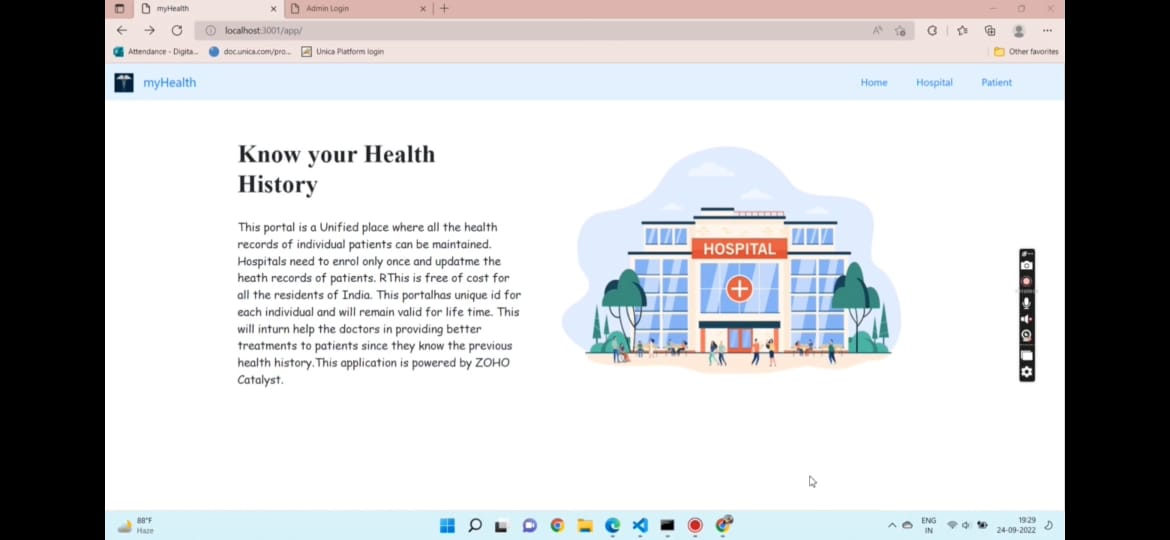
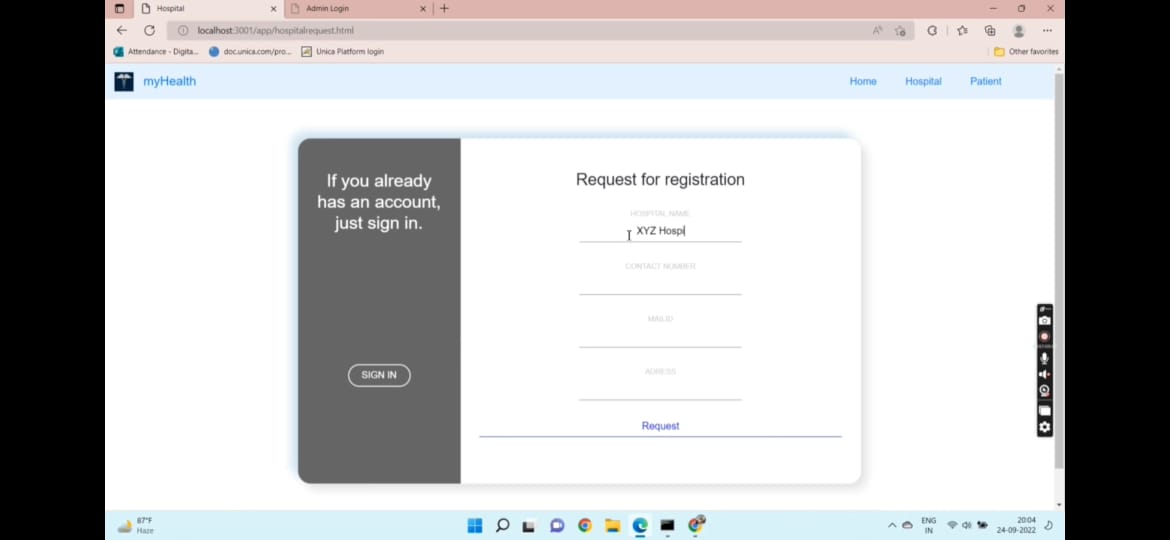
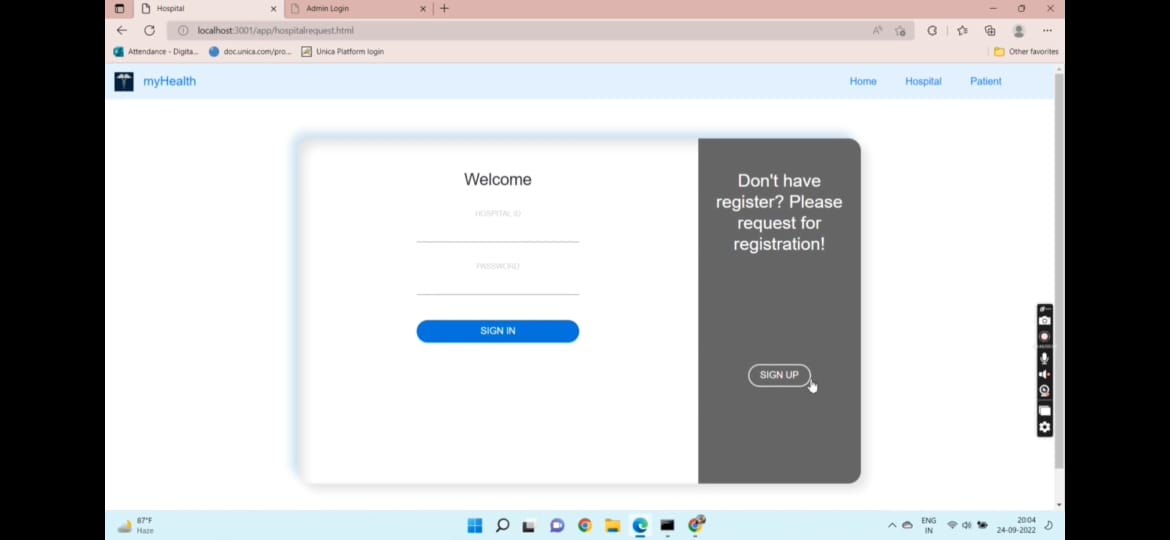
App details: Home Page: The home page of myHealth consists of three buttons in the navbar- home, hospital and patient. On clicking home, you will again be redirected to the home page itself. On clicking hospital, you will be redirected to a page where you will see the login page for hospital, if the hospital is already registered, the hospital can login using the hospital id and password. If it is not registered, the hospital has to send a request for approval to the app, which will be approved by the admin based on background checks.
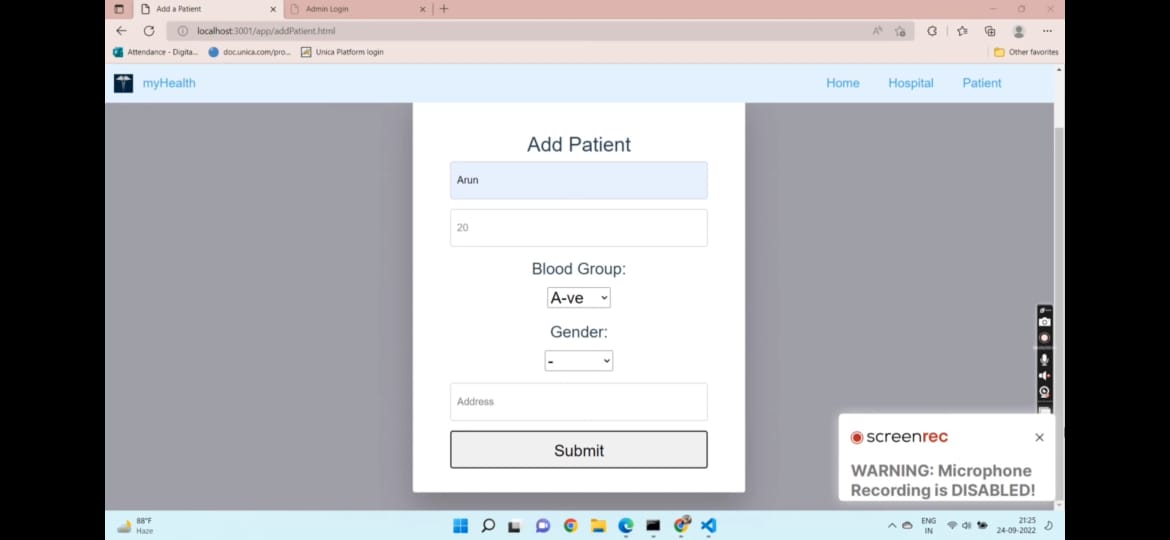
Hospital: After logging in, you will be redirected to the hospital dashboard, where you will see two options- Add a new patient, Add a prescription. Add a new patient- All the patients are issued with a unique patient id when they take the treatment in the registered hospitals for the first time. The hospital management adds a new patient when a new patient comes for treatment and they are generated with a unique id in which all their details are uploaded like age, blood group and so on. From here, all his records will be maintained under this patient id.
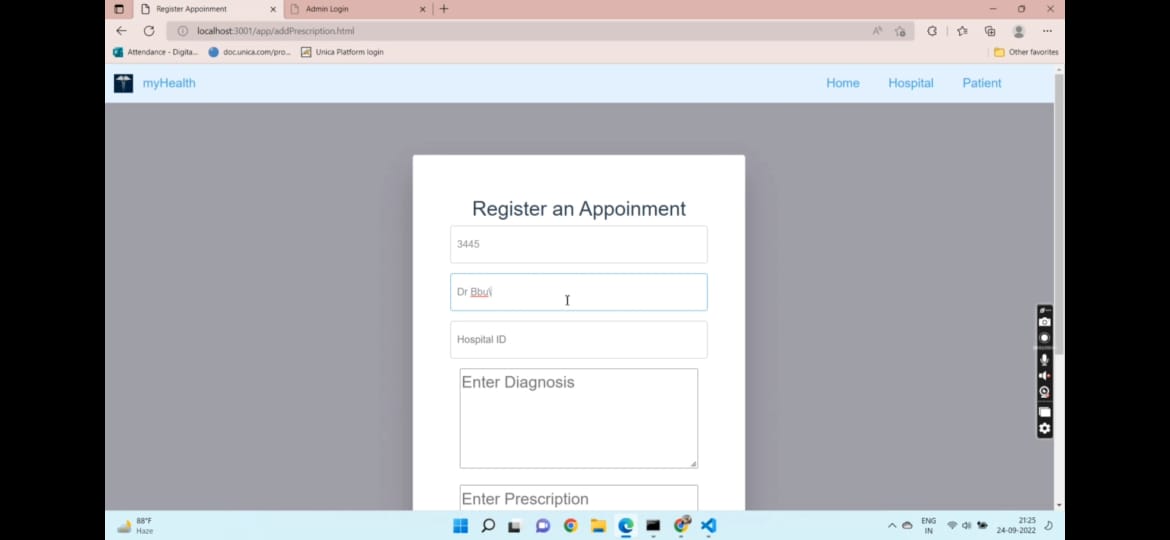
Add a prescription- This option is possible only for patients with registered patient id. Every time the patient visits any hospital, all the details of his current appointment will be updated here. The record of his current appointment contains accurate and specific details of his prescription like the date he visited, name of the doctor, the problem he was diagnosed with and the medication/treatment he was offered.
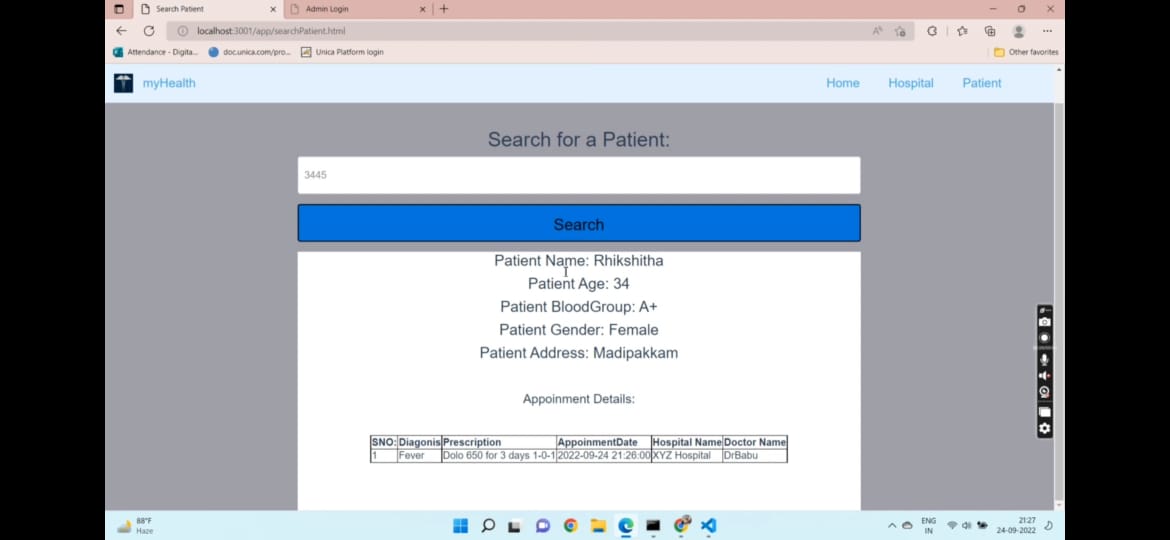
Patient: Here you will be redirected to the patient dashboard where you can see the search for patient functionality. The patient can check his heath history by entering the unique patient id he was provided with. The details will be displayed in the form of a table This functionality is provided because the patient can refer to this anytime just by entering his patient id and know about his health condition and the medications he was offered with.
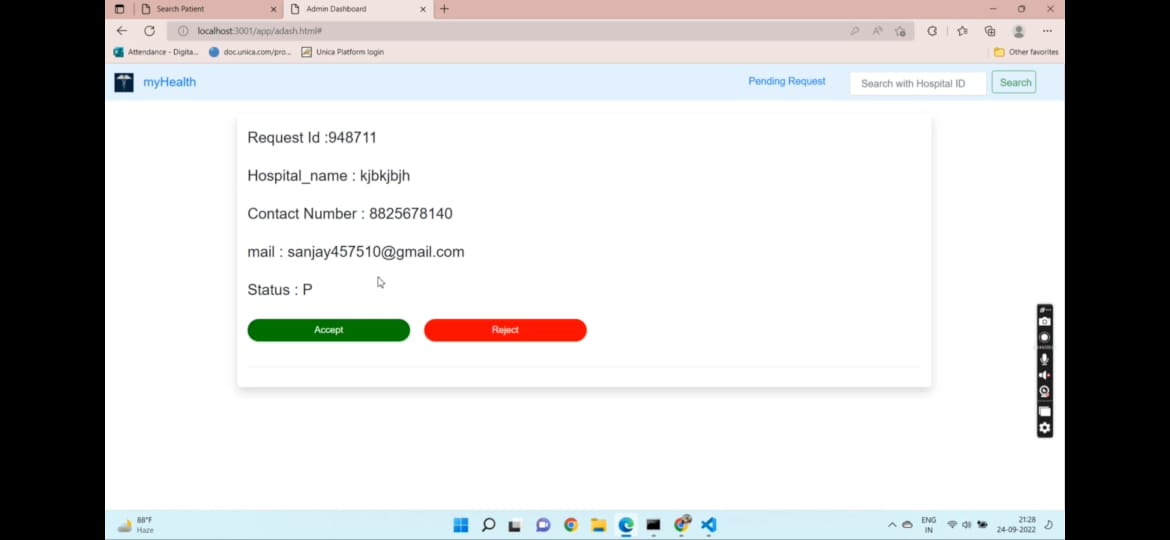
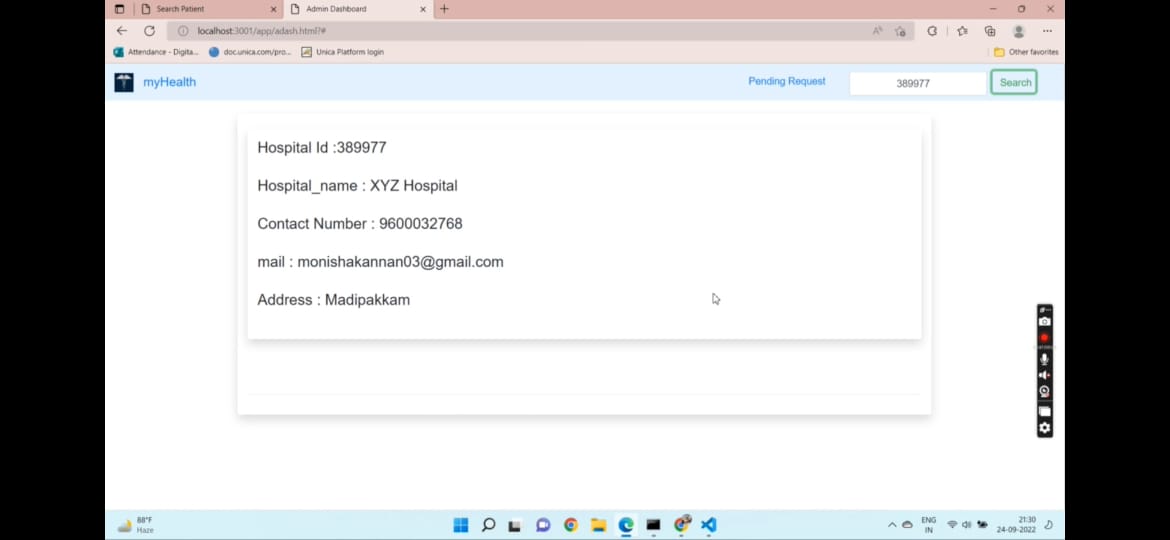
Admin: The admin portal cannot be found on the app's home page to main security. The portal's URL is given only to the authorized personalities and they can use it. Upon entering the URL, you will see a login page where the admin needs to login by entering his admin id and password. Upon logging in, it will be redirected to the admin dashboard where you will see two things-Pending requests, Search with hospital id. Pending requests- Here the admin sees all the details of the requested hospitals. He can either accept or decline it based on background checks. If he accepts the hospital, then a hospital id and password will be generated to the hospital and sent to them via email. If he declines, then the hospital request vanishes off. Search for hospital- On some uncertain conditions, if the hospital is found to be involved in any illegal activities, the admin can delete the hospital from the app permanently. For this, he can search the hospital by entering its hospital id, and he will see a delete button. On clicking the delete button, the hospital is removed permanently.
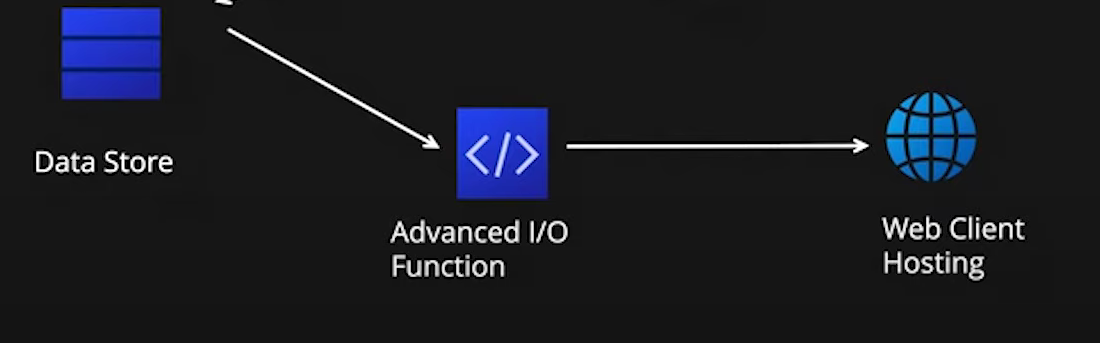
Technical Functionalities: Web stack used: We have built this app using the Zoho Catalyst Serverless platform. We have used html, css-bootstrap to develop the front end and node js for the backend functionalities. Catalyst Functionalities Used: • Data Store • Advanced I/O Function • Catalyst Mail Data Store- We have five tables in the data store-Admin, Hospital, Patient, Request, Healthrecord
Admin- This table is to store admin details. Attributes-Adminid, AdminPassword
Hospital- This table is to store the hospital details Attributes- Hospital ID, Hospital Name, contact number, mailid, address, hospital password
Patient- This table is to store the patient details Attributes- Patient Id, patient name, age, blood group, gender, address
Healthrecord- This table is to store the health records of individual patients. Attributes- recordid, patientid(foreign key),diagnosis, prescription, appointment time, hospital name(foreign key), doctor name
Request- This table contains the details of the requested hospitals for access. Attributes-request id, hospitalname, contactnumber, mailid, address, status
Advanced I/O Function- We have used the Advanced I/O function GET/POST for sending hospital request, displaying hospital information, admin login, hospital login, accept hospital request, reject request, adding patient, adding prescription, displaying patient, displaying health record.
All the functions get fired goes to the main.js file. From there, appropriate function is called and ajax is fired and sends request to the specified url. This url fires the respective GET/POST API configured in index.js , does what it has to and sends response back to the function call , then upon success the specified action is executed successfully. If error occurs, it is caught and alert message is displayed.
->Admin page and home page of the app are segregated for at most security, ->Admin can accept or decline hospitals. Any hospitals cannot register just like that. They need approval from the admin. ->If request accepted a random 6-digit id and password is allotted for the hospital. ->Admin can search and retrieve details of a hospital. ->If a patient doesn’t have any appointments yet a prompt is shown and only the patient details are displayed. ->when patient is treated in the hospital the details of the appointment is upload for future use. ->If patient had appointments in the past then it is shown as a table.