
░█▀▄░█░░░█░█░█▀▄░▀█▀
░█▀▄░█░░░█░█░█▀▄░░█░
░▀▀░░▀▀▀░▀▀▀░▀░▀░░▀░
Talk to your coding agents.


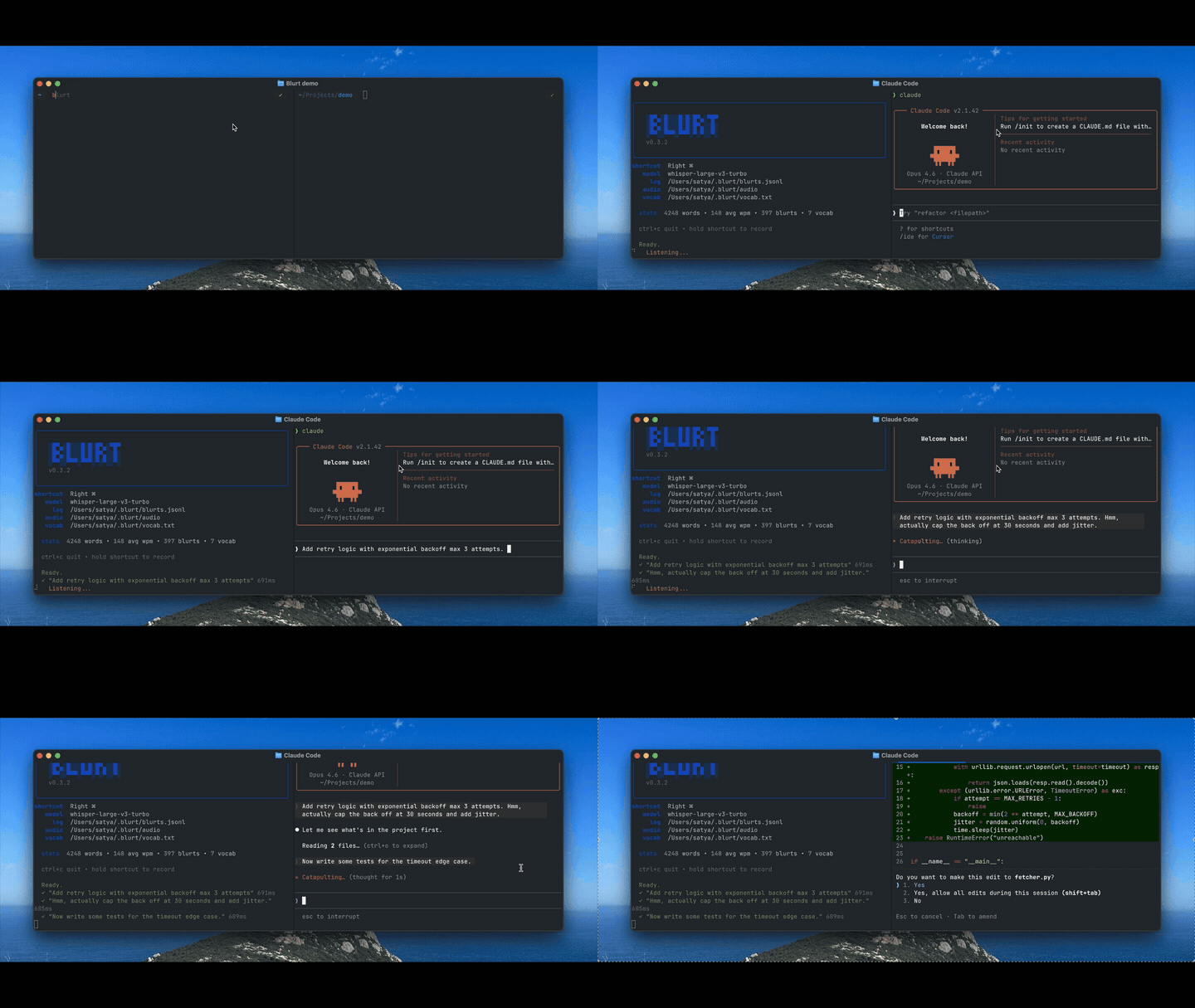
On-device voice-to-text for macOS. Hold right ⌘, speak, release - your words go straight into Claude Code, Codex, Cursor, OpenCode or any other agent, wherever your cursor is.
brew tap satyaborg/blurt
brew install blurt
Or via pipx:
pipx install blurtRequires macOS with Apple Silicon.
First run downloads the Whisper model (~1.6 GB, one-time). macOS will prompt for Microphone and Accessibility access (System Settings → Privacy & Security).
| Action | Description |
|---|---|
| Hold right ⌘ | Start recording |
| Release right ⌘ | Stop, transcribe, paste at cursor |
| Ctrl + C | Quit |
Teach Blurt words it gets wrong (names, jargon, acronyms):
blurt add "Claude Code"   # add a word
blurt vocab               # list all
blurt rm "Claude Code"    # remove
Words are stored in ~/.blurt/vocab.txt (one per line).
Run Blurt from a git repo and spoken filenames automatically resolve to @path/to/file references that coding agents understand. For example, saying "check init.py for the bug" becomes check @blurt/__init__.py for the bug.
blurt log # view recent transcriptsLogs are stored in ~/.blurt/log.txt.
blurt upgrade| Issue | Fix |
|---|---|
| "Microphone access" prompt doesn't appear | System Settings → Privacy & Security → Microphone → enable your terminal |
| "Accessibility" error | System Settings → Privacy & Security → Accessibility → enable your terminal |
| No audio / recording fails | brew install portaudio then restart your terminal |
| Model download stalls | Check disk space (~1.6 GB needed in ~/.cache/huggingface/) |
git clone https://github.com/satyaborg/blurt.git
cd blurt
uv pip install -e ".[dev]"
pytestEverything runs on your Mac. No network calls, no telemetry, no data collection. Audio files are saved locally to ~/.blurt/audio/ and never leave your device.