1. Update Image
diskutil listdiskutil unmountDisk /dev/diskNsudo dd bs=1m if=path_of_your_image.img of=/dev/rdiskN; syncsudo diskutil eject /dev/rdiskN- Remove and replace sdcard
- Open a Linux VM, mount the sdcard and
Change:
vim /boot/uEnv.txtTo:##enable BBB: eMMC Flasher: #cmdline=init=/opt/scripts/tools/eMMC/init-eMMC-flasher-v3.sh##enable BBB: eMMC Flasher: cmdline=init=/opt/scripts/tools/eMMC/init-eMMC-flasher-v3.sh - Update: for the newer image the
uEnv.txtdid not exist, so just renamebbb-uEnv.txttouEnv.txtinstead of the above process. -
cd /opt/scripts/ git pull - Insert sdcard into BBB.
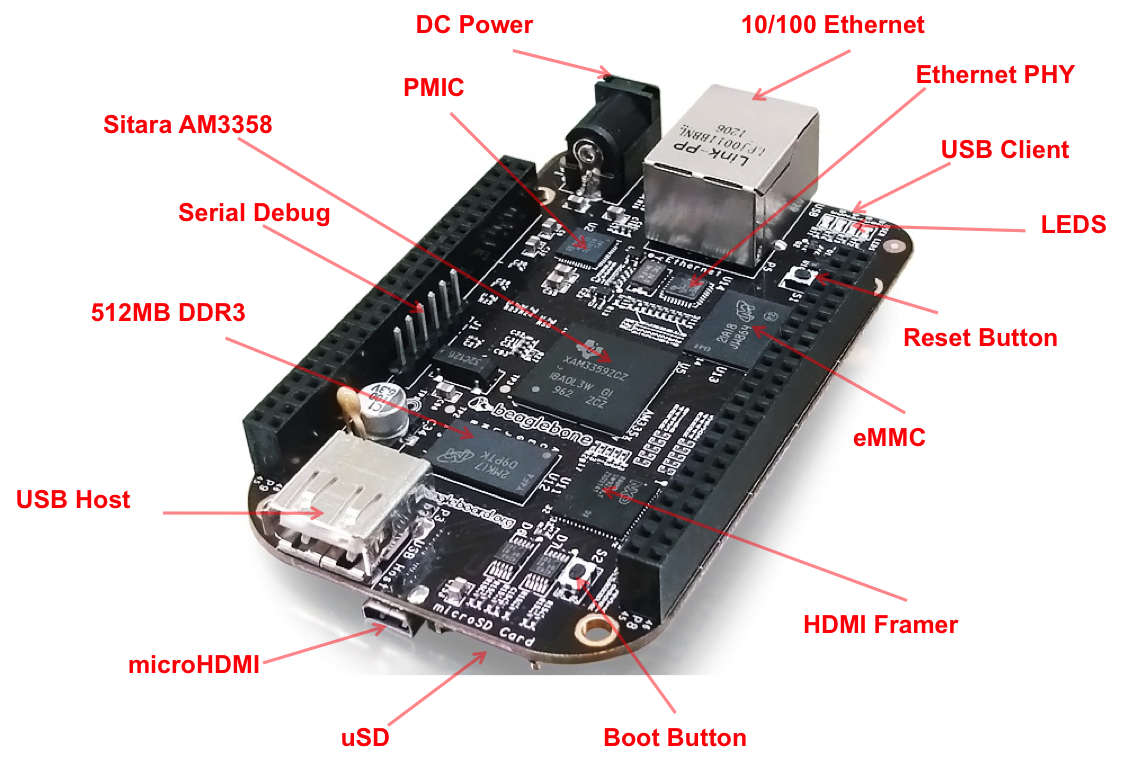
- With BBB powered off, hold down the boot button, apply power.
When the flashing is complete, all 4 USRx LEDs will be steady on or off. The latest Debian flasher images automatically power down the board upon completion. This can take up to 45 minutes. Power-down your board, remove the SD card and apply power again to finish. - Remove sdcard and power on
- Check version
cat /etc/dogtagorsudo /opt/scripts/tools/version.sh - Update the system, as directed here, or run this script, which also sets up a lot more stuff for development.
sudo /opt/scripts/tools/update_kernel.sh
sudo apt update
sudo apt upgrade
cd /var/lib/cloud9
git pull