clawchief is a public OpenClaw starter kit for turning OpenClaw into a founder / chief-of-staff operating system.
It is opinionated about the architecture of the workflow, but meant to be customized for your own people, programs, calendars, inboxes, trackers, and recurring routines.
If you want the original public context for clawchief, here's the launch post from Ryan Carson's real-world rollout of the idea:
A portable operating model with:
- a source-of-truth
clawchief/layer for priorities, task state, meeting-note policy, and action policy - an orchestrator heartbeat
- a canonical markdown task system with a separate completed-task archive
- executive-assistant and business-development skills
- cron templates with short DRY prompts
- install docs and workspace templates
clawchief/priority-map.mdclawchief/auto-resolver.mdclawchief/meeting-notes.mdclawchief/tasks.mdclawchief/tasks-completed.md
skills/executive-assistantskills/business-developmentskills/daily-task-managerskills/daily-task-prep
workspace/HEARTBEAT.mdworkspace/TOOLS.mdworkspace/memory/meeting-notes-state.jsonworkspace/tasks/current.md(deprecated pointer for older installs)
INSTALL-WITH-OPENCLAW.mdSETUP-GOG.mdINSTALL-CHECKLIST.mdCHANNELS.mdcron/jobs.template.json
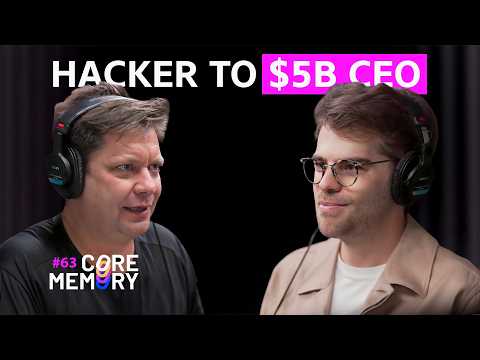
A lot of the evolution of this setup was influenced by Pedro Franceschi's OpenClaw setup, which he explained during his conversation with Ashlee Vance on the Core Memory podcast:
- Pedro Franceschi: https://github.com/pedrofranceschi
- Podcast segment: https://www.youtube.com/watch?v=9ZbbxSgrjhw&t=3847s
In particular, his setup helped inspire the direction of:
- the priority map
- the auto-resolver layer
- the ingestion pipeline mindset for turning passive context into active operational state
The system works best when you separate:
- prioritization ->
clawchief/priority-map.md - resolution policy ->
clawchief/auto-resolver.md - meeting-note ingestion policy ->
clawchief/meeting-notes.md - live task state ->
clawchief/tasks.md - archive state ->
clawchief/tasks-completed.md - local environment details ->
workspace/TOOLS.md - recurring orchestration ->
workspace/HEARTBEAT.md+ cron jobs
That separation is the main thing this repo is trying to teach.
- Read
INSTALL-WITH-OPENCLAW.md - Complete
SETUP-GOG.md - Copy the skills into
~/.openclaw/skills/ - Copy
clawchief/andworkspace/templates into~/.openclaw/workspace/ - Replace placeholders and customize
workspace/TOOLS.md - Create cron jobs from
cron/jobs.template.json - Run
INSTALL-CHECKLIST.md
Customize these first:
workspace/TOOLS.mdclawchief/priority-map.mdclawchief/tasks.mdskills/business-development/resources/partners.mdcron/jobs.template.json
- use Gmail message-level search, not thread-only search
- check all relevant calendars before booking
- keep one canonical live task file
- archive prior-day completions into a separate file
- update the real source of truth in the same turn when you act
- keep cron prompts short and let skills hold workflow logic
- use a policy layer for prioritization and a separate policy layer for auto-resolution
- treat meeting notes as a live signal source, not passive documents
You may still want your own private workspace files such as:
AGENTS.mdSOUL.mdUSER.mdIDENTITY.mdMEMORY.mdmemory/
Those are intentionally not part of this public repo.