Around the Block is a user-friendly app designed for seniors to join social events and make new friends.
Live Site: http://mern-around-the-block.herokuapp.com/
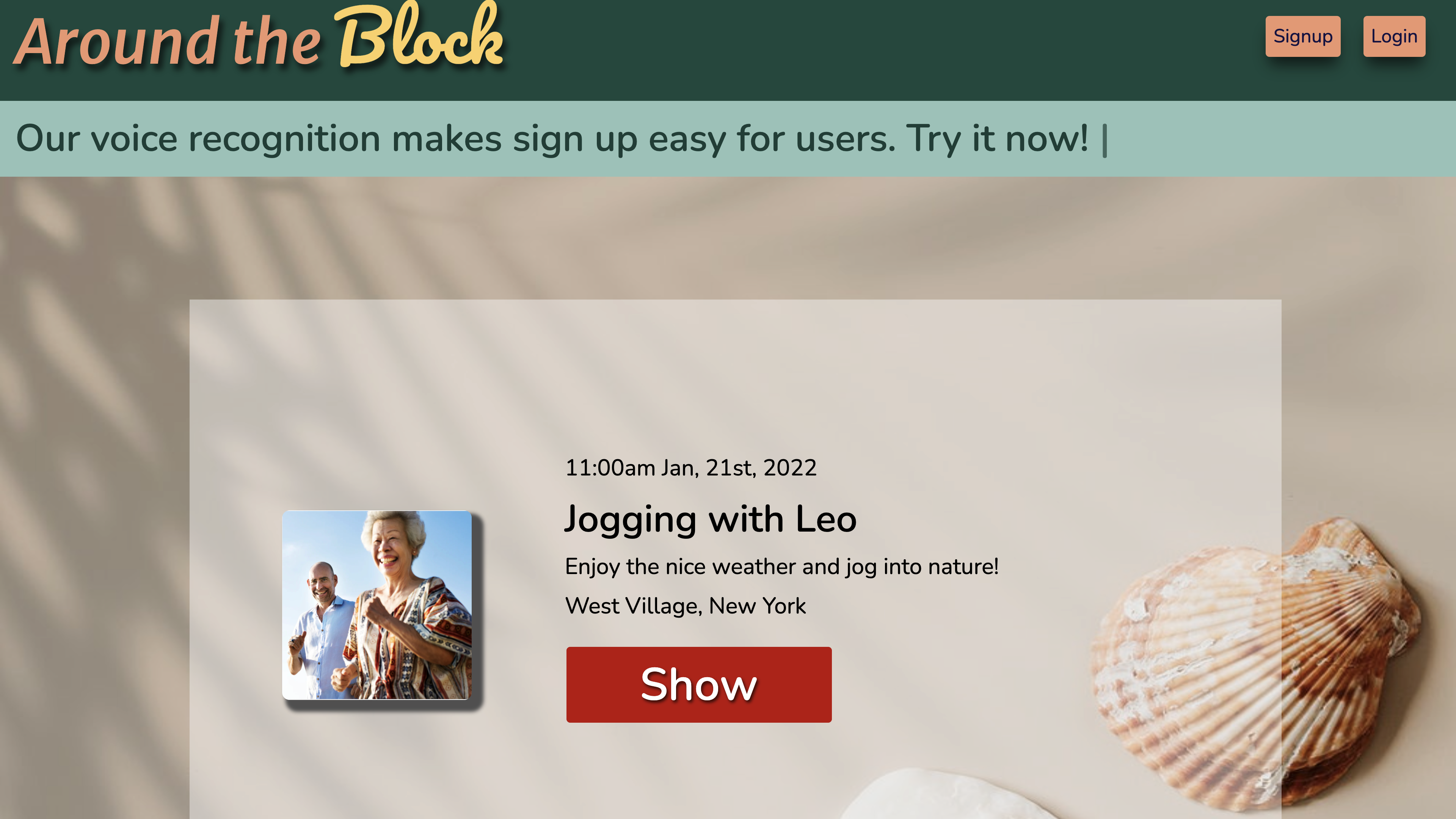
Have you ever thought about whether your parents or grandparents are still in touch with the world around them? Have you ever worried about if they are happy and healthy when you are not around? According to the U.S. Department of Health and Human Services by the end of 2019, the population of age 65+ in the United States was 54.1 million. What technology can do to help seniors enjoy their social life has become the main goal Around the Block wants to achieve.
As an app designed for the elderly to participate in social events, Around the Block can:
- Clean and simple UI with large font size make it easier for users to navigate.
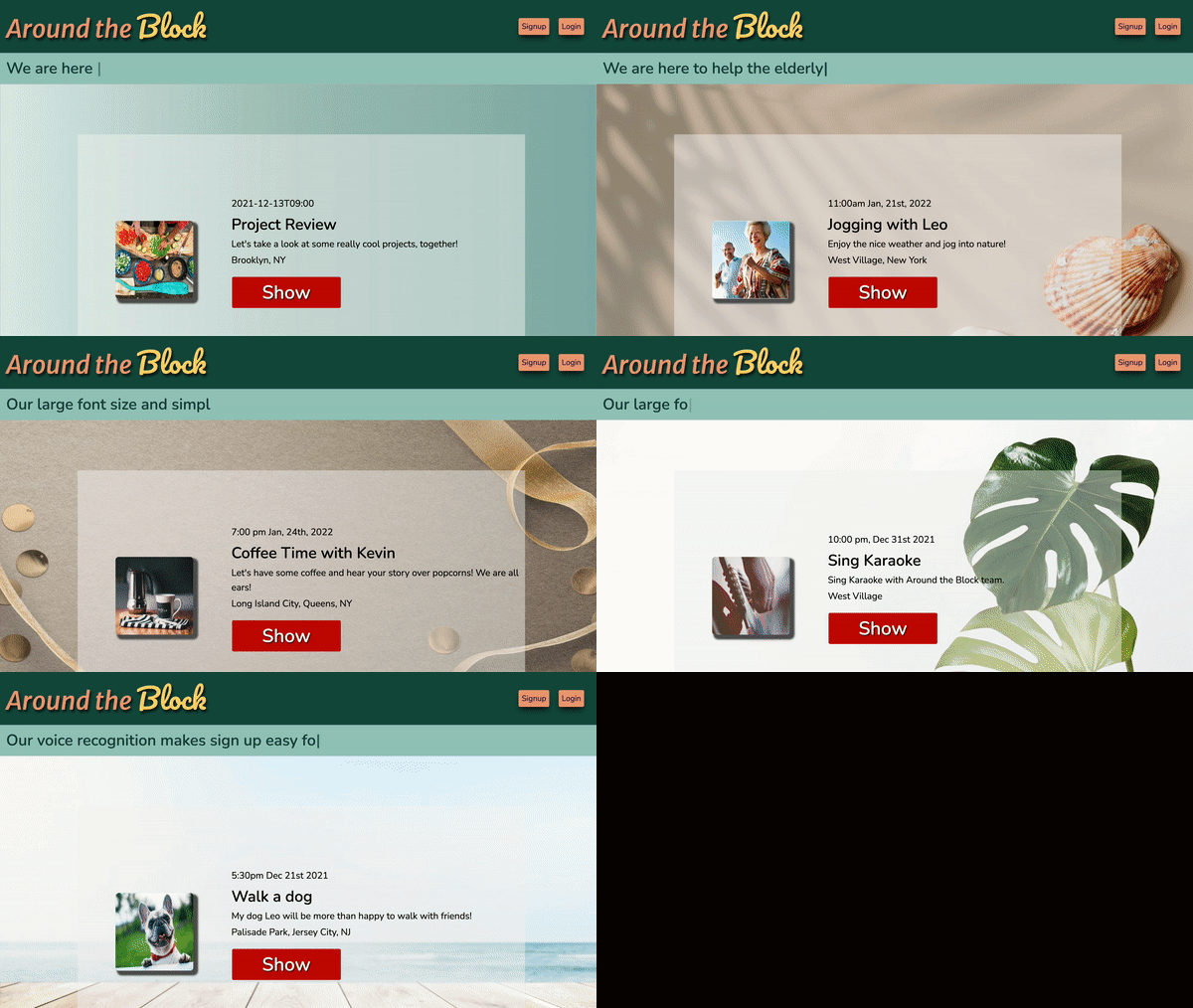
- Allow users to signup and login using voice recognition technology.
- Let users create accounts and update their profiles on user's profile page.
- Facilitate users send friend requests, accepting friend requests, or deny friend requests in our app.
- Allow users to host events by creating events, updating events by providing details such as title, description, location, time and images.
- Users can also leave events on user's profile page.
-
Backend: MongoDB/Express Stores users and events data using document data structure, provides better read performance, as well as the ability to retrieve related data with a single database query.
-
Frontend: React/Node.js Using Axios library, with good defaults to work with JSON data, to make XMLHttpRequests from the browser for a better error handlers.
-
Speech Recognition: Translate user's input speech into text by following provided command option to signup/login users.
-
AWS Around the block host user's events' images using AWS to increase app speed and agility.
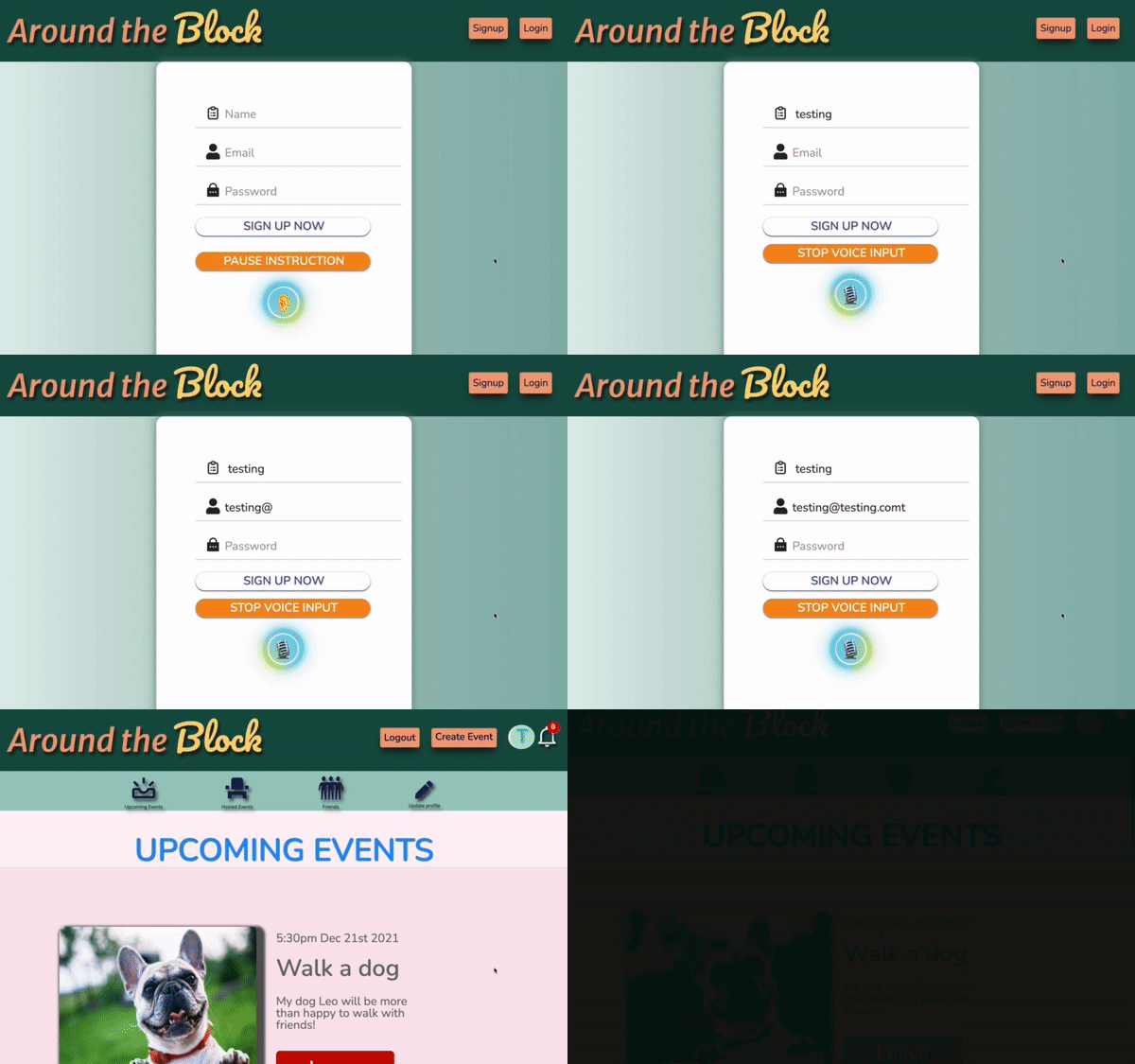
We utilized the SpeechRecognition interface of the Web Speech API on our sign-up/login form, so when users say keywords like "name", "email", "password" and "submit", it will trigger the change of input fields and capture the corresponding input to the fields.
By strategically arranging the if/else conditions, we make sure that we have the right input in the right fields if user follows our convention saying "my name is ..., my email is .... my password is ..., submit!"
Click here for the live voice recognition demo video
const SpeechRecognition =
  window.SpeechRecognition || window.webkitSpeechRecognition;
const mic = new SpeechRecognition();
....
mic.onresult = (event) => {
      const transcript = Array.from(event.results)
        .map((result) => result[0])
        .map((result) => result.transcript)
        .join("");
      if (transcript.includes("submit")) {
      //cleaned up the spaces in the email field and submit
      } else if (transcript.includes("password")) {
        // slice and replace certain keywords in the transcript to have the right password input
        // use this.setState to dynamically set the password field

      } else if (transcript.includes("email")) {
        // slice and replace certain keywords (such as "at" to "@") in the transcript to have the right email input
        // use this.setState to dynamically set the email field

      } else if (transcript.includes("name")) {
        // slice and replace certain keywords in the transcript to have the right name input
        // use this.setState to dynamically set the name field
      }
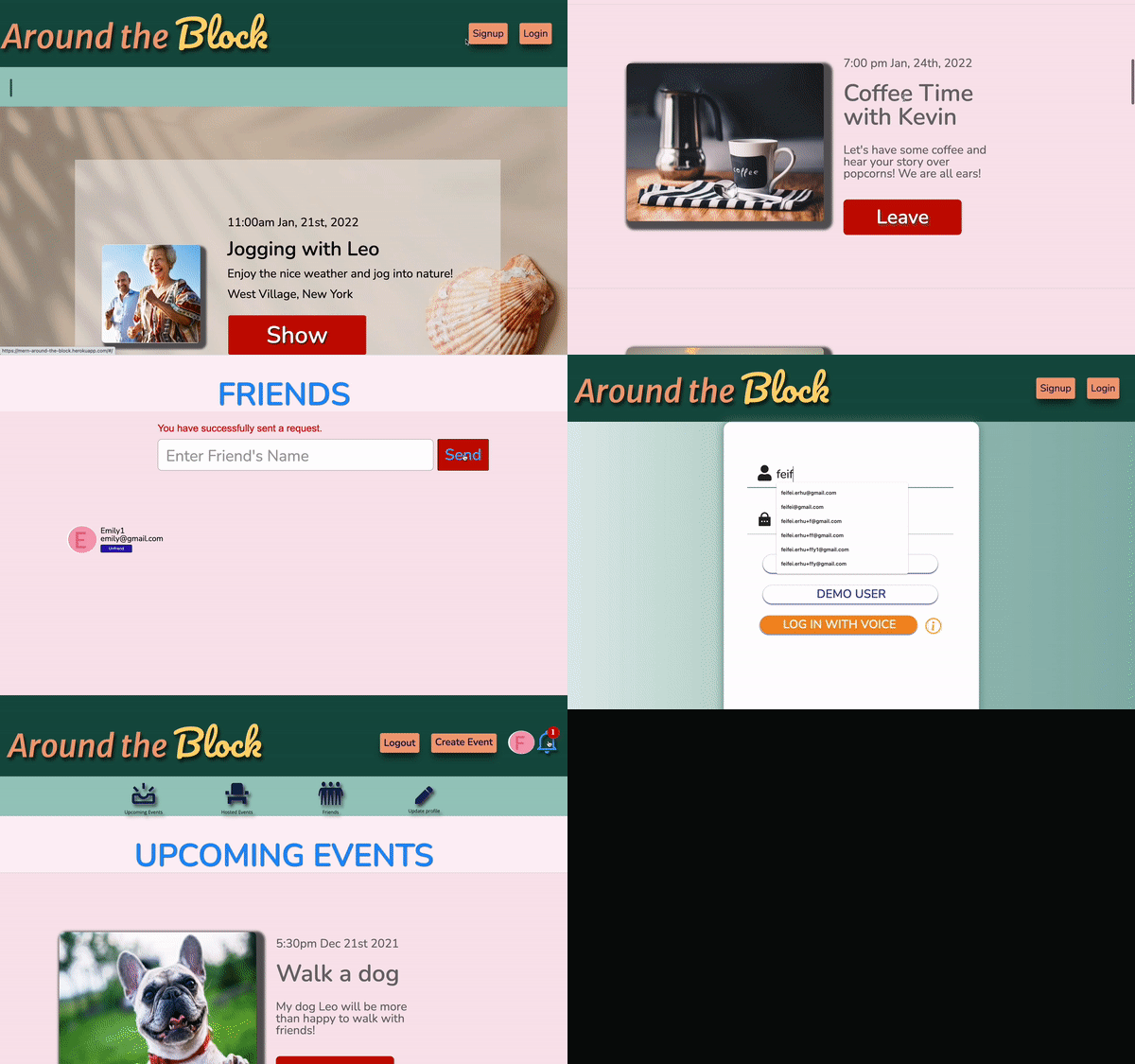
}We built a search bar using debounce() that efficiently retrieves user emails and names from the backend and renders their information on the frontend dynamically. A user can dispatch friend requests through this search bar and must wait for another user to approve their friend request for the friends list to update. Errors such as "You cannot send a friend request to yourself or you already sent a friend request" will inform a user of limitations.
debounce() {
    const { name } = this.state;
    const { fetchFilteredUsers } = this.props;
    clearTimeout(this.timerId);
    this.timerId = setTimeout(() => fetchFilteredUsers(name), 200);
  }

  update(field) {
    return (e) => {
      this.setState(
        {
          [field]: e.currentTarget.value,
          showSubmit: false,
        },
        () => {
          this.debounce();
        }
      );
    };
  }

  submitFriendRequest(e) {
    e.preventDefault();
    this.setState({ submissionMessage: "" });
    this.props
      .createFriendRequest({ recipient: this.state.user })
      .then(
        this.setState({
          name: "",
          email: "",
          user: {},
          hideFilters: true,
          submissionMessage: `You have successfully sent a request.`,
        })
      );
  }

             <form className="friend-search-form" onSubmit={this.submitFriendRequest.bind(this)}>
                  <div className="friend-search-bar-error">
                    {errors.recipient}
                    {errors.recipient ? "" : this.state.submissionMessage}
                  </div>
                  <div>
                    <input
                      value={this.state.name}
                      className="friend-search-bar"
                      placeholder="Enter Friend's Name"
                      type="text"
                      onChange={this.update("name")}
                    />

                    <div className="entire-dropdown">
                      {(this.state.name.length > 0 && filters.length > 0) ||
                      !this.state.hideFilters
                        ? filters.map((user, idx) => (
                            <div
                              tabIndex="0"
                              className="user-info-1"
                              key={idx}
                              onClick={this.changeSearchBar.bind(this, user)}
                            >
                              <div tabIndex="1" className="user-info-">
                                {user.picture === "noPicture" ||
                                !user.picture ? (
                                  <FaUserCircle className="user-info-icon" />
                                ) : (
                                  <img
                                    width="75px"
                                    height="75px"
                                    className="user-search-icon"
                                    src={user.picture}
                                  ></img>
                                )}
                                <div className="user-info-content">
                                  <div className="user-info-content-input">
                                    {user.name}
                                  </div>
                                  <div className="user-info-content-input">
                                    {user.email}
                                  </div>
                                </div>
                              </div>
                            </div>
                          ))
                        : ""}
                    </div>
                  </div>
                  {this.state.showSubmit ? (
                    <button className="friend-search-button" type="submit">
                      Send
                    </button>
                  ) : (
                    ""
                  )}
                </form>