



An htop-like TUI process monitor that groups processes by application.
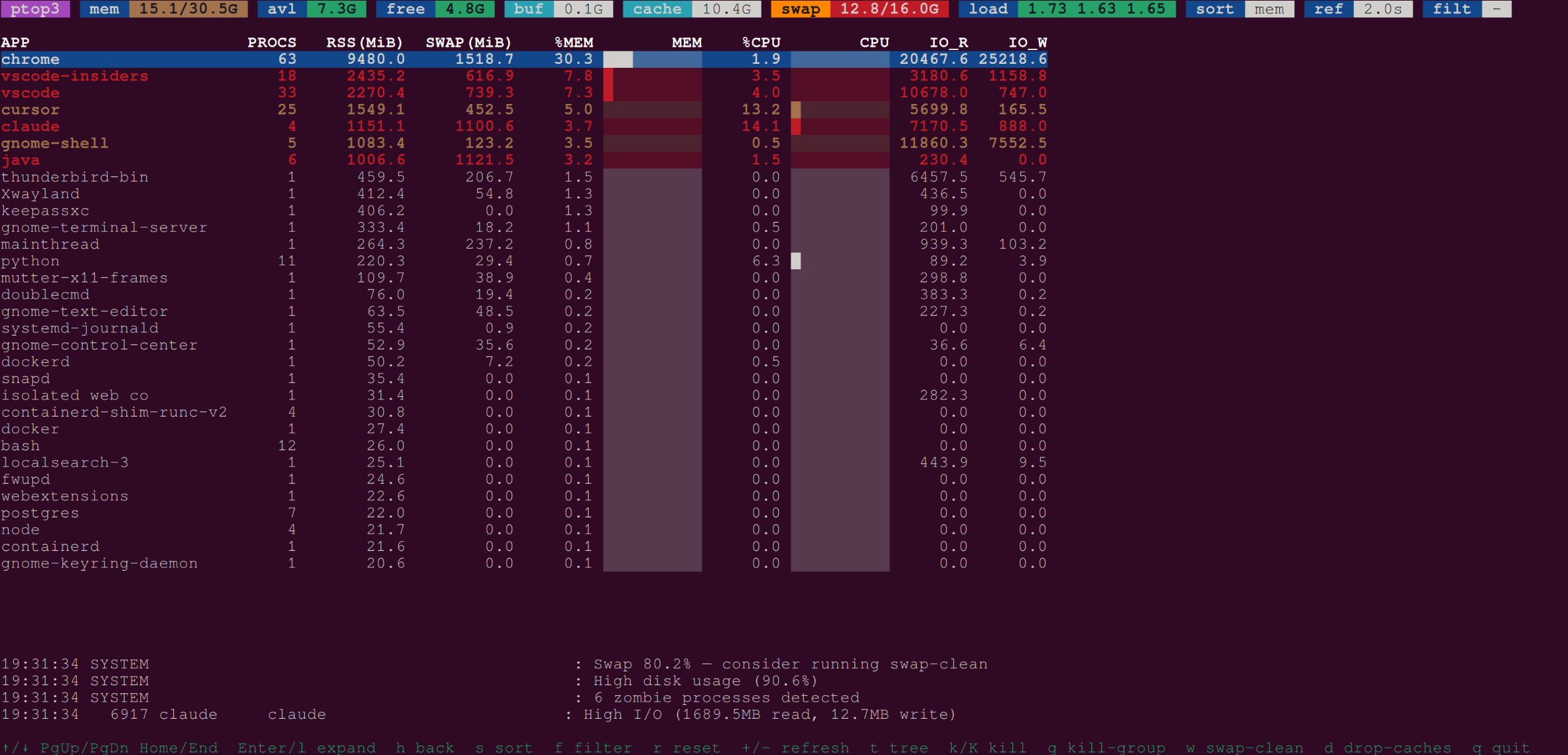 Main group view — processes grouped by application
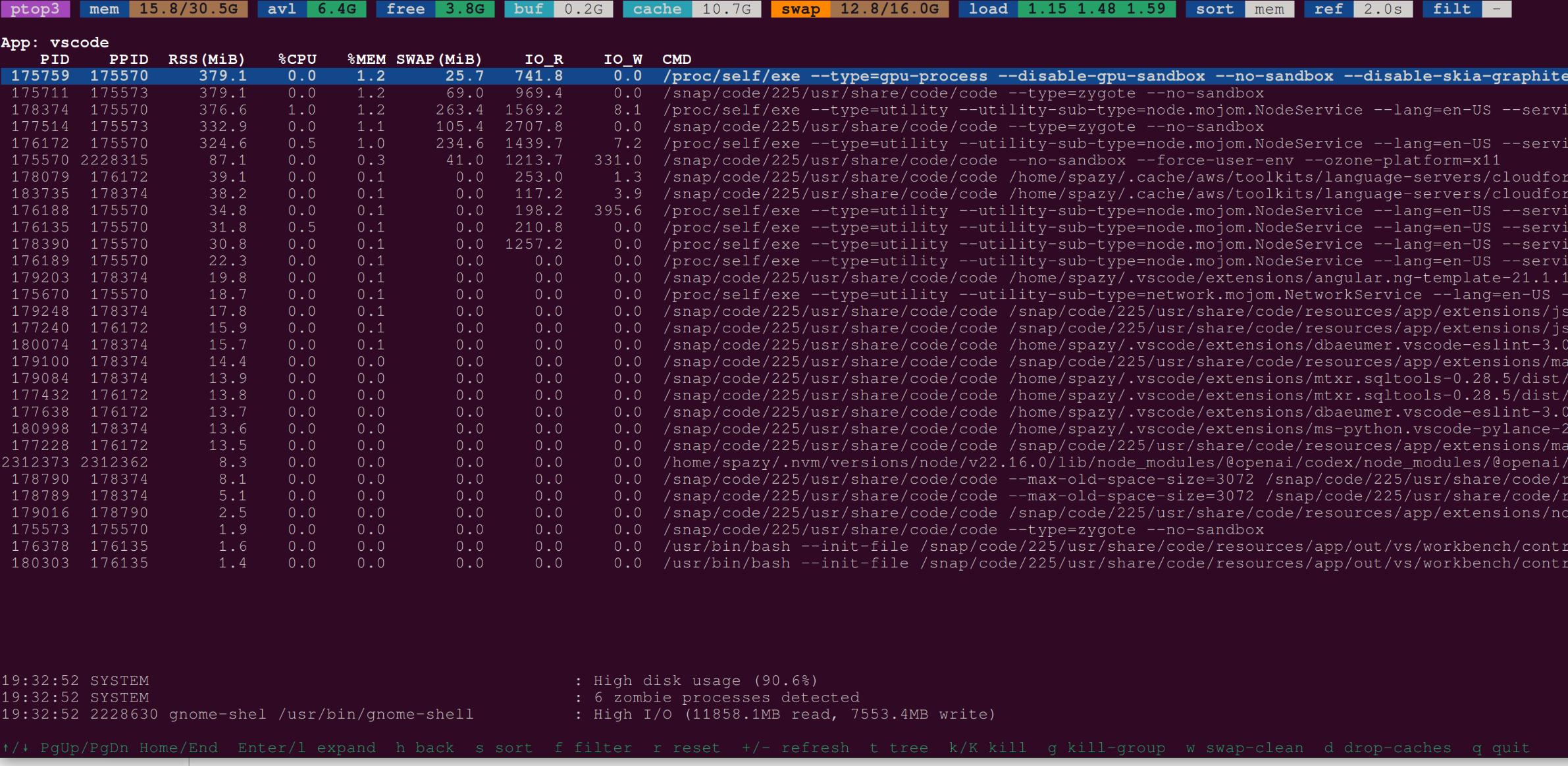 Detail view — individual processes for a selected group
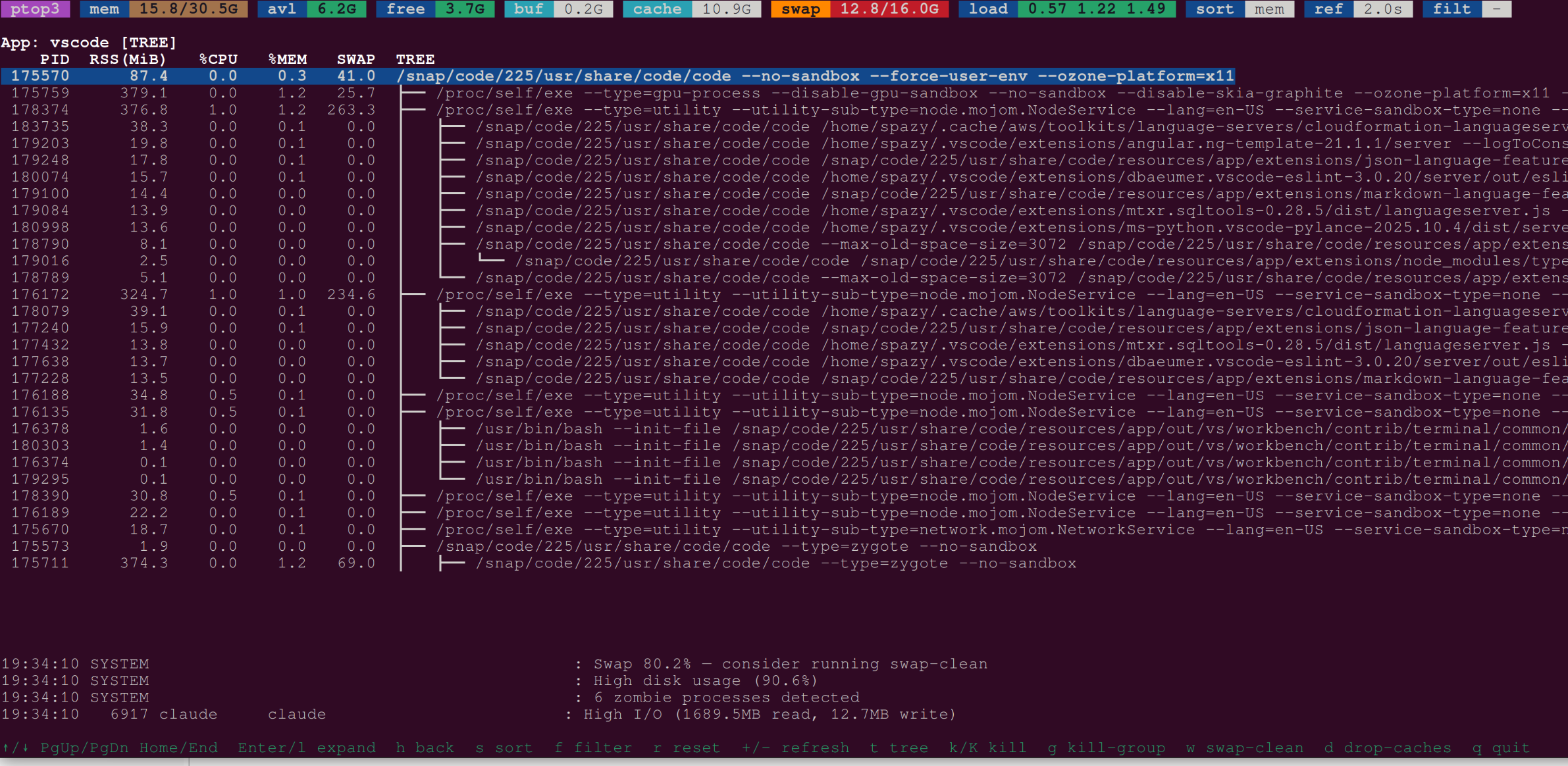 Tree view — process hierarchy within a group
- Groups processes by application name with smart alias resolution
- Colored header with memory, swap, load-average badges
- Sort by memory, CPU, RSS, swap, I/O, or count
- Regex filter across app name, process name, and cmdline
- Process tree view within a selected application group
- Kill signals (SIGTERM / SIGKILL) for individual processes or entire groups
wkey: clean swap by cycling swapoff/swapon (passwordless sudo)dkey: drop kernel caches (passwordless sudo)- Alerts for high CPU, memory, swap, disk usage, and zombie processes
- Lite mode (
--lite) for lower overhead on busy systems
pip install ptop3ptop3 # interactive TUI
python -m ptop3 # same via module
ptop3 --once # print one-shot table and exit
ptop3 --filter python # filter to python processesThe w (swap-clean) and d (drop-caches) keys require root. Configure passwordless sudo once:
sudo ptop3 --init-subscriptsOr manually:
sudo visudo -f /etc/sudoers.d/ptop3
# Add:
# YOUR_USER ALL=(root) NOPASSWD: /path/to/ptop3-drop-caches
# YOUR_USER ALL=(root) NOPASSWD: /path/to/ptop3-swap-clean
Check sudo status:
ptop3 --check-sudo| Flag | Default | Description |
|---|---|---|
--once |
off | Print one-shot table and exit |
-f/--filter REGEX |
— | Filter by app/name/cmdline |
-s/--sort KEY |
mem |
Sort key: mem, cpu, rss, swap, io, count |
-n/--top N |
15 | Rows to show in --once mode |
--refresh SECS |
2.0 | Refresh interval |
--lite |
off | Lite mode: skip cmdline/IO for tiny procs |
--check-sudo |
— | Check sudo config for subscripts |
--init-subscripts |
— | Write /etc/sudoers.d/ptop3 |
| Key | Action |
|---|---|
↑/↓ or j/k |
Move selection |
PgUp/PgDn |
Page up/down |
Home/End |
Jump to first/last |
Enter or l |
Expand group to detail view |
h |
Back to group view |
t |
Toggle process tree (detail view) |
s |
Cycle sort key |
f |
Enter filter regex |
r |
Reset filter |
+/- |
Increase/decrease refresh interval |
k/K |
Send SIGTERM/SIGKILL to selected |
g |
Kill whole group (SIGTERM) |
w |
Run swap-clean |
d |
Drop caches |
q or Ctrl-C |
Quit |
The privileged subscripts can also be run directly:
ptop3-drop-caches --help
ptop3-drop-caches --level 1 --dry-run

ptop3-swap-clean --help
ptop3-swap-clean --safety-mb 256 --dry-rungit clone https://github.com/spazyCZ/ptop3
cd ptop3
pip install -e ".[dev]"
pytest
ruff check ptop3/feature/xyz ──PR──► test ──PR──► main ──tag v*.*.*──► release
| Branch | Purpose |
|---|---|
feature/* |
Development — branch from test, PR back to test |
test |
Staging — CI gate + auto-publish to TestPyPI on merge |
main |
Production — only accepts PRs from test; tagged releases publish to PyPI |
| Workflow | Trigger | Action |
|---|---|---|
| CI | push / PR to test or main |
ruff + pytest × Python 3.10–3.13 + Codecov |
| Claude Code Review | PR opened / updated | Automated code review |
| Claude Quality Gate | PR to test or main |
Test coverage · changelog · security agents |
| Publish to TestPyPI | merge to test |
Build + publish (skips existing versions) |
| Release | push tag v*.*.* |
CI → GitHub Release with auto release notes |
| Publish to PyPI | manual (workflow_dispatch) |
CI → publish to production PyPI |
- Merge all feature PRs into
testand verify on TestPyPI:pip install -i https://test.pypi.org/simple/ ptop3
- Bump the version (run on
test):bump-my-version bump patch # or minor / major git push origin test
- Open a PR from
test→mainand merge once CI is green. - Tag the release on
main:This creates the GitHub Release automatically.git tag v0.x.y git push origin v0.x.y
- Publish to PyPI manually: Actions → Publish to PyPI → Run workflow — enter the tag.