Window
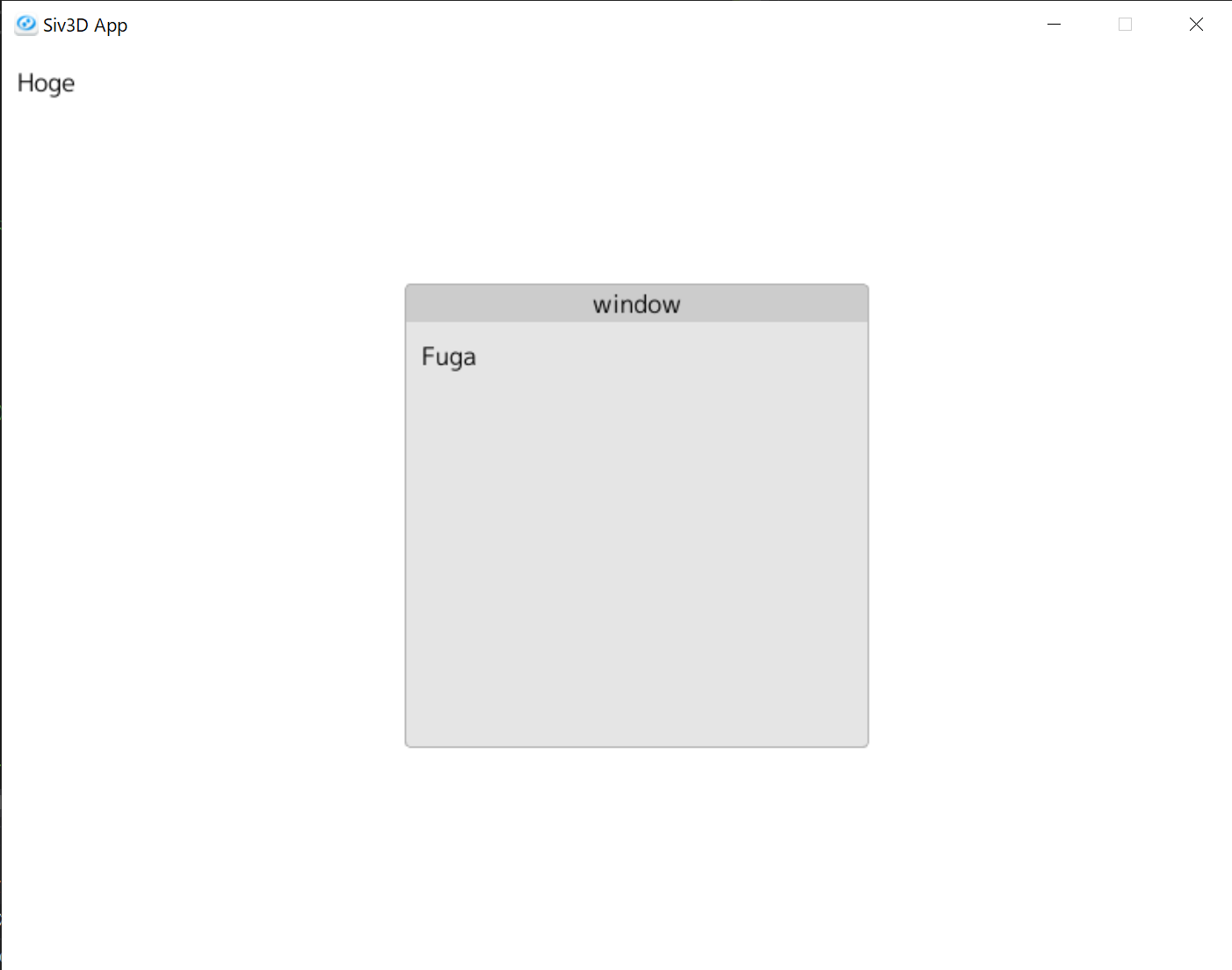
ウィンドウはwindowBegin()とwindowEnd()で作ることができます。
windowBegin()とwindowEnd()の間にコントロールを追加することで、ウィンドウ内にコントロールが配置されます。
デフォルトウィンドウは常に最背面にある透明なウィンドウです。
ウィンドウを指定せずにコントロールを追加すると、自動的にデフォルトウィンドウにコントロールが配置されます。
#include <Siv3D.hpp>
#include "SasaGUI.hpp"

void Main()
{
    Scene::SetBackground(Palette::White);
    SasaGUI::GUIManager gui;
    while(System::Update())
    {
        gui.frameBegin();

        //デフォルトウィンドウに配置
        gui.label(U"Hoge");

        //"window"というタイトルのウィンドウを作成
        gui.windowBegin(U"window");
        //ウィンドウ内に配置
        gui.label(U"Fuga");
        gui.windowEnd();

        gui.frameEnd();
    }
}