(Updated by swolewizard for windows from eclair4151)
This is a python package to automate the updating of your server. Its so annoying to try and download the jar, ftp it over, stop the server, back up your world, etc. This automates alll that. just git clone this in the root of your server. Then run python update.py in the server directory. it will check if you have the latest version. If not if will download the latest jar, force close the servers GUI and save the world in the console. it will then backup your world/Previous server.jar into a new folder when it updates incase something goes wrong. then update the server jar and start the server back up in a new console.
you can start this script in an empty folder and it'll create/download everything you need and start the server automatically for you
This script is intended to be run as a cron job/Task.
https://www.windowscentral.com/how-create-automated-task-using-task-scheduler-windows-10
This will update your server automatically when a new minecraft update is released within 1-5mins.
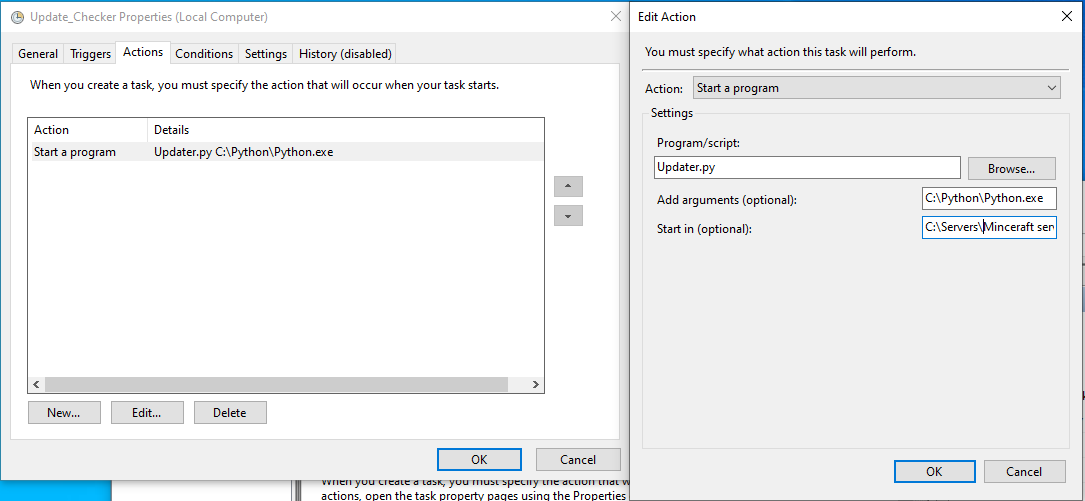
Make sure you have a .bat in your server directory where updater.py is located, called 'Manual_run.bat' with
@ECHO OFF

java -Xms4096M -Xmx4096M -jar minecraft_server.jar

pause
If you don't have this .bat, it'll automatically create one for you.
The way this code works is it force closes java.exe to stop the server enabling the cmd prompt to save the world, so you probably can't host a server and play minecraft at the same time on the same computer. Haven't tested that though
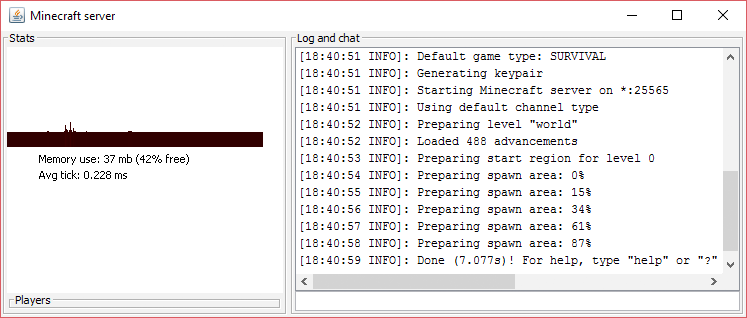
Make sure your java and java JDK SE is updated, if you're getting server starting errors.
https://www.oracle.com/java/technologies/javase-downloads.html
Updated Java
Python
Requests downloaded for python https://pypi.org/project/requests/
UPDATE_TO_SNAPSHOT = <True,False>
BACKUP_DIR =
JARBACKUP_DIR =
LOG_FILENAME =