




Note
❗ PROOF OF CONCEPT, WORK IN PROGRESS ❗
Interactive features for the python data analysis library pandas in jupyter.
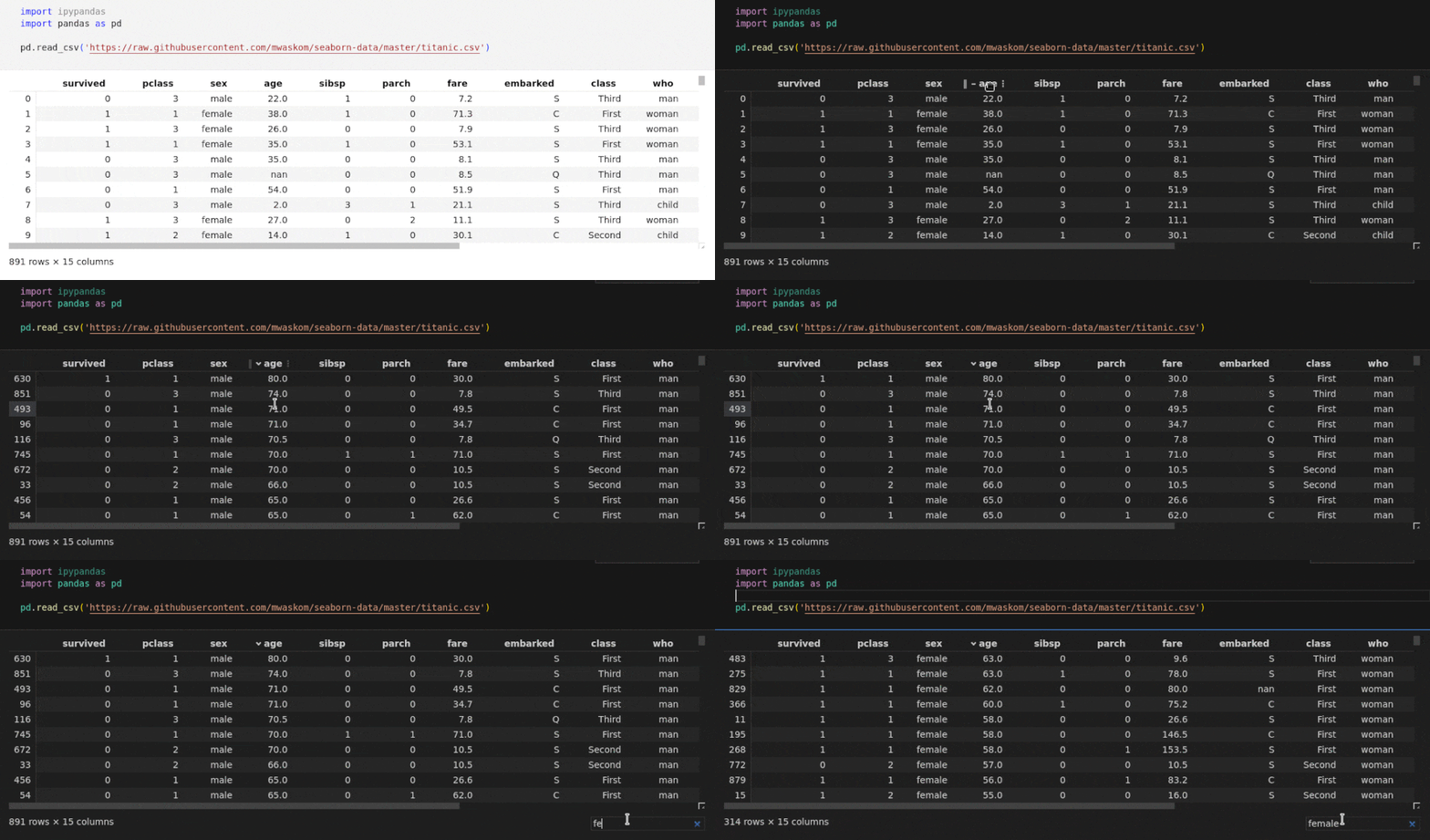
Pandas dataframes are rendered via ipypandas, which enables these interactive features (fully server side):
- Lazy loading
- Sort columns
- Resize columns
- Reorder columns
- Search values
- Filter values
The rendering has been tested for the following development environments (full theme support):
- JupyterLab
- JupyterNotebook
- Visual Studio Code
- PyCharm Professional
To get started with ipypandas, install it via pip:
pip install ipypandasImporting ipypandas will enable the interactive pandas output globally:
import pandas as pd
...
import ipypandas
More information can be found on the documentation page.
Create a dev environment:
mamba create -n ipypandas python=3.12 jupyterlab=4.0 nodejs=20.5
mamba activate ipypandas
Install python module and build typescript dependencies:
pip install -e .[dev]While developing you need to manually enable your extensions with the frontend. For JupyterLab, this is done by the command:
jupyter labextension develop --overwrite .If you use JupyterLab to develop then you can watch the source directory and run JupyterLab at the same time in different terminals to watch for changes in the extension's source and automatically rebuild the widget.
jlpm clean && jlpm install && jlpm build && jlpm watchAfter a change wait for the build to finish and then refresh your browser and the changes should take effect.
If you make changes to the python code then you will need to restart the notebook kernel to have it take effect.
Some commands which may be useful for development.
jlpm clean && jlpm install && jlpm build
pip uninstall ipypandas && pip install -e .[dev]jupyter lab clean
jupyter labextension list
jupyter labextension develop --overwrite .jupyter lab ./examplescd docs
make htmltbump 0.1.xBased on the cookiecutter template from jupyter-widgets.
