
A chrome extension to connect your RescueTime data and set your own targets.
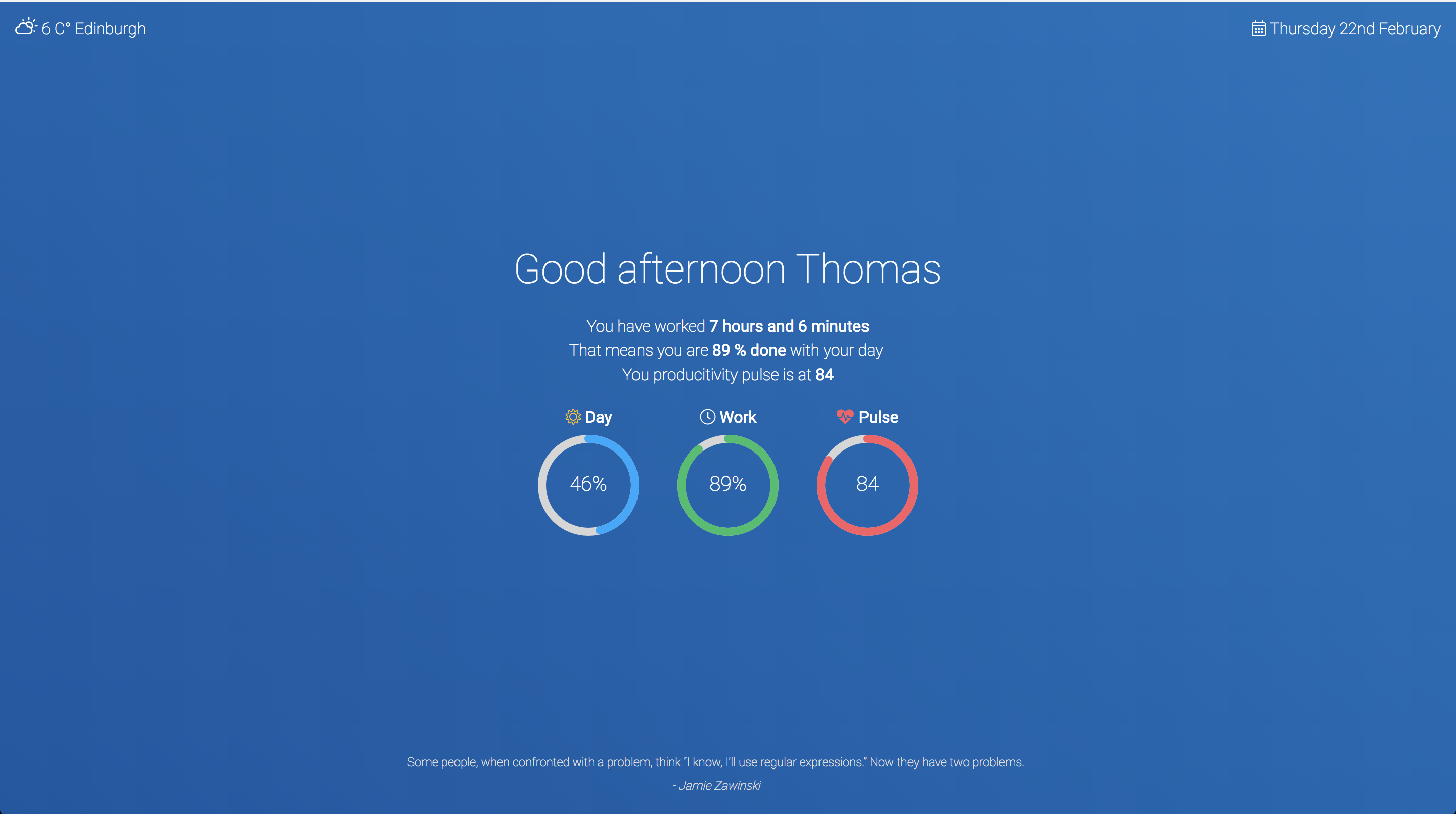
- Weather
- RescueTime and personal target integration
- Cool Programming quotes
- Cryptocurrencies price and 24h trend
- Clone the repository.
- Install npm packages
npm i - Rename
src/settings-example.jsontosrc/settings.json - Add your own settings in
src/settings.json(see below for details) - Start webpack
npm start - Load your extension on Chrome following:
- Access
chrome://extensions/ - Check
Developer mode - Click on
Load unpacked extension - Select the
buildfolder.
- Access
- Have fun. To build prod package:
npm run build
Set the values in src/settings.json:
firstname: Your firstname.work.start: The time you start working, make sure it's a 24h hour formatXX:XXwork.end: The time you start working, make sure it's a 24h hour formatXX:XXtarget.hours: The number of hours you want to work in a day (number, e.g: 8)target.minutes: If more than plain hours (e.g: 30 -> for 8 hours and 30 minutes)target.pulse: The productivity pulse you target for the day (Number between 1-100)weather.city: Your city and country code (e.g: Paris,fr - London,uk, - Madrid,es)bottomWidget: Choose between widget you want at the bottom of the screen, options are:cryptoorquotecoins: Coins you want to see listed. Use theidof the coins.keys: API keys, see below
- RescueTime: You can get API keys for RescueTime in the settings of your account (free).
- OpenWeatherMap: Sign up and create a key (free).
- Add more integrations: weekly/monthly goals (Trello?)