
gamla is a zero-deps functional programming library for JavaScript/TypeScript,
denoo and nodejs.
jsr:@uri/gamla
This library allows you to write in typescript/javascript using composition.
It has three main advantages over the native functional APIs and similar libs
(ramda and lodash):
- It helps you combine
asyncfunctions with regular ones, without having to change your code. - As opposed to
ramdaandlodash, It keeps typing information, so you get type safety when programming in pipelines. - As opposed to
ramdaandlodash, you get a stack trace that logs your compositions too, so you can debug as usual.
type Person = { name: string; age: number };

const people: Person[] = [
  { name: "alice", age: 28 },
  { name: "bob", age: 22 },
  { name: "carroll", age: 76 },
];

const getNamesOfPeopleOlderThan25 = pipe(
  filter(({ age }) => age > 25),
  sideEffect(console.log), // Log mid pipeline.
  map(({ name }) => name), // Get people names only.
  join(", "),
);

console.log(getNamesOfPeopleOlderThan25(people)); // "alice, carroll"Now let's imagine you wanted to call a remote server for some information somewhere in this pipeline. Usually this means refactoring your entire program to async functions.
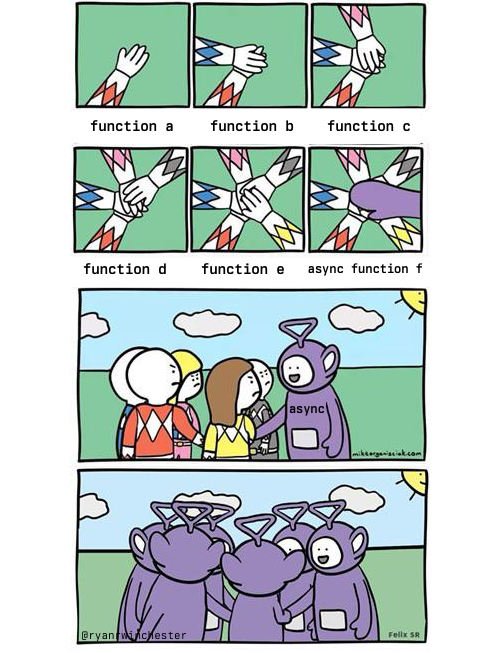
But pipe is smart and allows you to change one function without the ones
around it. No collateral refactoring is needed.
// Call some remote server to get hobbies for a person.
const getHobbies = async (person: Person): string[] => {...}

const isAnyoneUnder25InterestedInGolfing = pipe(
  filter(({ age }: Person) => age < 25),
  // Async function mid pipeline, even tho functions before and after are not.
  // Also flatten the result.
  mapCat(getHobbies),
  includes('golfing'),
);

console.log(await isAnyoneUnder25InterestedInGolfing(people)); // probably `false` :)gamla also has a bunch of methods to facilitate parallel IO operations.
Consider the following case:
- you have a list of 1000 items
- you have an async function
process(item) - you need to process all items
- it needs to be done concurrently, but not more than 25 at a time
This seemingly complex list of requirements is a simple readable one liner:
map(throttle(25, process))(items);Here's another example, the OpenAI API has rate limitations, which will block
your requests at some point. rateLimit can help you avoid these exceptions.
// This is how each request's weight is computed.
const weightFn = pipe(
  map(({ content }: ChatCompletionMessage) => (content || "").length),
  sum,
  divide(4), // For english, a token is around 4 characters.
);

const callAPI = (messages: ChatCompletionMessage[]) =>
  new OpenAI(assertString(OpenAIToken)).createChatCompletion({
    model: "gpt-4",
    messages,
  });

// 10KTPM-200RPM is the official limitation for GPT-4, this means maximum 200 requests per minute, and not more than 10000 tokens.
const callAPIWithRateLimiter = rateLimit(
  200, // Max requests in time window.
  10000, // Max total 'weight' in time window.
  60 * 1000, // Time window to apply the limitation.
  weightFn,
  callAPI,
);gamla preserves typing, so if you by accident you write something like this:
const typingMismatch = pipe(
  filter(({ age }: Person) => age < 25),
  (x: number) => x + 1, // The result of `filter` here is an array of `Person`, not a number!
);
You will get a typing error.
gamla has a lot of utils for debugging. The most useful ones are sideLog,
sideLogAfter and sideLogBefore. Their prpose is to allow logging without
moving any code around.
E.g. you have a complex expression like so:
someCondition ? f(a + g(b)) : c;And you want to log the value of g(b) without inteferring with the code.
Usually that would require rewriting a bit, placing the value into a variable
and using console.log. But with sideLog you can just do:
someCondition ? f(a + sideLog(g(b))) : c;Similarly, if you're working with pipelines and want to log somewhere in the middle:
pipe(
  f,
  g,
  sideLog, // Would log the output of `g`.
  h,
);
If you want to keep typing information, use sideLogAfter or sideLogBefore:
pipe(f, sideLogAfter(g), h); // Would log the output of `g`.

pipe(f, g, sideLogBefore(h)); // Would log the input to `h`. So same.