
PollToMVR - a tool to perform device discovery via ArtNet or RDM E1.20 and to save found devices in an MVR (My Virtual Rig) scene file.
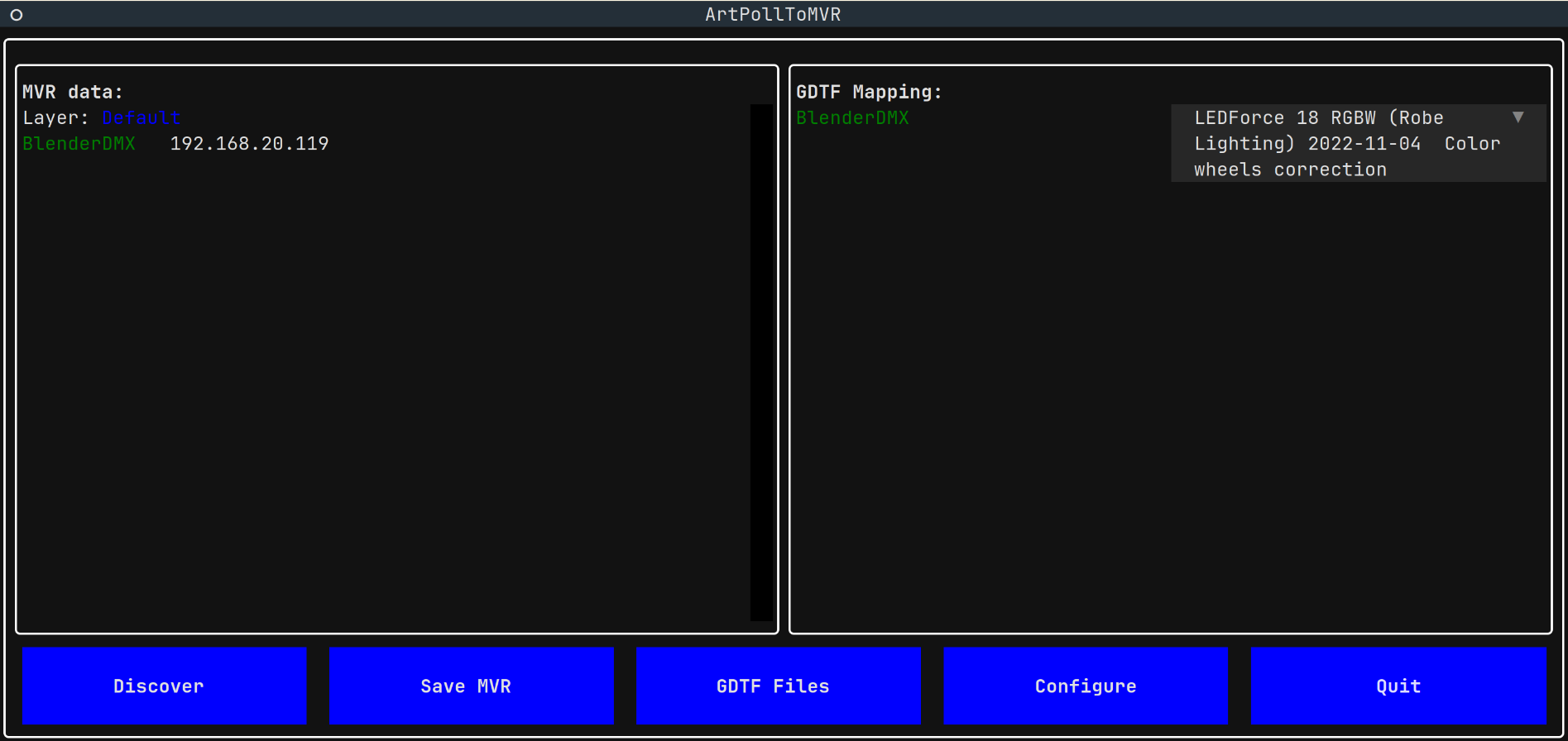
- Uses pymvr to write fixtures to MVR files
- Provides Graphical Terminal User Interface
- Uses ArtPoll based device network discovery, can parse DMX Address and Universe from device description if present
- Uses RDM ANSI E1.20 via Robe RUNIT USB Interfaces for DMX line device discovery
- Uses the GDTF Share Fixture Library for fixture definitions in MVR
A tool to quickly create an MVR file based on ArtPoll or RDM scan.
This is not a general tool to create MVR files.
Read the Quick Start, see Screenshots, for further documentation, check out Features.
No, it only uses ArtPoll and ArtPollReply. Some manufacturers put DMX
Address/Universe into long_name. If present and parsed, these values will
then be used in the MVR export.
Yes, PollToMVR can use ANSI E1.20 for device discovery and to query the device
for Device Info and Device Model Description. Supported USB interfaces are the
Robe Lighting: Universal Interface and RUNIT WTX interfaces.
Binary releases for Linux, macOS and Windows are available from the releases. For other operating systems and for development, use the instructions below.
The My Virtual Rig file format is an open standard which allows programs to share data and geometry of a scene for the entertainment industry. A scene is a set of parametric objects such as fixtures, trusses, video screens, and other objects that are used in the entertainment industry. See documentation and further details on GDTF Hub.
- Start the PollToMVR
- Click Discover to run network discovery
- After discovery, press the "Add devices to MVR Layer", click Add
- Click
Save Devicesto store the result as an MVR file
This will create a bare-bone MVR file with device names and their IP addresses (and Universes, DMX address, if also discovered). For more featured MVR: set user login credential in the Config, download some GDTF files and after network discovery, link the GDTFs to the discovered fixtures. After saving, the MVR will also contain the full GDTF definitions
-
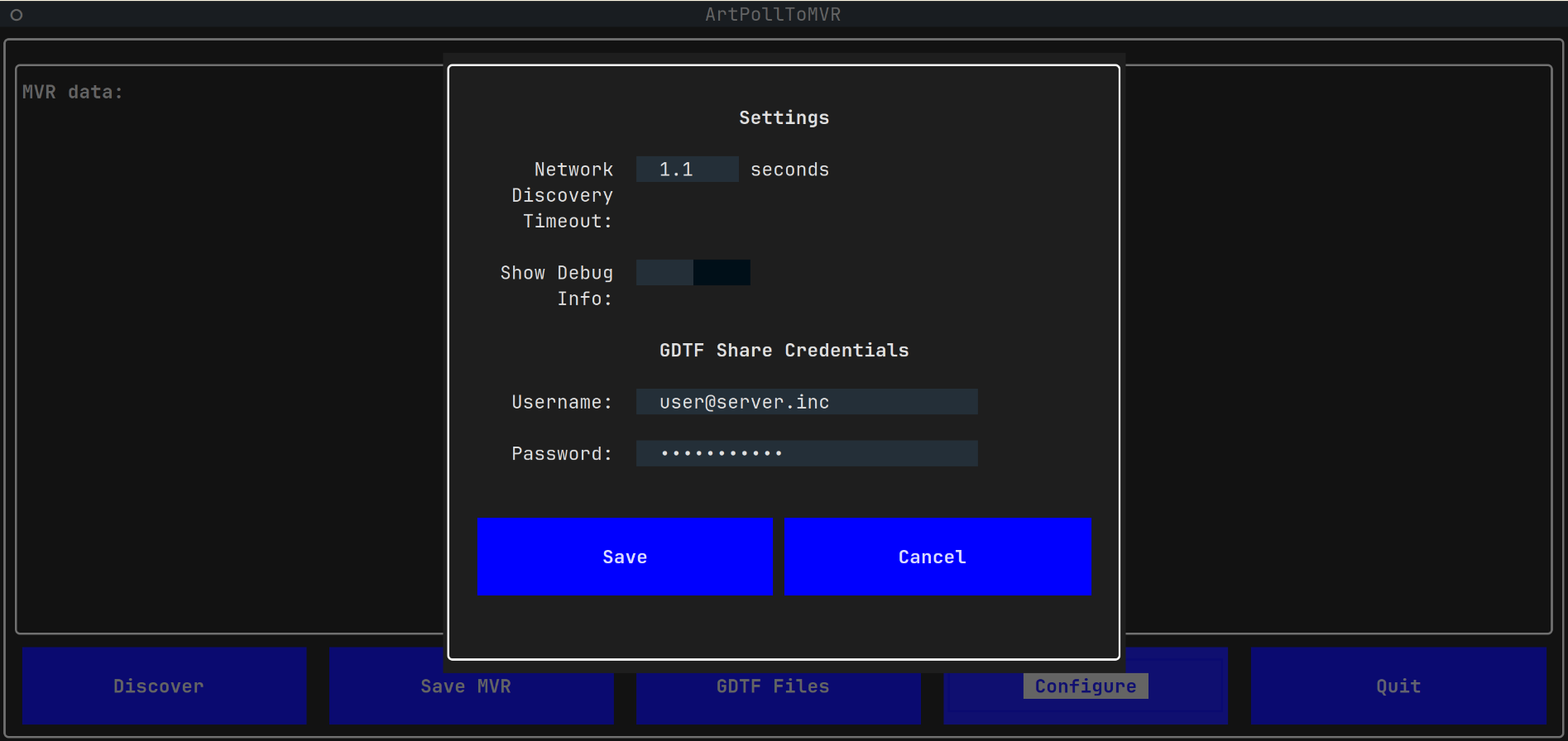
- Network Discovery Timeout: how long for should be the waiting for ArtPollReply from devices
- GDTF Share credentials: fill in username/password to be able to download GDTF files from GDTF Share, create a free account there if needed
-
- Shows a list of discovered devices
- Shows the possibility to define a GDTF file for each device. This GDTF file will then be used for the created MVR file. To download the GDTF files, use the GDTF Files button on the main screen.
-
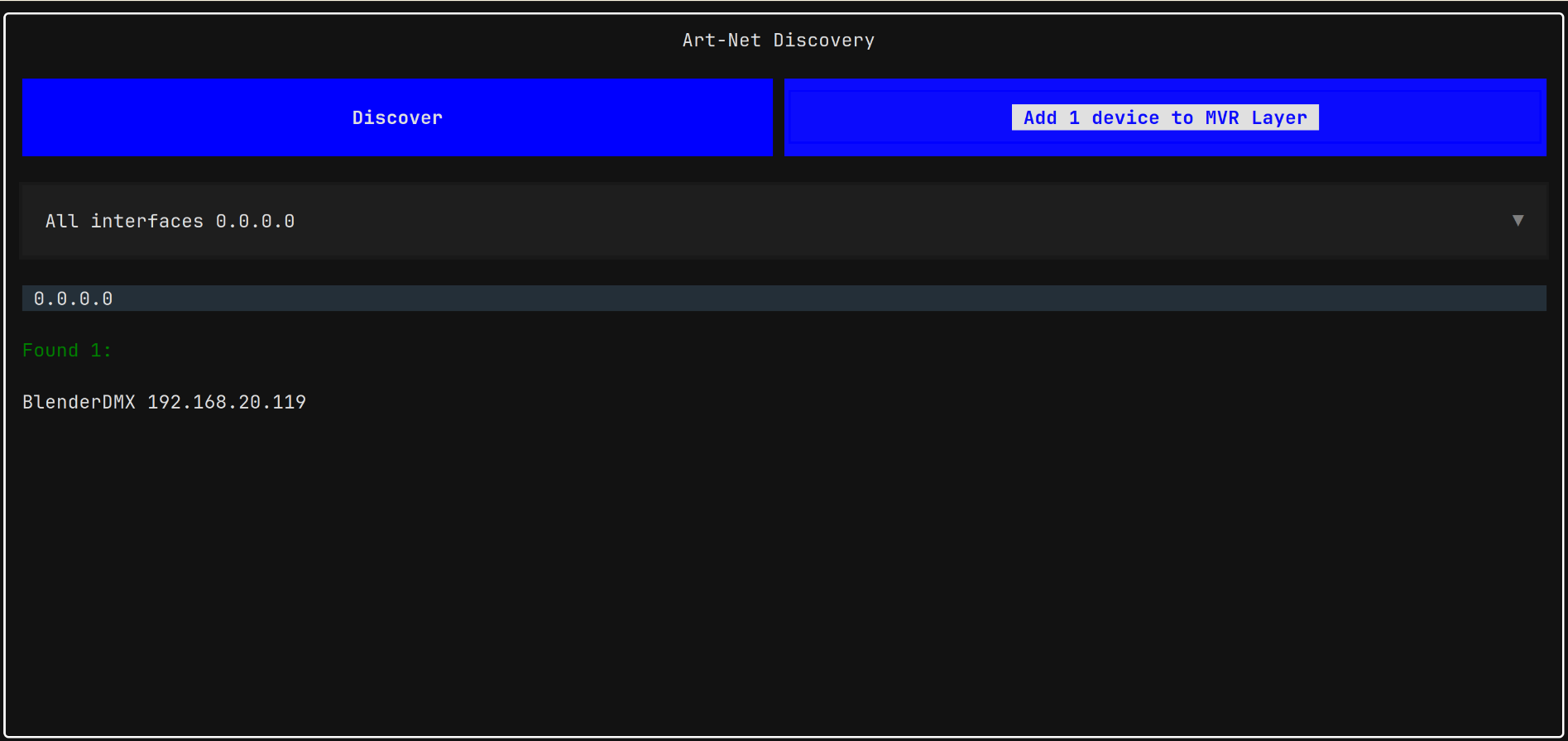
- Discover devices on the local network or on DMX line
- Select a network interface on which the discovery will run
- Select a USB based Runit interface for RDM based discovery
-
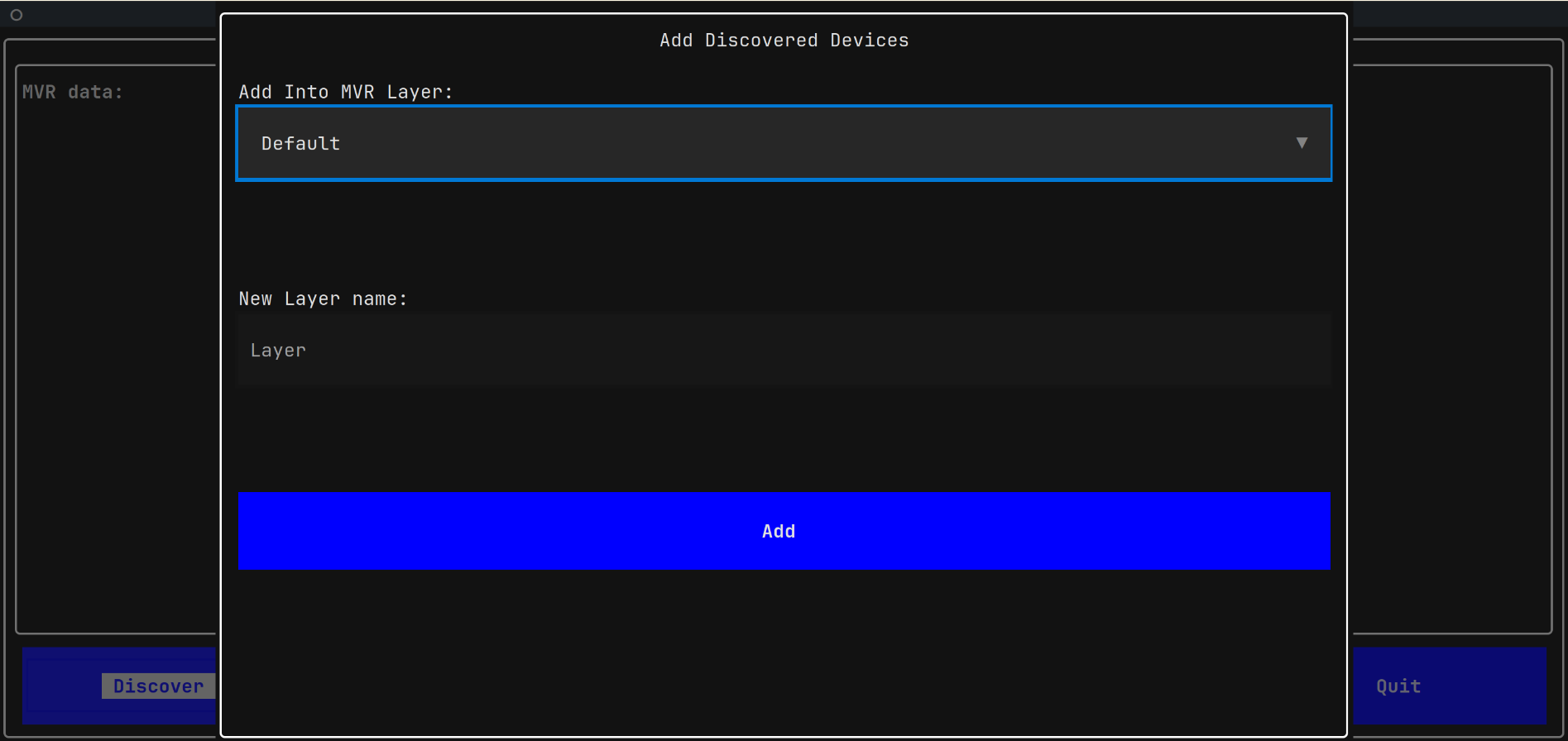
- Add the discovered devices to a selected MVR layer
- Create a new named MVR Layer
-
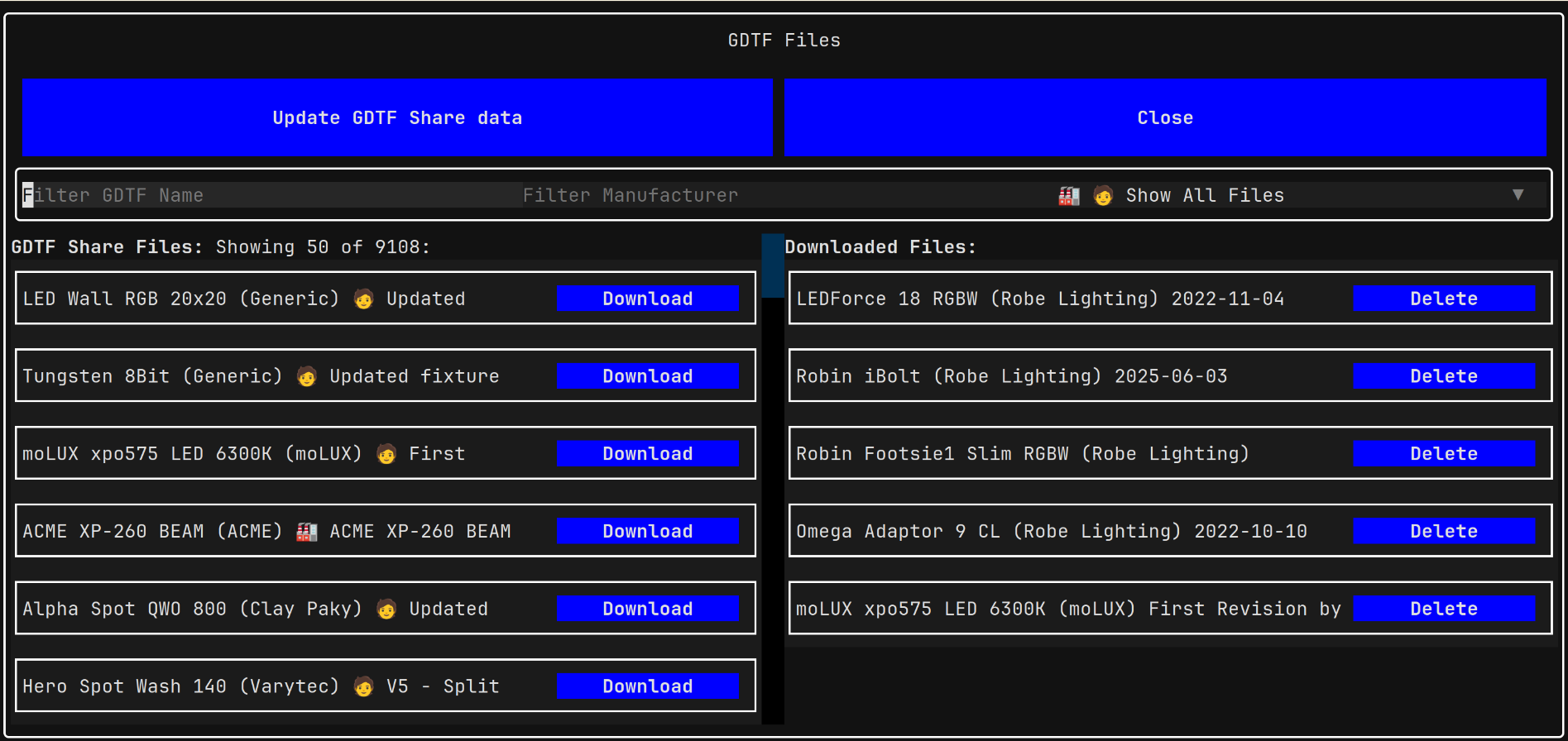
- Update GDTF Share data - download the latest list of available GDTF files from the GDTF Share
- Filter the devices by name or by a manufacturer name
- Filter the devices by creator: Official Manufacturer Files or User created files
- Download the GDTF files
Install uv on your system. uv will manage python and dependencies
installation and will also run the application.
Clone the repository or download it and uzip.
Inside the downloaded/unzipped repository, run:
uv run run.pyWith a small amount of effort, it is possible to run PollToMVR on Android:
- Install Termux
- Install uv, python, wget:
pkg install uv python3 wget- Download and unzip PollToMVR:
wget https://github.com/vanous/PollToMVR/archive/refs/heads/master.zip
unzip master.zip
cd PollToMVR-master- You will need to edit the pyproject.toml and change python to 3.11, then you can run it:
uv run run.pyuv run textual console
uv run textual run --dev run.py
All python code is to be formatted with ruff:
uv tool run ruff format
``

## Packaging

Initial pyinstaller setup
uv run pyinstaller packaging.spec
```bibtex
@software{pymvr2025,
  title        = {pyMVR: Python Library for My Virtual Rig},
  author       = {{OpenStage}},
  year         = {2025},
  version      = {1.0.4},
  url          = {https://github.com/open-stage/python-mvr}
}