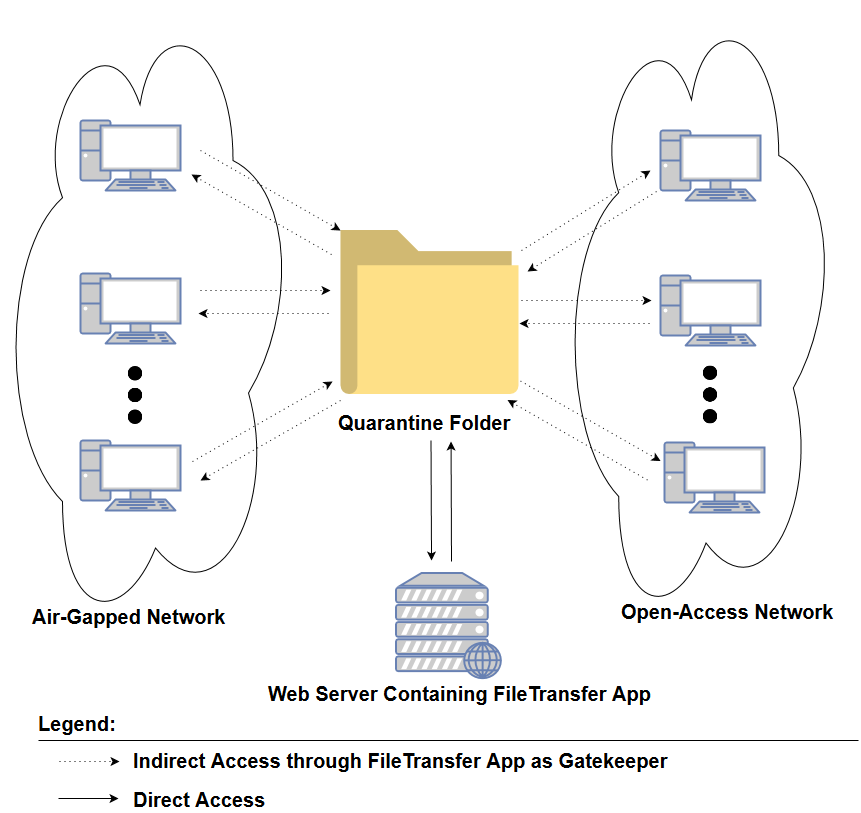
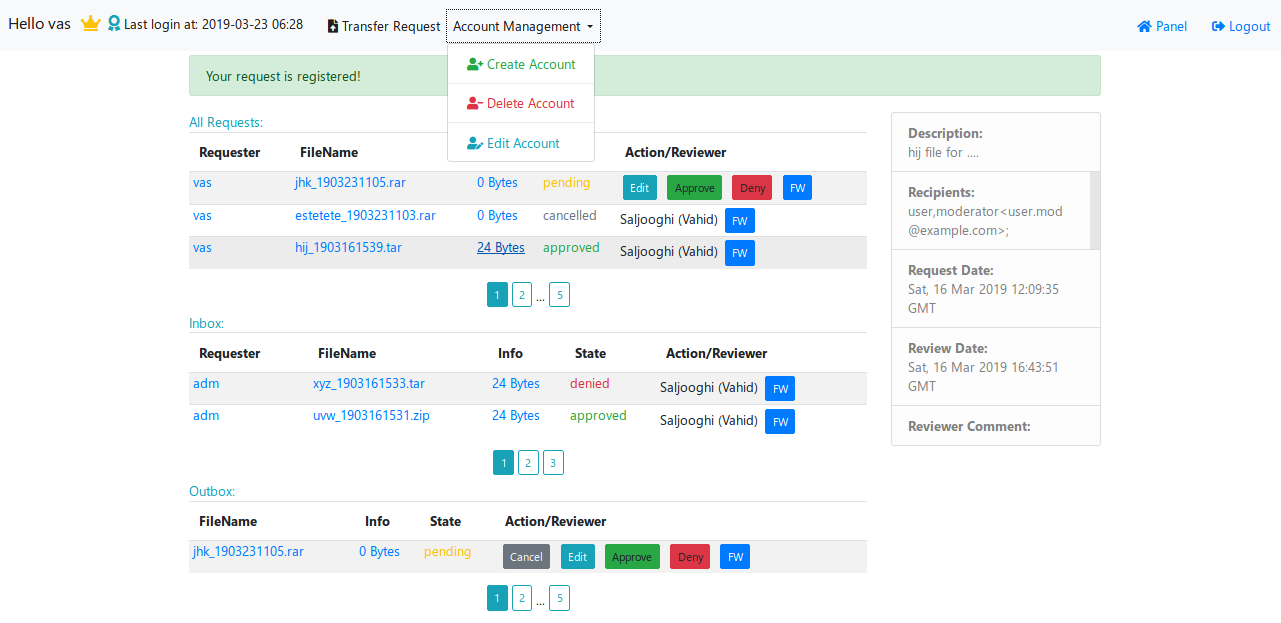
File transfer web application facilitates file transfer from one computer network to a second computer network. The user can upload a compressed file from his/her own panel on source network and then download the same file in a destination network or he/she can put other recipients as downloader of the file in the destination network. This web app is handy in air-gapped environments with limited access(no Internet, closed USB ports and etc) for transferring file to an open access computer network (The web app acts as a gatekeeper between two networks). It provides the capability for account management(create, edit, delete, block account) and request management(approve, cancel, deny, edit, forward). The file transfer request shall be reviewed by a reviewer and in case of approvement, the requester can download the file.
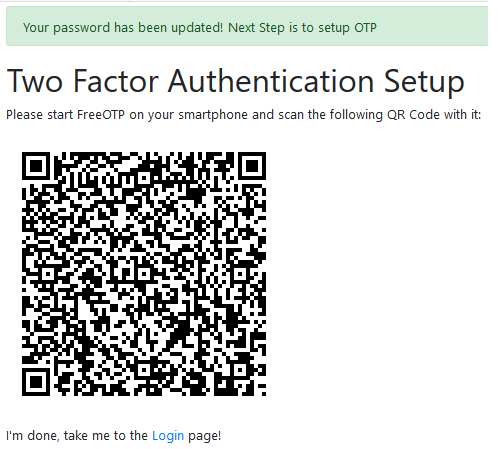
4- Using one-time password(OTP) to implement two-factor authentication. (To set up it on Android smart phones: you can use FreeOTP apk)
5- Set up of HTTP header to avoid caching of sensitive data (In case a third person uses browser back button to retrieve panel after logout)
0- Change to root of application folder and then run python REPL and then run the following commands:
5- u1=User(name="admin", surname="adminian", username="adm", email="admin@example.com", password=pass1, permission=6)
| admin + moderator | admin | moderator | normal |
|---|---|---|---|
| 6 | 4 | 2 | 0 |
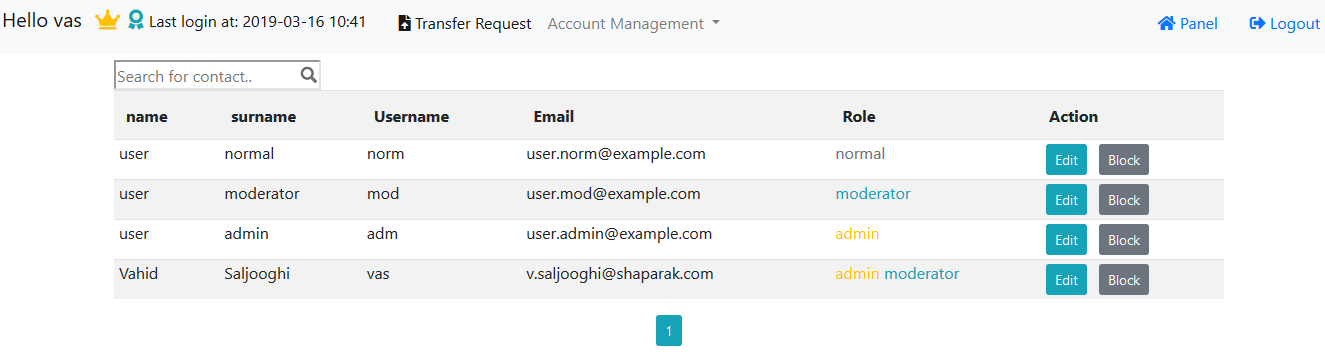
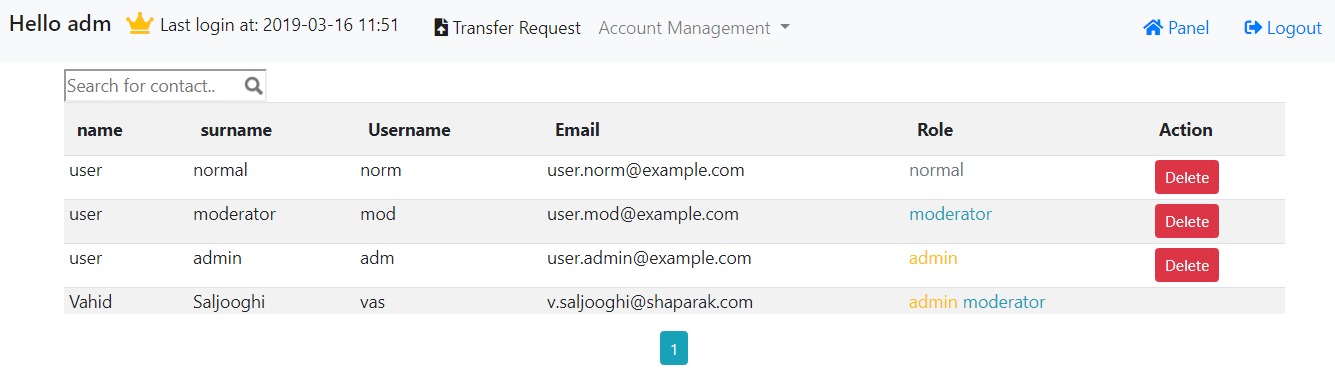
2- Can create non moderator(admin or normal) account and delete, block or edit any account except most privileged one(admin + moderator).
.
├── FileTransferPackage
│   ├── DB
│   │   └── FileTransfer.db
│   ├── DOC
│   │   ├── create_account.png
│   │   ├── DB_diagram.png
│   │   ├── DB_diagram.xml
│   │   ├── delete_accounts.png
│   │   ├── Diagram_FileTransfer.png
│   │   ├── Diagram_FileTransfer.xml
│   │   ├── edit_accounts.png
│   │   ├── home_page.png
│   │   ├── panel_moderator.png
│   │   ├── QR_2FA.png
│   │   ├── reset_password_email.png
│   │   ├── reset_password_request.png
│   │   ├── trans_req.png
│   │   └── راهنما وب اپلیکیشن انتقال فایل.docx
│   ├── forms.py
│   ├── __init__.py
│   ├── __init__.pyc
│   ├── models.py
│   ├── routes.py
│   ├── static
│   │   ├── css
│   │   │   ├── all.min.css
│   │   │   ├── bootstrap-grid.min.css
│   │   │   ├── bootstrap-grid.min.css.map
│   │   │   ├── bootstrap.min.css
│   │   │   ├── bootstrap.min.css.map
│   │   │   ├── bootstrap-reboot.min.css
│   │   │   ├── bootstrap-reboot.min.css.map
│   │   │   └── main.css
│   │   ├── img
│   │   │   ├── FileTransfer.png
│   │   │   └── searchicon.png
│   │   ├── js
│   │   │   ├── AJAX2GetReqInfo.js
│   │   │   ├── bootstrap.bundle.js
│   │   │   ├── bootstrap.bundle.js.map
│   │   │   ├── bootstrap.bundle.min.js
│   │   │   ├── bootstrap.bundle.min.js.map
│   │   │   ├── bootstrap.js
│   │   │   ├── bootstrap.js.map
│   │   │   ├── bootstrap.min.js
│   │   │   ├── bootstrap.min.js.map
│   │   │   ├── delUser.js
│   │   │   ├── ImportContacts.js
│   │   │   ├── jquery-3.3.1.js
│   │   │   ├── reqAction.js
│   │   │   ├── searchContacts.js
│   │   │   └── SelectContacts.js
│   │   └── webfonts
│   │       ├── fa-brands-400.eot
│   │       ├── fa-brands-400.svg
│   │       ├── fa-brands-400.ttf
│   │       ├── fa-brands-400.woff
│   │       ├── fa-brands-400.woff2
│   │       ├── fa-regular-400.eot
│   │       ├── fa-regular-400.svg
│   │       ├── fa-regular-400.ttf
│   │       ├── fa-regular-400.woff
│   │       ├── fa-regular-400.woff2
│   │       ├── fa-solid-900.eot
│   │       ├── fa-solid-900.svg
│   │       ├── fa-solid-900.ttf
│   │       ├── fa-solid-900.woff
│   │       └── fa-solid-900.woff2
│   └── templates
│       ├── create_account.html
│       ├── delete_accounts.html
│       ├── edit_account.html
│       ├── edit_accounts.html
│       ├── edit_req.html
│       ├── fw_req.html
│       ├── home.html
│       ├── includes
│       │   ├── _colorize.html
│       │   └── _formhelpers.html
│       ├── layout.html
│       ├── login.html
│       ├── panel_moderator.html
│       ├── panel_normal.html
│       ├── reset_request.html
│       ├── reset_token.html
│       ├── trans_req.html
│       ├── two-factor-setup.html
│       └── x_reqs.html
├── README.md
└── run.py