Add user hint to save new keyword values #388
Open
Conversation
This file contains hidden or bidirectional Unicode text that may be interpreted or compiled differently than what appears below. To review, open the file in an editor that reveals hidden Unicode characters.
Learn more about bidirectional Unicode characters


Contributor
 manuel-delvillar
left a comment
manuel-delvillar
left a comment
manuel-delvillar
left a comment
There was a problem hiding this comment.
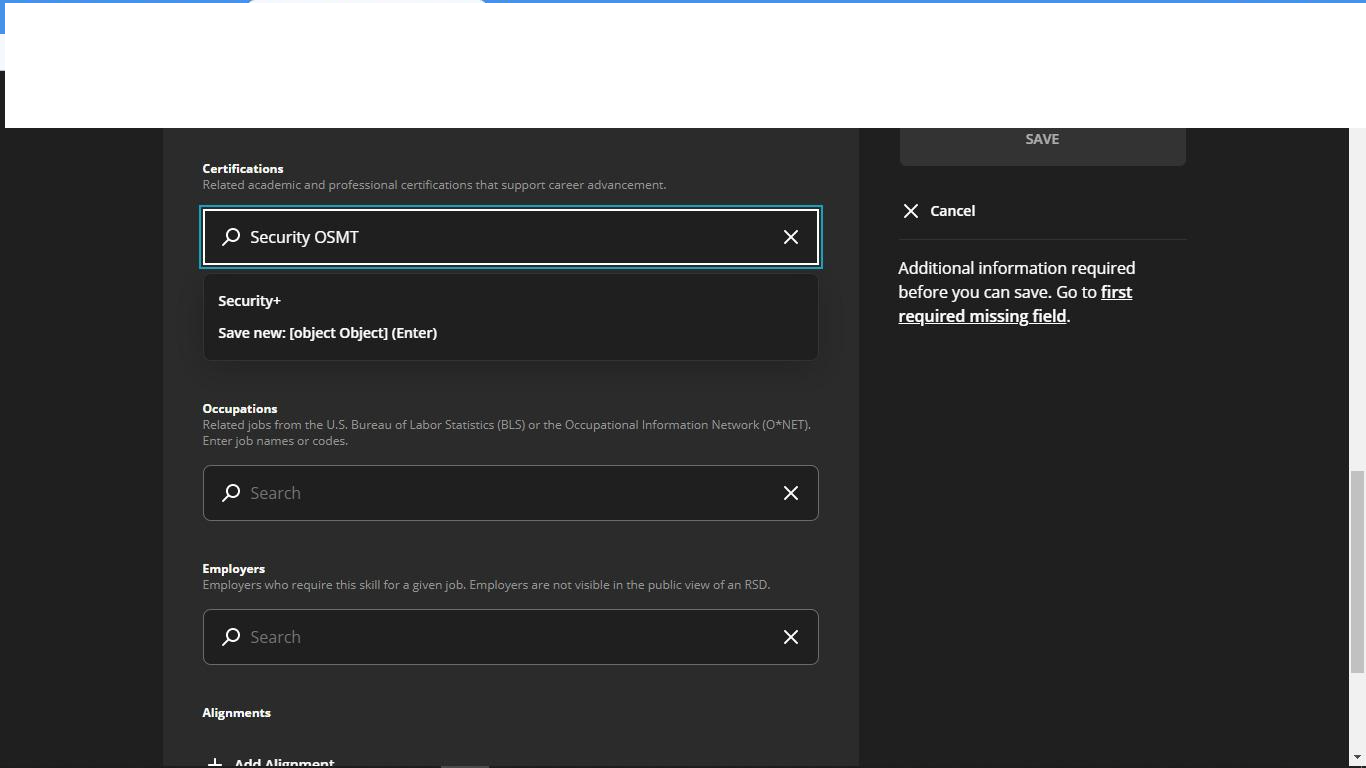
Hint is not working for certifications and employers, I am seeing [object Object]
 Corpratespaz
added
the
2023-hackathon
Corpratespaz
added
the
2023-hackathon

Contributor
Author
|
@manuel-delvillar thanks! Fixed that in cef764e.
|

Sign up for free
to join this conversation on GitHub.
Already have an account?
Sign in to comment


Add this suggestion to a batch that can be applied as a single commit.
This suggestion is invalid because no changes were made to the code.
Suggestions cannot be applied while the pull request is closed.
Suggestions cannot be applied while viewing a subset of changes.
Only one suggestion per line can be applied in a batch.
Add this suggestion to a batch that can be applied as a single commit.
Applying suggestions on deleted lines is not supported.
You must change the existing code in this line in order to create a valid suggestion.
Outdated suggestions cannot be applied.
This suggestion has been applied or marked resolved.
Suggestions cannot be applied from pending reviews.
Suggestions cannot be applied on multi-line comments.
Suggestions cannot be applied while the pull request is queued to merge.
Suggestion cannot be applied right now. Please check back later.
Closes #112
I rejected the suggested approach to just change the gray text, because would go against UX patterns. The text is supposed to suggest a possible value that might be entered, rather than provide instruction. But the underlying issue was correct: the user didn't know that they could create a new keyword by hitting Enter.
Now, when relevant, a new button appears in the search result list. When a user selects it (or hits their "Enter" key while the input control is selected, the current search value is set to be saved as a new keyword value. This button appears when:
It does not appear when: