

lazybin is a minimialistic encrypted privacy focused pastebin for sharing code and text snippets.
🏠 Demo
Use the following commands to self-host your own version of lazybin on your server without the need of a database.
git clone https://github.com/xrv0/lazybin
cd lazybin
npm i
npm startYou can use Google App Engine to run lazybin in an auto-scaling enviroment for free for a whole year. After your free-trail is expired hosting the service can still be very cheap depending on your traffic.
- Open the Cloud Storage browser in the Google Cloud Console. Here
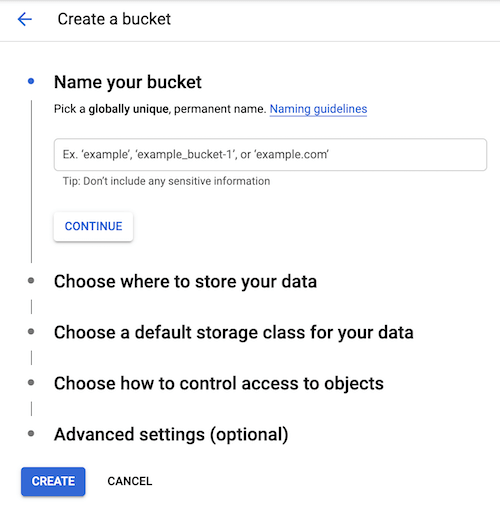
- Click Create bucket to open the bucket creation form, choose a name and create one.
- If you run into any errors check out their documentation
- Open Cloud Shell
- Enter the following commands

git clone https://github.com/xrv0/lazybin
cd lazybin
sh appengine_deploy.sh

#When asked for your bucket name enter the one specified in the step abovePull requests are welcome. For major changes, please open an issue first to discuss what you would like to change. Feel free to check issues page.
👤 xrv0
Give a ⭐️ if this project helped you!
Donate Bitcoin: 1FVGKsksRt5DJ87tj1v3UEDivPphLze7Ea
Donate Ether: 0xC3cF8CDb45C03557a1ade85a41657cddB2A5Fc21
Copyright © 2020 xrv0.
This project is GNU General Public License licensed.