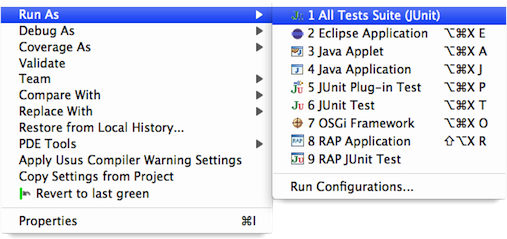
AutomaticTestSuites
In software projects with sizeable code bases maintaining the suite of all unit tests regularly becomes an issue: developers want to be able to execute the entire collection of tests with a single command, but an AllTests suite that lists the test cases explicitly must be kept manually, which is inefficient and error-prone.
The Eclipse IDE allows to run all tests in a single Java project or source folder directly from the context menu, but doesn't extend this functionality to multiple projects or even the entire workspace.
Usus provides a multi-project JUnit runner that lets you run all unit tests in
- the projects you have selected (if the projects are not totally unrelated), or
- all projects the currently selected project depends upon.
To use it, go to the Package Explorer and select
- the desired projects and choose "Run As > JUnit Test", or
- the root project and choose "Run As > All Tests Suite (JUnit)".