Jenga Menu
Main Menu:
The menu is made of different UI-Buttons:
- Play-Button
- Credits-Button
- Settings-Button
- Exit-Button
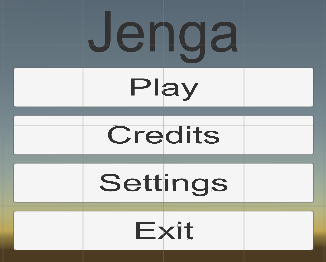
If you hover with the fly-stick a menu point then it will highlighted green. You can press the trigger button (backside) to select it.
- Play (Start the Game with...)
- 2 Players
- 3 Players
- 4 Players
- Back (Go Back to Main Menu)
- Credits (Start the Credits)
- Back (Go Back to Main Menu)
- Settings
- Music OFF/ON (Turn on/off the Background Music)
- Back
- Exit
If a button is pressed it invokes a function in the MenuGUI.cs script