Radial Menu
The Radial Menu is developed for the Flystick. You can interact with it in the Game with the left button of the Flystick.
Here a screenshot:
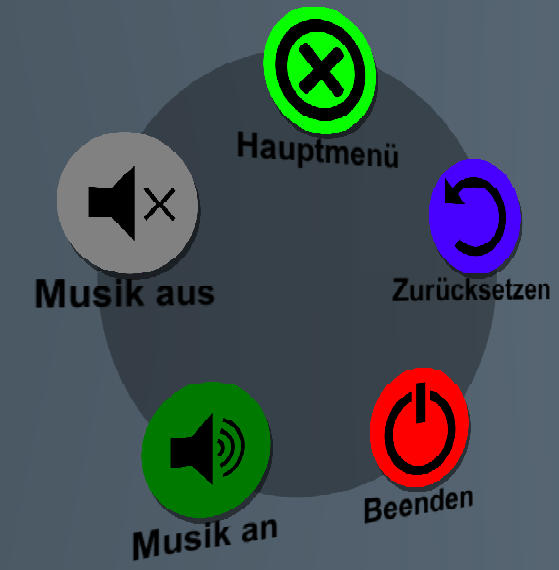
| Menupoint | Color | Description |
|---|---|---|
| Main Menu | Light Green | Go back to the Main Menu |
| Close | Red | Close the Game |
| Music on | Dark Green | Turn on the Music |
| Music off | Grey | Turn off the Music |
The radial menu buttons are dynamically created and can be modified in the Unity-Editor at RadialMenuCanvas -> Interactable -> Options. Each button has a color, sprite, title and action associated with it. While color, sprite and title just define the visuals of the button every function listed in the action will be executed when the button is pressed.
To open up the radial menu ingame press the left Flystick button. Then point at one of the options (changes size when selected) and press the left button again to execute it. Pressing the left button again while no option is selected simply closes the menu without any action.